
Veo 3 - Professional Multi-Shot Video Creation
Description
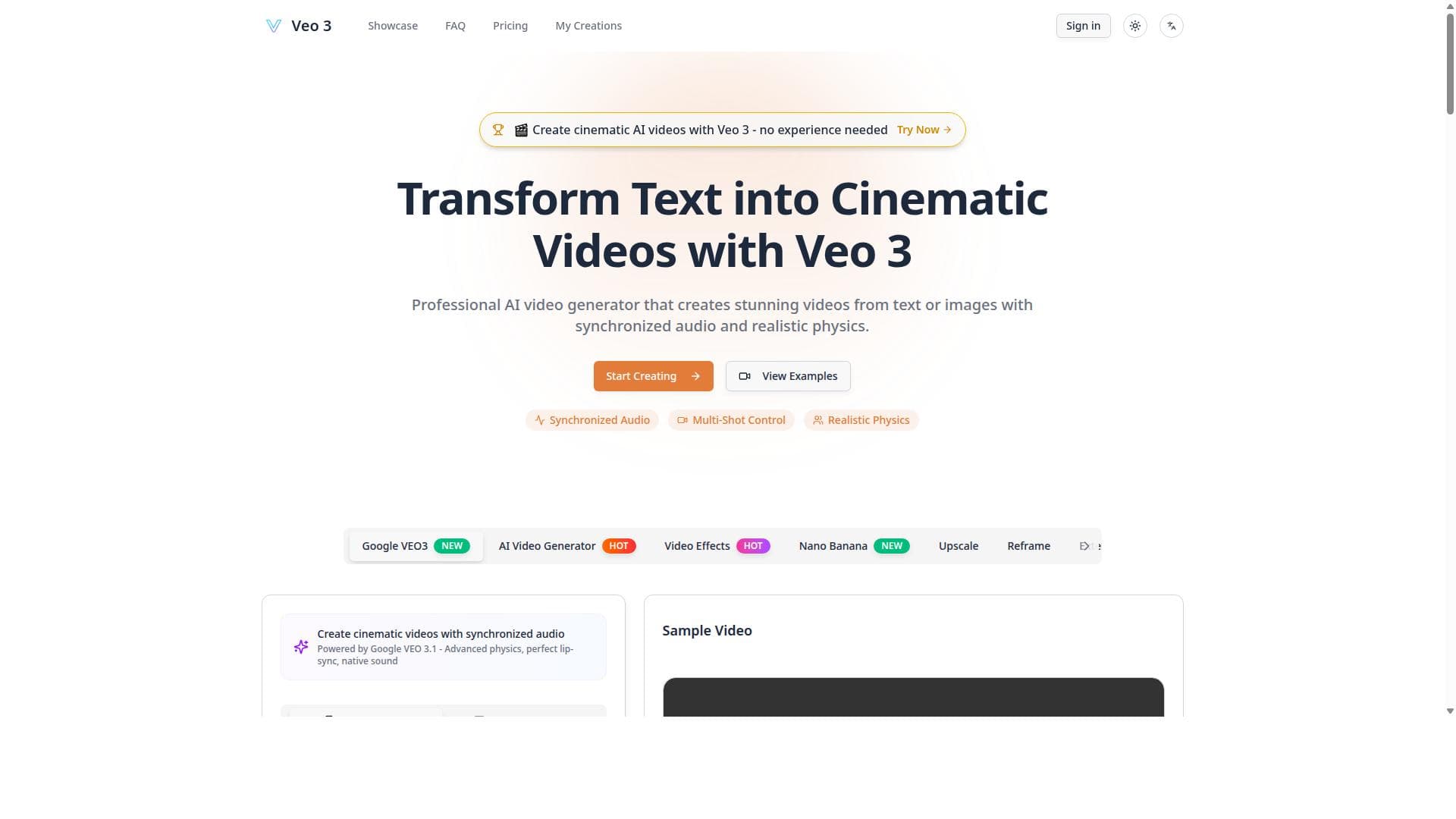
Veo 3 revolutionizes video creation by enabling users to generate cinematic, multi-shot AI videos from simple text or images with synchronized audio and realistic physics—no editing skills required. Ideal for marketers, educators, and content creators, it delivers professional-quality videos effortlessly through advanced AI technology.
Veo 3 - Professional Multi-Shot Video Creation is an advanced AI-powered tool designed to simplify the process of creating cinematic-quality videos from simple inputs such as text descriptions or images. Its core purpose is to enable users, regardless of their video editing experience, to generate dynamic, multi-shot video content that looks professional and polished. By leveraging cutting-edge AI technology, Veo 3 transforms basic prompts into visually compelling videos with synchronized audio and realistic physics effects, making it a powerful solution for content creators, marketers, educators, and businesses seeking high-quality video production without the complexity of traditional editing software. One of the standout features of Veo 3 is its ability to generate cinematic AI videos directly from text or images. Users can input a script or upload images, and the AI interprets these inputs to create visually engaging scenes that flow seamlessly. The tool also integrates synchronized audio, ensuring that voiceovers, sound effects, and background music are perfectly timed with the video content. This synchronization enhances the storytelling aspect and provides a more immersive viewing experience. Another key capability is the realistic physics simulation embedded within the video creation process. This feature adds natural motion dynamics to objects and scenes, such as gravity, collisions, and fluid movements, which contribute to the authenticity and cinematic quality of the output. Additionally, Veo 3 offers multi-shot control, allowing users to manage multiple camera angles and scene transitions within a single video project. This multi-shot functionality is typically reserved for professional video editors but is made accessible here through an intuitive interface that requires no prior editing skills. Veo 3 is best suited for a wide range of users including digital marketers who need engaging promotional videos, educators creating interactive learning materials, social media influencers producing captivating content, and small businesses aiming to enhance their brand presence with professional videos. Its ease of use and powerful features make it ideal for users who want to save time and resources by avoiding complex video editing software while still achieving high production value. Regarding pricing, Veo 3 operates on a freemium model, allowing users to access basic features at no cost, which is perfect for testing the platform or creating simple projects. For more advanced capabilities, multi-shot controls, and higher quality outputs, premium plans are available, offering expanded usage limits and additional features. This pricing structure makes Veo 3 accessible to both casual users and professionals who require more robust video creation tools. Compared to alternative AI video creation platforms, Veo 3 stands out due to its combination of multi-shot video control, realistic physics simulation, and synchronized audio integration. Many competitors offer either text-to-video or image-to-video generation but lack the depth of cinematic control and physical realism that Veo 3 provides. This makes it a unique choice for users aiming to produce videos that feel more like traditionally edited cinematic content rather than simple automated clips. However, potential users should consider that while Veo 3 removes the need for manual editing skills, the quality of the final video can still depend on the clarity and creativity of the input text or images. Additionally, as with many AI-driven tools, complex or highly customized video projects may require some trial and error to perfect. Integration options may also be limited compared to more established video editing ecosystems, which could affect workflows that rely heavily on third-party tools. In summary, Veo 3 - Professional Multi-Shot Video Creation offers a compelling, user-friendly platform for producing cinematic AI videos with professional features such as synchronized audio, realistic physics, and multi-shot control. Its freemium pricing and ease of use make it accessible to a broad audience, while its advanced capabilities set it apart from many other AI video generators on the market.

Description
Veo 3 revolutionizes video creation by enabling users to generate cinematic, multi-shot AI videos from simple text or images with synchronized audio and realistic physics—no editing skills required. Ideal for marketers, educators, and content creators, it delivers professional-quality videos effortlessly through advanced AI technology.
Veo 3 - Professional Multi-Shot Video Creation is an advanced AI-powered tool designed to simplify the process of creating cinematic-quality videos from simple inputs such as text descriptions or images. Its core purpose is to enable users, regardless of their video editing experience, to generate dynamic, multi-shot video content that looks professional and polished. By leveraging cutting-edge AI technology, Veo 3 transforms basic prompts into visually compelling videos with synchronized audio and realistic physics effects, making it a powerful solution for content creators, marketers, educators, and businesses seeking high-quality video production without the complexity of traditional editing software. One of the standout features of Veo 3 is its ability to generate cinematic AI videos directly from text or images. Users can input a script or upload images, and the AI interprets these inputs to create visually engaging scenes that flow seamlessly. The tool also integrates synchronized audio, ensuring that voiceovers, sound effects, and background music are perfectly timed with the video content. This synchronization enhances the storytelling aspect and provides a more immersive viewing experience. Another key capability is the realistic physics simulation embedded within the video creation process. This feature adds natural motion dynamics to objects and scenes, such as gravity, collisions, and fluid movements, which contribute to the authenticity and cinematic quality of the output. Additionally, Veo 3 offers multi-shot control, allowing users to manage multiple camera angles and scene transitions within a single video project. This multi-shot functionality is typically reserved for professional video editors but is made accessible here through an intuitive interface that requires no prior editing skills. Veo 3 is best suited for a wide range of users including digital marketers who need engaging promotional videos, educators creating interactive learning materials, social media influencers producing captivating content, and small businesses aiming to enhance their brand presence with professional videos. Its ease of use and powerful features make it ideal for users who want to save time and resources by avoiding complex video editing software while still achieving high production value. Regarding pricing, Veo 3 operates on a freemium model, allowing users to access basic features at no cost, which is perfect for testing the platform or creating simple projects. For more advanced capabilities, multi-shot controls, and higher quality outputs, premium plans are available, offering expanded usage limits and additional features. This pricing structure makes Veo 3 accessible to both casual users and professionals who require more robust video creation tools. Compared to alternative AI video creation platforms, Veo 3 stands out due to its combination of multi-shot video control, realistic physics simulation, and synchronized audio integration. Many competitors offer either text-to-video or image-to-video generation but lack the depth of cinematic control and physical realism that Veo 3 provides. This makes it a unique choice for users aiming to produce videos that feel more like traditionally edited cinematic content rather than simple automated clips. However, potential users should consider that while Veo 3 removes the need for manual editing skills, the quality of the final video can still depend on the clarity and creativity of the input text or images. Additionally, as with many AI-driven tools, complex or highly customized video projects may require some trial and error to perfect. Integration options may also be limited compared to more established video editing ecosystems, which could affect workflows that rely heavily on third-party tools. In summary, Veo 3 - Professional Multi-Shot Video Creation offers a compelling, user-friendly platform for producing cinematic AI videos with professional features such as synchronized audio, realistic physics, and multi-shot control. Its freemium pricing and ease of use make it accessible to a broad audience, while its advanced capabilities set it apart from many other AI video generators on the market.
Tool Features
- Generate cinematic AI videos from text or images
- Synchronized audio integration
- Realistic physics simulation
- Multi-shot control
- No editing skills needed
Frequently Asked Questions
What is Veo 3 - Professional Multi-Shot Video Creation?
Veo 3 is an AI-powered video creation tool that transforms text or images into professional-quality cinematic videos featuring multi-shot control, synchronized audio, and realistic physics simulation, all without requiring any video editing skills.
How much does Veo 3 - Professional Multi-Shot Video Creation cost?
Veo 3 offers a freemium pricing model, allowing users to access basic features for free, with premium plans available that unlock advanced capabilities, higher quality outputs, and expanded usage limits.
Who is Veo 3 - Professional Multi-Shot Video Creation best for?
It is ideal for digital marketers, educators, social media influencers, small business owners, and anyone looking to create high-quality cinematic videos quickly and easily without prior editing experience.
What are the main features of Veo 3 - Professional Multi-Shot Video Creation?
Key features include generating cinematic AI videos from text or images, synchronized audio integration, realistic physics simulation for natural motion, multi-shot control for managing multiple camera angles, and an intuitive interface requiring no editing skills.
Does Veo 3 - Professional Multi-Shot Video Creation offer a free trial?
Yes, Veo 3 provides a freemium version that allows users to try out the basic features at no cost before deciding to upgrade to premium plans.
What integrations does Veo 3 - Professional Multi-Shot Video Creation support?
Currently, Veo 3 focuses on standalone AI video creation and does not prominently advertise integrations with third-party platforms, so users may need to export videos manually for use in other software.
How does Veo 3 - Professional Multi-Shot Video Creation work?
Users input text descriptions or upload images, and Veo 3’s AI engine interprets these inputs to generate cinematic video scenes with synchronized audio and realistic physics effects, allowing multi-shot editing through an easy-to-use interface without manual editing.
Sponsored Tools













































Reviews
No reviews yet. Be the first to share your experience.















