Toggle for OpenClaw
Description
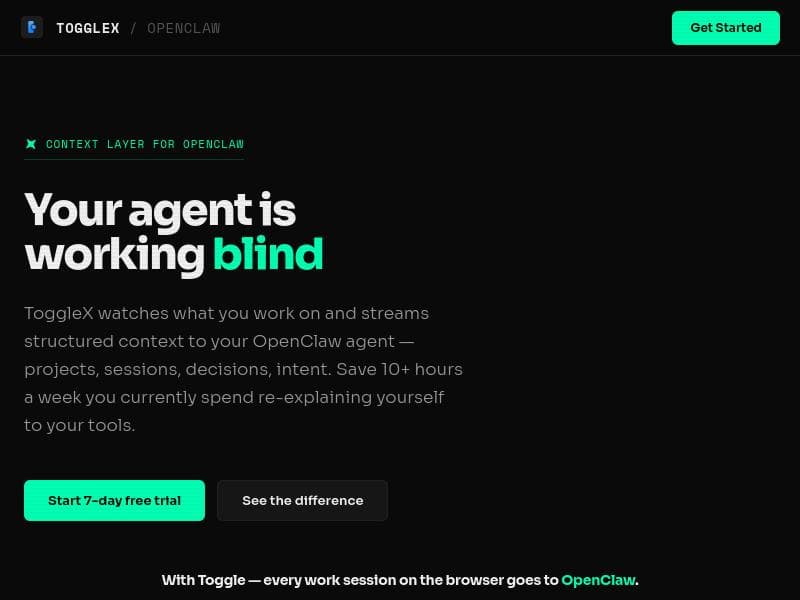
Toggle for OpenClaw revolutionizes your AI agent experience by streaming real-time, structured work context directly from your browser, eliminating the need to re-explain your projects and decisions. Perfect for busy professionals, it saves over 10 hours weekly by ensuring your AI always knows exactly where you left off, delivering smarter, more relevant outputs with zero extra effort.
Toggle for OpenClaw is a powerful context layer designed to enhance the functionality of the OpenClaw AI agent by providing it with real-time, structured work context directly from your browser. Its core purpose is to eliminate the frustrating and time-consuming need to repeatedly explain your current projects, sessions, decisions, and intent to your AI tools. By streaming this detailed context seamlessly, Toggle for OpenClaw ensures that your AI agent always starts each session fully informed about where you left off, enabling smarter, more relevant, and more efficient interactions. This context-aware approach transforms the way users engage with AI, making the same agent and prompt yield completely different and highly tailored outputs based on your ongoing work state. At the heart of Toggle for OpenClaw are several key features that set it apart. First, it streams structured context including projects, sessions, decisions, and intent to your OpenClaw agent, ensuring that the AI has a comprehensive understanding of your workflow. This continuous context streaming reduces the need to re-explain yourself, saving users over 10 hours per week on average. The tool integrates directly with your browser work sessions, automatically capturing relevant context without requiring manual input or additional prompts after the initial setup. Speaking of setup, Toggle for OpenClaw is designed for rapid deployment, with an average setup time of just five minutes. Once configured, it operates silently in the background, requiring zero prompts to maintain context awareness, which means your AI agent is always up to date without any extra effort. Toggle for OpenClaw is ideal for professionals who rely heavily on AI agents for productivity, including knowledge workers, project managers, developers, and anyone juggling multiple tasks or projects simultaneously. Use cases include streamlining project management by keeping your AI assistant aware of ongoing tasks, enhancing decision-making support by providing historical context, and improving session continuity so that every interaction with your AI is productive and contextually relevant. This makes it especially valuable for teams and individuals who want to maximize their efficiency and reduce cognitive load by offloading context management to an intelligent system. In terms of pricing, Toggle for OpenClaw offers a freemium model that allows users to try the service risk-free with a 30-day free trial that requires no credit card. This trial period provides full access to the tool’s features, enabling users to evaluate its impact on their workflow before committing to a paid plan. The freemium approach ensures accessibility for a wide range of users, from individuals to larger teams, and encourages adoption by removing initial financial barriers. Compared to alternatives, Toggle for OpenClaw stands out due to its deep integration with the OpenClaw AI agent and its unique ability to stream structured work context automatically from browser sessions. While other AI productivity tools may require manual context input or lack seamless session continuity, Toggle for OpenClaw’s zero-prompt operation and focus on structured data streaming provide a distinct advantage in maintaining workflow momentum. Its rapid setup and minimal maintenance requirements further differentiate it from more complex or less integrated solutions. However, there are some considerations to keep in mind. Since Toggle for OpenClaw is specifically designed to work with the OpenClaw AI agent, it may not be compatible with other AI platforms or tools, limiting its use to those within the OpenClaw ecosystem. Additionally, users must be comfortable granting the tool access to their browser sessions to enable context streaming, which may raise privacy or security concerns for some. Lastly, while the tool saves significant time by reducing repetitive explanations, it relies on accurate and consistent browser usage patterns to capture relevant context effectively. Overall, Toggle for OpenClaw is a highly specialized and efficient solution for users seeking to enhance their AI agent’s contextual awareness and productivity. Its ability to automatically stream detailed work context, combined with a quick setup and a generous free trial, makes it an attractive choice for professionals looking to optimize their interaction with AI-powered tools.

Description
Toggle for OpenClaw revolutionizes your AI agent experience by streaming real-time, structured work context directly from your browser, eliminating the need to re-explain your projects and decisions. Perfect for busy professionals, it saves over 10 hours weekly by ensuring your AI always knows exactly where you left off, delivering smarter, more relevant outputs with zero extra effort.
Toggle for OpenClaw is a powerful context layer designed to enhance the functionality of the OpenClaw AI agent by providing it with real-time, structured work context directly from your browser. Its core purpose is to eliminate the frustrating and time-consuming need to repeatedly explain your current projects, sessions, decisions, and intent to your AI tools. By streaming this detailed context seamlessly, Toggle for OpenClaw ensures that your AI agent always starts each session fully informed about where you left off, enabling smarter, more relevant, and more efficient interactions. This context-aware approach transforms the way users engage with AI, making the same agent and prompt yield completely different and highly tailored outputs based on your ongoing work state. At the heart of Toggle for OpenClaw are several key features that set it apart. First, it streams structured context including projects, sessions, decisions, and intent to your OpenClaw agent, ensuring that the AI has a comprehensive understanding of your workflow. This continuous context streaming reduces the need to re-explain yourself, saving users over 10 hours per week on average. The tool integrates directly with your browser work sessions, automatically capturing relevant context without requiring manual input or additional prompts after the initial setup. Speaking of setup, Toggle for OpenClaw is designed for rapid deployment, with an average setup time of just five minutes. Once configured, it operates silently in the background, requiring zero prompts to maintain context awareness, which means your AI agent is always up to date without any extra effort. Toggle for OpenClaw is ideal for professionals who rely heavily on AI agents for productivity, including knowledge workers, project managers, developers, and anyone juggling multiple tasks or projects simultaneously. Use cases include streamlining project management by keeping your AI assistant aware of ongoing tasks, enhancing decision-making support by providing historical context, and improving session continuity so that every interaction with your AI is productive and contextually relevant. This makes it especially valuable for teams and individuals who want to maximize their efficiency and reduce cognitive load by offloading context management to an intelligent system. In terms of pricing, Toggle for OpenClaw offers a freemium model that allows users to try the service risk-free with a 30-day free trial that requires no credit card. This trial period provides full access to the tool’s features, enabling users to evaluate its impact on their workflow before committing to a paid plan. The freemium approach ensures accessibility for a wide range of users, from individuals to larger teams, and encourages adoption by removing initial financial barriers. Compared to alternatives, Toggle for OpenClaw stands out due to its deep integration with the OpenClaw AI agent and its unique ability to stream structured work context automatically from browser sessions. While other AI productivity tools may require manual context input or lack seamless session continuity, Toggle for OpenClaw’s zero-prompt operation and focus on structured data streaming provide a distinct advantage in maintaining workflow momentum. Its rapid setup and minimal maintenance requirements further differentiate it from more complex or less integrated solutions. However, there are some considerations to keep in mind. Since Toggle for OpenClaw is specifically designed to work with the OpenClaw AI agent, it may not be compatible with other AI platforms or tools, limiting its use to those within the OpenClaw ecosystem. Additionally, users must be comfortable granting the tool access to their browser sessions to enable context streaming, which may raise privacy or security concerns for some. Lastly, while the tool saves significant time by reducing repetitive explanations, it relies on accurate and consistent browser usage patterns to capture relevant context effectively. Overall, Toggle for OpenClaw is a highly specialized and efficient solution for users seeking to enhance their AI agent’s contextual awareness and productivity. Its ability to automatically stream detailed work context, combined with a quick setup and a generous free trial, makes it an attractive choice for professionals looking to optimize their interaction with AI-powered tools.
Tool Features
- Streams structured context to your OpenClaw agent including projects, sessions, decisions, and intent
- Saves 10+ hours a week by reducing the need to re-explain yourself to your tools
- Integrates with browser work sessions to capture context automatically
- Setup time is approximately 5 minutes
- Requires zero prompts to operate after setup
Frequently Asked Questions
What is Toggle for OpenClaw?
Toggle for OpenClaw is a context layer tool that streams structured work context—such as projects, sessions, decisions, and intent—from your browser to your OpenClaw AI agent, enabling the agent to understand your current work state and provide more relevant and efficient assistance.
How much does Toggle for OpenClaw cost?
Toggle for OpenClaw offers a freemium pricing model with a 30-day free trial that requires no credit card. After the trial, users can choose from available paid plans based on their needs.
Who is Toggle for OpenClaw best for?
It is best suited for knowledge workers, project managers, developers, and professionals who use AI agents for productivity and want to save time by avoiding repetitive context explanations and maintaining seamless session continuity.
What are the main features of Toggle for OpenClaw?
Key features include streaming structured context (projects, sessions, decisions, intent) to OpenClaw, saving over 10 hours per week by reducing re-explanations, automatic integration with browser work sessions, a quick 5-minute setup, and zero prompt requirements after setup.
Does Toggle for OpenClaw offer a free trial?
Yes, Toggle for OpenClaw provides a 30-day free trial with no credit card required, allowing users to test all features risk-free.
What integrations does Toggle for OpenClaw support?
Toggle for OpenClaw integrates directly with your browser work sessions to automatically capture and stream structured work context to your OpenClaw AI agent.
How does Toggle for OpenClaw work?
After a quick setup, Toggle for OpenClaw runs in the background of your browser, continuously capturing and streaming structured context about your projects, sessions, decisions, and intent to your OpenClaw agent, enabling it to start each session fully informed without requiring additional prompts.
Sponsored Tools













































Reviews
No reviews yet. Be the first to share your experience.
















