Description
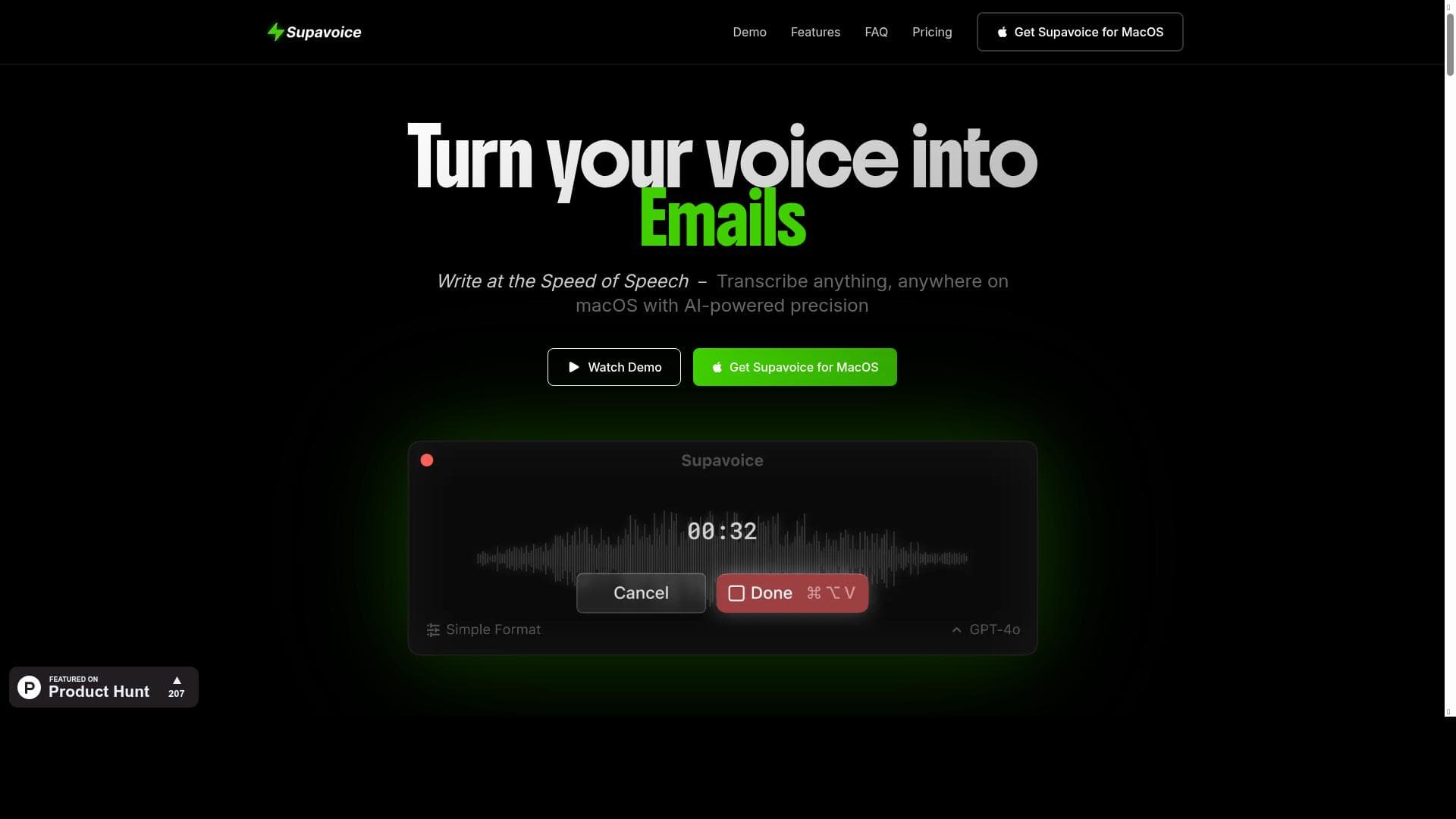
Supavoice is a Mac-exclusive AI dictation tool that converts speech into perfectly formatted text across any app, combining unmatched transcription accuracy with smart formatting. Ideal for professionals and content creators who want faster, hands-free writing with full control over AI usage costs via their own OpenAI API key.
Supavoice is an innovative AI-powered dictation tool designed specifically for Mac users, transforming spoken words into perfectly formatted text across any Mac application. Its core purpose is to streamline the process of writing emails, notes, posts, and documents by leveraging advanced speech-to-text technology combined with smart formatting modes. Unlike traditional voice recognition software that often requires tedious manual corrections, Supavoice ensures high accuracy and context-aware formatting, enabling users to dictate naturally and see their speech instantly converted into polished, ready-to-use text. This makes it an essential productivity enhancer for anyone who frequently creates written content on a Mac. One of Supavoice’s standout features is its ability to transform voice input into various text formats, including emails and documents, with unmatched accuracy and flexibility. It supports a wide range of voice commands that allow users to write faster and more efficiently, eliminating the need for keyboard input during the drafting process. The tool’s smart formatting modes automatically apply punctuation, capitalization, and paragraph breaks, reducing the time spent editing and improving the overall quality of the output. Additionally, Supavoice uses your own OpenAI API key, which means users have full control over their usage and costs, avoiding subscription fees or hidden charges. This one-time purchase model is particularly appealing for professionals who want a reliable dictation tool without ongoing expenses. Supavoice is best suited for professionals, writers, students, and anyone who regularly needs to produce written content on a Mac. It is ideal for those who prefer speaking over typing or who want to increase their writing speed without sacrificing quality. For example, busy executives can dictate emails while multitasking, content creators can draft blog posts hands-free, and students can take notes more efficiently during lectures. Its seamless integration with any Mac app means users can dictate directly into their preferred writing environment, whether it’s a word processor, email client, or note-taking app. Regarding pricing, Supavoice is available as a paid product with a one-time purchase fee. Unlike many AI tools that rely on subscription models, Supavoice’s pricing structure is straightforward and cost-effective. Users must provide their own OpenAI API key, which means they pay for API usage directly to OpenAI, giving them transparency and control over their expenses. This approach is beneficial for users who want to avoid unpredictable monthly fees and prefer to manage their AI usage independently. When compared to alternative dictation tools, Supavoice stands out due to its combination of high transcription accuracy, smart formatting capabilities, and user-controlled costs. Many competing products either lock users into subscription plans or provide less accurate transcription that requires extensive editing. Supavoice’s use of OpenAI’s advanced language models ensures superior understanding of natural speech and context, while its Mac-specific design guarantees smooth operation across all Mac applications. However, unlike some all-in-one dictation suites, Supavoice requires users to have an OpenAI API key, which might be a minor barrier for those unfamiliar with API management. Notable limitations include the dependency on OpenAI’s API, which means the tool requires an internet connection and API access to function. Users must also be comfortable managing their API keys and monitoring usage to avoid unexpected costs. Additionally, while Supavoice excels on Mac, it is not available for other operating systems, limiting its accessibility for users on Windows or Linux. Despite these considerations, Supavoice offers a powerful, flexible, and cost-effective dictation solution for Mac users seeking to boost productivity through voice-powered writing.

Description
Supavoice is a Mac-exclusive AI dictation tool that converts speech into perfectly formatted text across any app, combining unmatched transcription accuracy with smart formatting. Ideal for professionals and content creators who want faster, hands-free writing with full control over AI usage costs via their own OpenAI API key.
Supavoice is an innovative AI-powered dictation tool designed specifically for Mac users, transforming spoken words into perfectly formatted text across any Mac application. Its core purpose is to streamline the process of writing emails, notes, posts, and documents by leveraging advanced speech-to-text technology combined with smart formatting modes. Unlike traditional voice recognition software that often requires tedious manual corrections, Supavoice ensures high accuracy and context-aware formatting, enabling users to dictate naturally and see their speech instantly converted into polished, ready-to-use text. This makes it an essential productivity enhancer for anyone who frequently creates written content on a Mac. One of Supavoice’s standout features is its ability to transform voice input into various text formats, including emails and documents, with unmatched accuracy and flexibility. It supports a wide range of voice commands that allow users to write faster and more efficiently, eliminating the need for keyboard input during the drafting process. The tool’s smart formatting modes automatically apply punctuation, capitalization, and paragraph breaks, reducing the time spent editing and improving the overall quality of the output. Additionally, Supavoice uses your own OpenAI API key, which means users have full control over their usage and costs, avoiding subscription fees or hidden charges. This one-time purchase model is particularly appealing for professionals who want a reliable dictation tool without ongoing expenses. Supavoice is best suited for professionals, writers, students, and anyone who regularly needs to produce written content on a Mac. It is ideal for those who prefer speaking over typing or who want to increase their writing speed without sacrificing quality. For example, busy executives can dictate emails while multitasking, content creators can draft blog posts hands-free, and students can take notes more efficiently during lectures. Its seamless integration with any Mac app means users can dictate directly into their preferred writing environment, whether it’s a word processor, email client, or note-taking app. Regarding pricing, Supavoice is available as a paid product with a one-time purchase fee. Unlike many AI tools that rely on subscription models, Supavoice’s pricing structure is straightforward and cost-effective. Users must provide their own OpenAI API key, which means they pay for API usage directly to OpenAI, giving them transparency and control over their expenses. This approach is beneficial for users who want to avoid unpredictable monthly fees and prefer to manage their AI usage independently. When compared to alternative dictation tools, Supavoice stands out due to its combination of high transcription accuracy, smart formatting capabilities, and user-controlled costs. Many competing products either lock users into subscription plans or provide less accurate transcription that requires extensive editing. Supavoice’s use of OpenAI’s advanced language models ensures superior understanding of natural speech and context, while its Mac-specific design guarantees smooth operation across all Mac applications. However, unlike some all-in-one dictation suites, Supavoice requires users to have an OpenAI API key, which might be a minor barrier for those unfamiliar with API management. Notable limitations include the dependency on OpenAI’s API, which means the tool requires an internet connection and API access to function. Users must also be comfortable managing their API keys and monitoring usage to avoid unexpected costs. Additionally, while Supavoice excels on Mac, it is not available for other operating systems, limiting its accessibility for users on Windows or Linux. Despite these considerations, Supavoice offers a powerful, flexible, and cost-effective dictation solution for Mac users seeking to boost productivity through voice-powered writing.
Tool Features
- Transform voice into text, emails, and documents
- Unmatched accuracy and flexibility in transcription
- Write faster using voice commands
- Communicate easier with voice-powered input
- Create content instantly through dictation
Frequently Asked Questions
What is Supavoice?
Supavoice is an AI-powered dictation tool for Mac that transforms spoken words into perfectly formatted text in any Mac application, enabling users to dictate emails, notes, and documents with high accuracy and smart formatting.
How much does Supavoice cost?
Supavoice is available through a one-time purchase fee. Users also need to provide their own OpenAI API key, which means they pay separately for API usage based on their consumption.
Who is Supavoice best for?
Supavoice is best suited for Mac users such as professionals, writers, students, and anyone who wants to increase writing speed and productivity by dictating content hands-free.
What are the main features of Supavoice?
Key features include transforming voice into text, emails, and documents with unmatched accuracy, smart formatting modes, voice commands for faster writing, and the ability to create content instantly through dictation.
Does Supavoice offer a free trial?
There is no indication that Supavoice offers a free trial; it is a paid product requiring a one-time purchase.
What integrations does Supavoice support?
Supavoice works seamlessly with any Mac application, allowing users to dictate directly into their preferred email clients, word processors, note-taking apps, and more.
How does Supavoice work?
Supavoice uses your own OpenAI API key to convert spoken words into text with smart formatting. It listens to your voice input, applies punctuation and formatting automatically, and outputs the text in any Mac app where you dictate.
Socials
Use ToolSponsored Tools













































Reviews
No reviews yet. Be the first to share your experience.
















