Description
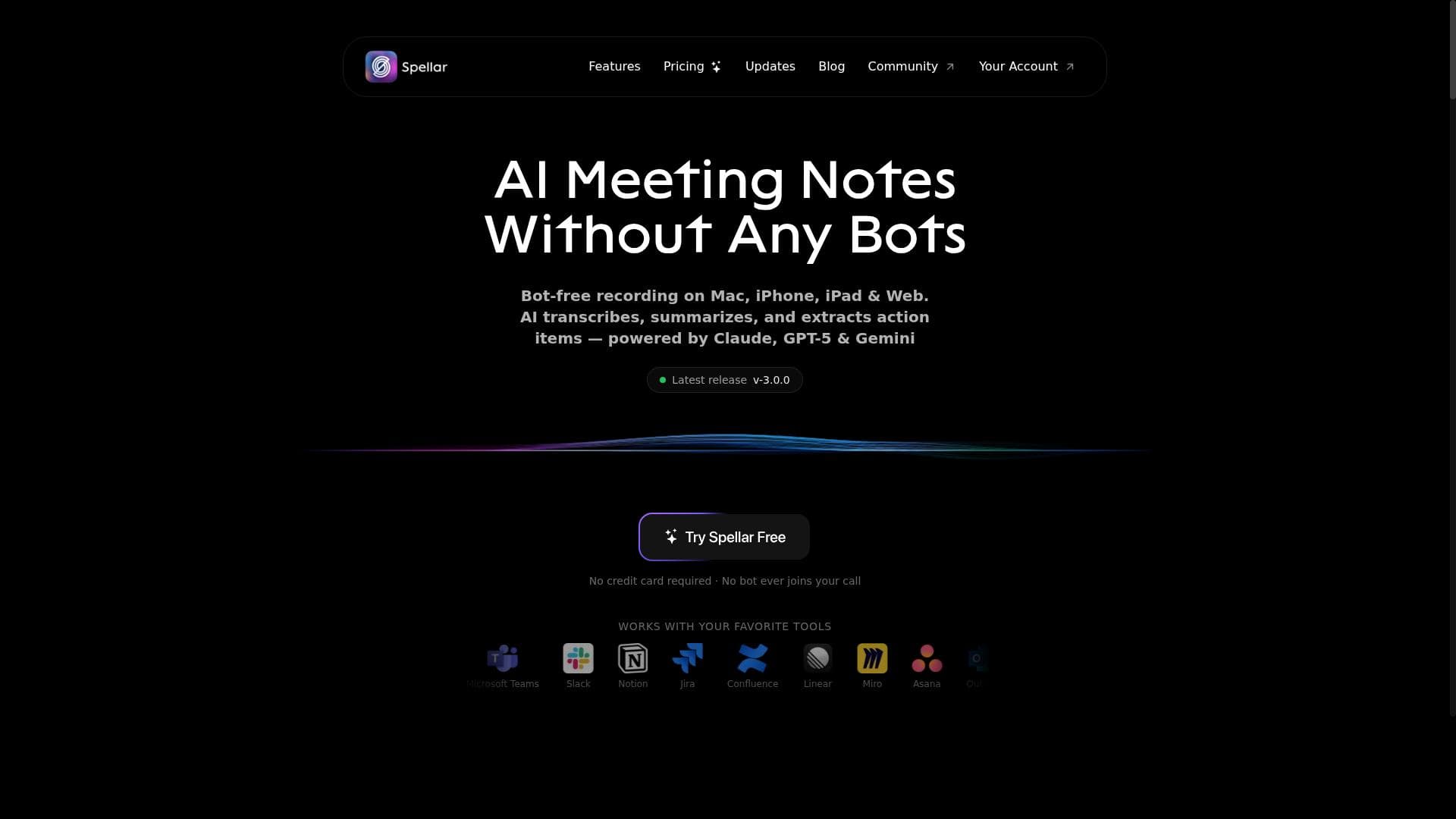
Spellar Pro is a sophisticated AI copilot that transforms meetings by providing bot-free assistance, smart summaries, and seamless integrations with tools like Notion and Jira. Ideal for professionals and teams seeking to boost productivity and communication across 100+ languages, it uniquely combines real-time support with deep workflow integration.
Spellar Pro is an advanced AI-powered copilot designed to enhance productivity and communication in professional settings, particularly during meetings and collaborative sessions. Its core purpose is to serve as an intelligent assistant that seamlessly integrates into various workflows, helping users manage meetings more effectively, generate insightful content, and streamline task management. By leveraging AI, Spellar Pro eliminates the need for traditional meeting bots, offering a more natural and efficient way to capture discussions, answer questions in real-time, and foster engagement through personalized ice-breakers. One of the standout features of Spellar Pro is its bot-free meeting assistant, which operates unobtrusively to support meeting participants without disrupting the flow of conversation. This assistant can answer any question posed during meetings, ensuring that information is readily available without needing to leave the discussion. Additionally, Spellar Pro excels at generating smart summaries that are customizable and can be directly integrated into popular productivity tools like Notion. These summaries distill lengthy conversations into concise, actionable insights, making it easier for teams to review and follow up on key points. The AI copilot functionality extends beyond meetings, facilitating brainstorming sessions within Miro by helping organize ideas and stimulate creativity. It also integrates with task management platforms such as Jira and Linear, enabling users to create tasks directly from meeting notes or discussions, thereby reducing friction between planning and execution. Spellar Pro supports over 100 languages, making it accessible to global teams and enhancing cross-cultural communication. Its extensive integration ecosystem includes more than 18 platforms, such as Notion, Jira, Linear, and Google Workspace, allowing it to fit naturally into existing workflows. Spellar Pro is best suited for professionals who frequently participate in or lead meetings, project managers who need to track and assign tasks efficiently, and teams that rely on collaborative brainstorming and documentation. Use cases include remote teams looking to improve meeting productivity, managers seeking to capture and act on meeting outcomes without manual note-taking, and organizations aiming to enhance communication quality with AI-driven English feedback. Its multilingual support also makes it ideal for international companies with diverse teams. The tool offers a freemium pricing model, providing users with access to core features at no cost, while advanced capabilities and integrations are available through paid plans. This approach allows individuals and small teams to experience the benefits of Spellar Pro before committing to a subscription. Pricing details and tiered plans can be found on the official website, ensuring transparency and flexibility for different user needs. Compared to alternatives, Spellar Pro distinguishes itself by combining a bot-free meeting experience with deep integration into popular productivity and project management tools. Unlike traditional meeting bots that can be intrusive or limited in functionality, Spellar Pro’s AI copilot operates smoothly in the background, enhancing rather than interrupting workflows. Its broad language support and customizable summaries also set it apart from competitors that may focus solely on English or offer generic meeting notes. However, users should consider that while Spellar Pro supports a wide range of integrations, some niche or less common tools may not be supported yet. Additionally, as with any AI-driven assistant, the quality of outputs can depend on the clarity of input and the context provided during meetings. Organizations should also evaluate data privacy and security policies to ensure compliance with their internal standards. Overall, Spellar Pro offers a comprehensive, AI-enhanced solution for improving meeting productivity, communication, and task management, making it a valuable asset for modern teams aiming to work smarter and more collaboratively.

Description
Spellar Pro is a sophisticated AI copilot that transforms meetings by providing bot-free assistance, smart summaries, and seamless integrations with tools like Notion and Jira. Ideal for professionals and teams seeking to boost productivity and communication across 100+ languages, it uniquely combines real-time support with deep workflow integration.
Spellar Pro is an advanced AI-powered copilot designed to enhance productivity and communication in professional settings, particularly during meetings and collaborative sessions. Its core purpose is to serve as an intelligent assistant that seamlessly integrates into various workflows, helping users manage meetings more effectively, generate insightful content, and streamline task management. By leveraging AI, Spellar Pro eliminates the need for traditional meeting bots, offering a more natural and efficient way to capture discussions, answer questions in real-time, and foster engagement through personalized ice-breakers. One of the standout features of Spellar Pro is its bot-free meeting assistant, which operates unobtrusively to support meeting participants without disrupting the flow of conversation. This assistant can answer any question posed during meetings, ensuring that information is readily available without needing to leave the discussion. Additionally, Spellar Pro excels at generating smart summaries that are customizable and can be directly integrated into popular productivity tools like Notion. These summaries distill lengthy conversations into concise, actionable insights, making it easier for teams to review and follow up on key points. The AI copilot functionality extends beyond meetings, facilitating brainstorming sessions within Miro by helping organize ideas and stimulate creativity. It also integrates with task management platforms such as Jira and Linear, enabling users to create tasks directly from meeting notes or discussions, thereby reducing friction between planning and execution. Spellar Pro supports over 100 languages, making it accessible to global teams and enhancing cross-cultural communication. Its extensive integration ecosystem includes more than 18 platforms, such as Notion, Jira, Linear, and Google Workspace, allowing it to fit naturally into existing workflows. Spellar Pro is best suited for professionals who frequently participate in or lead meetings, project managers who need to track and assign tasks efficiently, and teams that rely on collaborative brainstorming and documentation. Use cases include remote teams looking to improve meeting productivity, managers seeking to capture and act on meeting outcomes without manual note-taking, and organizations aiming to enhance communication quality with AI-driven English feedback. Its multilingual support also makes it ideal for international companies with diverse teams. The tool offers a freemium pricing model, providing users with access to core features at no cost, while advanced capabilities and integrations are available through paid plans. This approach allows individuals and small teams to experience the benefits of Spellar Pro before committing to a subscription. Pricing details and tiered plans can be found on the official website, ensuring transparency and flexibility for different user needs. Compared to alternatives, Spellar Pro distinguishes itself by combining a bot-free meeting experience with deep integration into popular productivity and project management tools. Unlike traditional meeting bots that can be intrusive or limited in functionality, Spellar Pro’s AI copilot operates smoothly in the background, enhancing rather than interrupting workflows. Its broad language support and customizable summaries also set it apart from competitors that may focus solely on English or offer generic meeting notes. However, users should consider that while Spellar Pro supports a wide range of integrations, some niche or less common tools may not be supported yet. Additionally, as with any AI-driven assistant, the quality of outputs can depend on the clarity of input and the context provided during meetings. Organizations should also evaluate data privacy and security policies to ensure compliance with their internal standards. Overall, Spellar Pro offers a comprehensive, AI-enhanced solution for improving meeting productivity, communication, and task management, making it a valuable asset for modern teams aiming to work smarter and more collaboratively.
Tool Features
- Bot-free meeting assistant
- Smart summaries
- AI copilot
- Supports 100+ languages
- 18+ integrations including Notion, Jira, Linear, Google
Frequently Asked Questions
What is Spellar Pro?
Spellar Pro is an AI-powered meeting assistant and copilot designed to enhance productivity by providing real-time support during meetings, generating personalized ice-breakers, creating smart summaries, and integrating with popular productivity tools.
How much does Spellar Pro cost?
Spellar Pro offers a freemium pricing model, allowing users to access basic features for free, with advanced functionalities and integrations available through paid subscription plans. Detailed pricing information is available on their website.
Who is Spellar Pro best for?
Spellar Pro is best suited for professionals, project managers, remote teams, and organizations that frequently hold meetings and require efficient task management, multilingual communication, and enhanced collaboration.
What are the main features of Spellar Pro?
Key features include a bot-free meeting assistant, AI copilot capabilities, smart and customizable meeting summaries, support for over 100 languages, and integrations with more than 18 platforms such as Notion, Jira, Linear, and Google Workspace.
Does Spellar Pro offer a free trial?
Yes, Spellar Pro provides a freemium version that allows users to try core features at no cost, enabling them to evaluate the tool before opting for paid plans.
What integrations does Spellar Pro support?
Spellar Pro supports over 18 integrations, including popular tools like Notion for note-taking, Jira and Linear for task management, Miro for brainstorming, and Google Workspace, among others.
How does Spellar Pro work?
Spellar Pro works by embedding an AI copilot into meetings and workflows to assist users in real-time. It answers questions, generates personalized ice-breakers, facilitates brainstorming, creates summaries, and automates task creation by integrating with various productivity platforms.
Socials
Use ToolSponsored Tools













































Reviews
No reviews yet. Be the first to share your experience.
















