Description
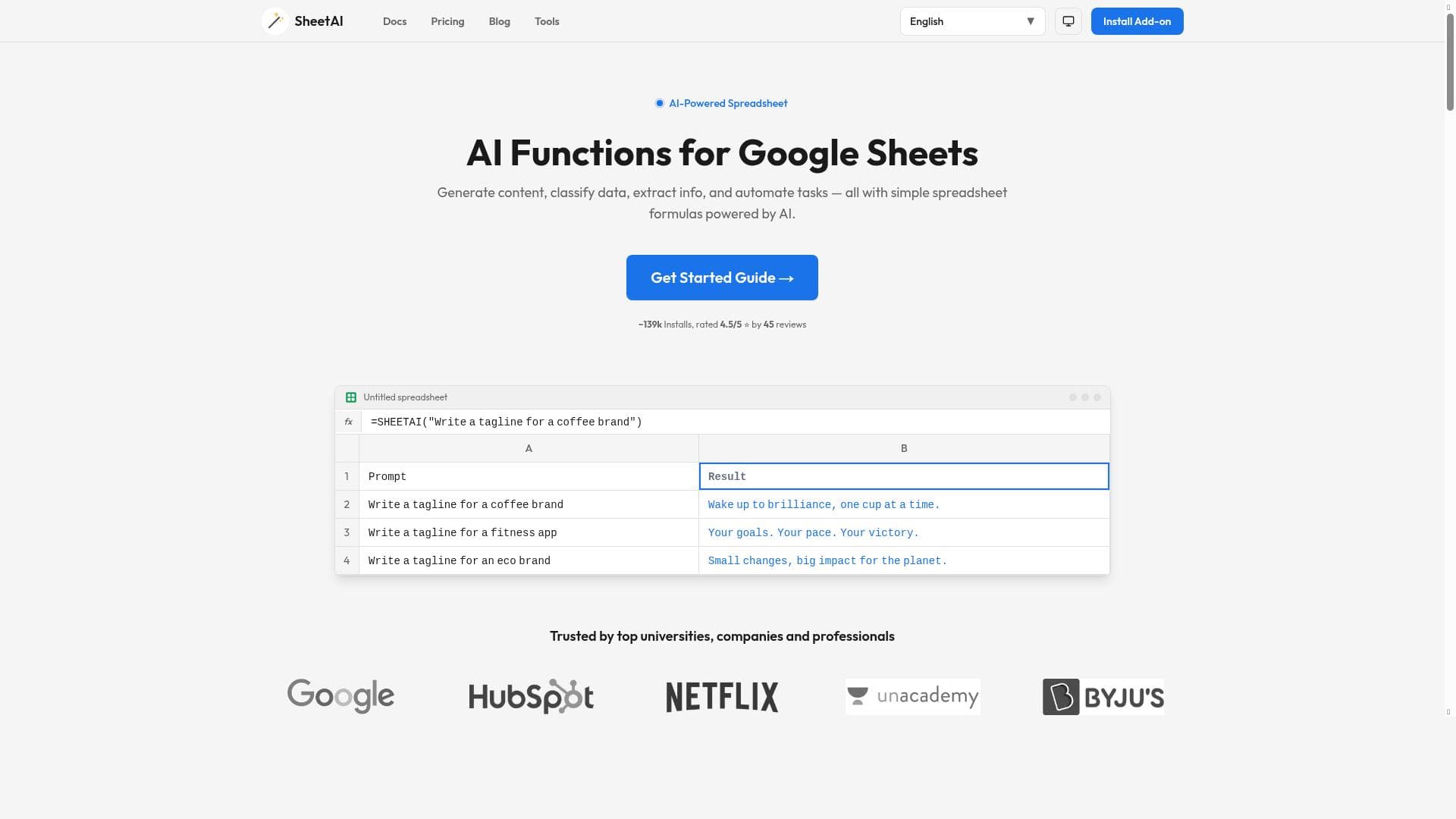
SheetAI revolutionizes Google Sheets by allowing users to automate tasks and generate formulas simply by describing their needs in plain English. With integrated ChatGPT and smart memory features, it turns spreadsheets into AI-powered workspaces ideal for professionals seeking to boost productivity without deep spreadsheet expertise.
SheetAI is an innovative AI-powered tool designed to transform the way users interact with Google Sheets by enabling natural language commands and automations directly within spreadsheets. Its core purpose is to simplify complex spreadsheet tasks by allowing users to describe what they want to achieve in plain English, and then automatically generating the necessary formulas, functions, or workflows to accomplish those tasks. This eliminates the need for advanced spreadsheet knowledge or manual formula writing, making powerful data manipulation accessible to a broader audience. By integrating AI capabilities such as ChatGPT directly into Google Sheets, SheetAI turns traditional spreadsheets into dynamic, intelligent workspaces that can handle complex data operations with ease. One of the standout features of SheetAI is its ability to automate repetitive tasks within Google Sheets. Users can set up workflows that run automatically based on triggers or schedules, significantly improving productivity and reducing manual errors. The tool also supports running AI functions inside spreadsheets, which means users can perform natural language queries, generate insights, or even create content without leaving their spreadsheet environment. Another key capability is the automatic generation of formulas; instead of manually crafting complex formulas, users simply describe the desired outcome, and SheetAI constructs the appropriate formula for them. This feature is particularly valuable for users who find spreadsheet formulas intimidating or time-consuming. SheetAI’s integration of ChatGPT within Google Sheets further enhances its functionality by providing conversational AI assistance. Users can ask questions, request data transformations, or seek explanations about their data in real-time, making spreadsheet management more interactive and intuitive. Additionally, SheetAI incorporates smart memory features that allow it to remember context and previous interactions, enabling more accurate and context-aware data handling. This memory feature ensures that workflows and AI responses remain relevant and personalized over time. Together with its automation capabilities, SheetAI helps streamline workflows, reduce manual workload, and increase overall efficiency. SheetAI is best suited for professionals who rely heavily on spreadsheets but want to save time and reduce complexity. This includes data analysts, financial professionals, marketers, project managers, and small business owners who use Google Sheets for budgeting, reporting, data analysis, or project tracking. It is also ideal for educators and students who want to leverage AI to better understand and manipulate data without needing advanced spreadsheet skills. Use cases range from automating monthly financial reports, generating dynamic dashboards, performing natural language data queries, to creating AI-driven project management sheets. In terms of pricing, SheetAI offers a freemium model, allowing users to start using basic features at no cost. This makes it accessible for individuals and small teams to explore its capabilities before committing to paid plans. The freemium plan typically includes limited AI function usage and basic automation features, while premium plans unlock higher usage limits, advanced automations, and priority support. This tiered pricing structure ensures that users can scale their usage according to their needs and budget. Compared to alternatives, SheetAI stands out by deeply embedding AI functionalities directly into Google Sheets rather than requiring users to switch between separate applications or platforms. While other tools may offer AI-powered data analysis or formula generation, SheetAI’s seamless integration with ChatGPT and smart memory features provide a more interactive and personalized experience. Its focus on natural language commands also lowers the barrier to entry compared to traditional spreadsheet automation tools that require scripting knowledge. However, there are some considerations to keep in mind. Since SheetAI relies on AI models, the accuracy of generated formulas and responses may vary depending on the complexity of the request and the quality of the input description. Users should verify critical outputs before applying them in important workflows. Additionally, as with any cloud-based AI tool, data privacy and security are important factors; users should review SheetAI’s policies to ensure compliance with their organizational requirements. Finally, while the freemium plan is generous, heavy users or enterprises may find the need to upgrade to paid tiers to access full capabilities and higher usage limits. Overall, SheetAI offers a powerful and user-friendly way to harness AI within Google Sheets, making spreadsheet management smarter, faster, and more accessible for a wide range of users.

Description
SheetAI revolutionizes Google Sheets by allowing users to automate tasks and generate formulas simply by describing their needs in plain English. With integrated ChatGPT and smart memory features, it turns spreadsheets into AI-powered workspaces ideal for professionals seeking to boost productivity without deep spreadsheet expertise.
SheetAI is an innovative AI-powered tool designed to transform the way users interact with Google Sheets by enabling natural language commands and automations directly within spreadsheets. Its core purpose is to simplify complex spreadsheet tasks by allowing users to describe what they want to achieve in plain English, and then automatically generating the necessary formulas, functions, or workflows to accomplish those tasks. This eliminates the need for advanced spreadsheet knowledge or manual formula writing, making powerful data manipulation accessible to a broader audience. By integrating AI capabilities such as ChatGPT directly into Google Sheets, SheetAI turns traditional spreadsheets into dynamic, intelligent workspaces that can handle complex data operations with ease. One of the standout features of SheetAI is its ability to automate repetitive tasks within Google Sheets. Users can set up workflows that run automatically based on triggers or schedules, significantly improving productivity and reducing manual errors. The tool also supports running AI functions inside spreadsheets, which means users can perform natural language queries, generate insights, or even create content without leaving their spreadsheet environment. Another key capability is the automatic generation of formulas; instead of manually crafting complex formulas, users simply describe the desired outcome, and SheetAI constructs the appropriate formula for them. This feature is particularly valuable for users who find spreadsheet formulas intimidating or time-consuming. SheetAI’s integration of ChatGPT within Google Sheets further enhances its functionality by providing conversational AI assistance. Users can ask questions, request data transformations, or seek explanations about their data in real-time, making spreadsheet management more interactive and intuitive. Additionally, SheetAI incorporates smart memory features that allow it to remember context and previous interactions, enabling more accurate and context-aware data handling. This memory feature ensures that workflows and AI responses remain relevant and personalized over time. Together with its automation capabilities, SheetAI helps streamline workflows, reduce manual workload, and increase overall efficiency. SheetAI is best suited for professionals who rely heavily on spreadsheets but want to save time and reduce complexity. This includes data analysts, financial professionals, marketers, project managers, and small business owners who use Google Sheets for budgeting, reporting, data analysis, or project tracking. It is also ideal for educators and students who want to leverage AI to better understand and manipulate data without needing advanced spreadsheet skills. Use cases range from automating monthly financial reports, generating dynamic dashboards, performing natural language data queries, to creating AI-driven project management sheets. In terms of pricing, SheetAI offers a freemium model, allowing users to start using basic features at no cost. This makes it accessible for individuals and small teams to explore its capabilities before committing to paid plans. The freemium plan typically includes limited AI function usage and basic automation features, while premium plans unlock higher usage limits, advanced automations, and priority support. This tiered pricing structure ensures that users can scale their usage according to their needs and budget. Compared to alternatives, SheetAI stands out by deeply embedding AI functionalities directly into Google Sheets rather than requiring users to switch between separate applications or platforms. While other tools may offer AI-powered data analysis or formula generation, SheetAI’s seamless integration with ChatGPT and smart memory features provide a more interactive and personalized experience. Its focus on natural language commands also lowers the barrier to entry compared to traditional spreadsheet automation tools that require scripting knowledge. However, there are some considerations to keep in mind. Since SheetAI relies on AI models, the accuracy of generated formulas and responses may vary depending on the complexity of the request and the quality of the input description. Users should verify critical outputs before applying them in important workflows. Additionally, as with any cloud-based AI tool, data privacy and security are important factors; users should review SheetAI’s policies to ensure compliance with their organizational requirements. Finally, while the freemium plan is generous, heavy users or enterprises may find the need to upgrade to paid tiers to access full capabilities and higher usage limits. Overall, SheetAI offers a powerful and user-friendly way to harness AI within Google Sheets, making spreadsheet management smarter, faster, and more accessible for a wide range of users.
Tool Features
- Automate tasks in Google Sheets
- Run AI functions within spreadsheets
- Generate formulas automatically
- Use ChatGPT integrated in Sheets
- Turn spreadsheets into AI-powered sheets
- Smart memory for enhanced data handling
- Automations to improve workflow efficiency
Frequently Asked Questions
What is SheetAI?
SheetAI is an AI-powered tool that integrates with Google Sheets to automate tasks, generate formulas, and run AI functions using natural language commands, making spreadsheet management easier and more efficient.
How much does SheetAI cost?
SheetAI offers a freemium pricing model, allowing users to access basic features for free, with premium plans available that provide higher usage limits, advanced automations, and additional support.
Who is SheetAI best for?
SheetAI is ideal for professionals such as data analysts, marketers, project managers, educators, and small business owners who want to simplify spreadsheet tasks and leverage AI without needing advanced spreadsheet skills.
What are the main features of SheetAI?
Key features include automating tasks in Google Sheets, running AI functions within spreadsheets, automatic formula generation, ChatGPT integration, smart memory for enhanced data handling, and workflow automations to improve efficiency.
Does SheetAI offer a free trial?
Yes, SheetAI provides a freemium plan that allows users to try out basic features at no cost, enabling them to explore the tool before deciding on a paid subscription.
What integrations does SheetAI support?
SheetAI primarily integrates with Google Sheets, embedding AI capabilities such as ChatGPT directly within the spreadsheet environment to enhance data manipulation and automation.
How does SheetAI work?
Users describe their desired spreadsheet tasks or data operations in plain English, and SheetAI uses AI to generate formulas, run functions, and automate workflows within Google Sheets, streamlining complex spreadsheet management.
Socials
Use ToolSponsored Tools













































Reviews
No reviews yet. Be the first to share your experience.
















