Selectable: OCR & Text Capture
Description
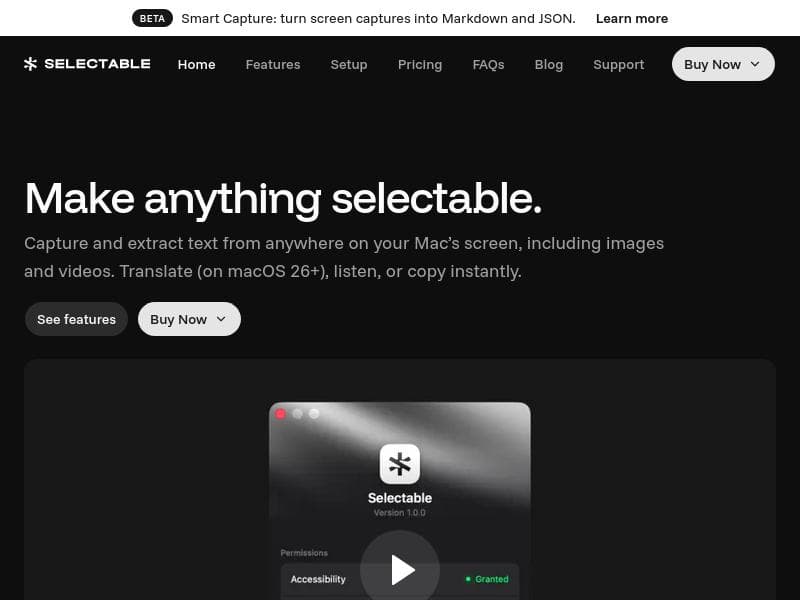
Selectable: OCR & Text Capture is a macOS app that lets you instantly extract text from anywhere on your screen—including images and videos—with on-device OCR for privacy and speed. With built-in translation, text-to-speech, and sensitive data masking, it’s ideal for professionals, students, and creatives needing fast, secure text capture and accessibility features.
Selectable: OCR & Text Capture is a powerful macOS application designed to capture and extract text from virtually anywhere on your Mac’s screen. Whether the text appears in static images, dynamic videos, or any other visual content, Selectable leverages advanced on-device Optical Character Recognition (OCR) technology to instantly recognize and convert text into editable, searchable formats. This tool is especially valuable for users who frequently need to digitize text from non-editable sources without the hassle of manual transcription. Its core purpose is to streamline text extraction workflows while ensuring privacy and speed by processing all OCR operations locally on the device. One of the standout features of Selectable is its ability to extract text not only from images but also from videos, a capability that sets it apart from many traditional OCR tools limited to static content. Users can capture text displayed in video frames in real-time, making it ideal for content creators, researchers, and professionals who work with multimedia materials. Additionally, on macOS 26 and later, Selectable integrates instant translation functionality, allowing users to convert extracted text into multiple languages without leaving the app. This feature is particularly useful for global teams, students, and travelers who need quick access to translated content. Selectable also includes a text-to-speech (TTS) feature, enabling users to listen to the extracted text. This accessibility enhancement benefits individuals with visual impairments or those who prefer auditory learning. Moreover, the tool offers sensitive data masking, allowing users to obscure or redact confidential information within the extracted text before sharing or exporting it. This privacy-focused feature is crucial for professionals handling sensitive documents or personal data. The application supports integration with Mac screen readers, further enhancing accessibility for users with disabilities. By operating entirely on-device, Selectable ensures that sensitive information never leaves the user's computer, addressing privacy concerns common with cloud-based OCR services. This local processing also results in faster text extraction, as it eliminates the need for internet connectivity or server-side processing delays. Selectable is best suited for a wide range of users, including students, researchers, content creators, translators, and professionals in legal, medical, or financial sectors who regularly interact with non-editable text sources. For example, a student can quickly extract and translate text from lecture slides or videos, while a legal professional can mask sensitive client information before sharing documents. Its versatility makes it an indispensable tool for anyone needing efficient and secure text capture on macOS. Regarding pricing, Selectable is a paid application, reflecting its advanced feature set and on-device processing capabilities. While specific pricing details are not provided here, potential users should visit the official website to explore subscription plans or one-time purchase options. The investment is justified by the tool’s ability to save time, enhance productivity, and maintain data privacy. Compared to alternatives, Selectable’s key differentiators include its support for text extraction from videos, on-device OCR for privacy, and integrated translation and TTS features. Many competing OCR tools rely on cloud processing, which can raise privacy issues and introduce latency. Others may lack video text capture or built-in translation, requiring users to juggle multiple apps. Selectable consolidates these functionalities into a seamless macOS experience. However, users should consider that Selectable requires macOS 26 or later to access some features like instant translation, which may limit compatibility with older systems. Additionally, as a paid tool, it may not be suitable for those seeking free OCR solutions, although its comprehensive capabilities justify the cost for professional use. Overall, Selectable: OCR & Text Capture stands out as a robust, privacy-conscious, and versatile text extraction tool tailored for macOS users who demand speed, accuracy, and accessibility in their workflows.

Description
Selectable: OCR & Text Capture is a macOS app that lets you instantly extract text from anywhere on your screen—including images and videos—with on-device OCR for privacy and speed. With built-in translation, text-to-speech, and sensitive data masking, it’s ideal for professionals, students, and creatives needing fast, secure text capture and accessibility features.
Selectable: OCR & Text Capture is a powerful macOS application designed to capture and extract text from virtually anywhere on your Mac’s screen. Whether the text appears in static images, dynamic videos, or any other visual content, Selectable leverages advanced on-device Optical Character Recognition (OCR) technology to instantly recognize and convert text into editable, searchable formats. This tool is especially valuable for users who frequently need to digitize text from non-editable sources without the hassle of manual transcription. Its core purpose is to streamline text extraction workflows while ensuring privacy and speed by processing all OCR operations locally on the device. One of the standout features of Selectable is its ability to extract text not only from images but also from videos, a capability that sets it apart from many traditional OCR tools limited to static content. Users can capture text displayed in video frames in real-time, making it ideal for content creators, researchers, and professionals who work with multimedia materials. Additionally, on macOS 26 and later, Selectable integrates instant translation functionality, allowing users to convert extracted text into multiple languages without leaving the app. This feature is particularly useful for global teams, students, and travelers who need quick access to translated content. Selectable also includes a text-to-speech (TTS) feature, enabling users to listen to the extracted text. This accessibility enhancement benefits individuals with visual impairments or those who prefer auditory learning. Moreover, the tool offers sensitive data masking, allowing users to obscure or redact confidential information within the extracted text before sharing or exporting it. This privacy-focused feature is crucial for professionals handling sensitive documents or personal data. The application supports integration with Mac screen readers, further enhancing accessibility for users with disabilities. By operating entirely on-device, Selectable ensures that sensitive information never leaves the user's computer, addressing privacy concerns common with cloud-based OCR services. This local processing also results in faster text extraction, as it eliminates the need for internet connectivity or server-side processing delays. Selectable is best suited for a wide range of users, including students, researchers, content creators, translators, and professionals in legal, medical, or financial sectors who regularly interact with non-editable text sources. For example, a student can quickly extract and translate text from lecture slides or videos, while a legal professional can mask sensitive client information before sharing documents. Its versatility makes it an indispensable tool for anyone needing efficient and secure text capture on macOS. Regarding pricing, Selectable is a paid application, reflecting its advanced feature set and on-device processing capabilities. While specific pricing details are not provided here, potential users should visit the official website to explore subscription plans or one-time purchase options. The investment is justified by the tool’s ability to save time, enhance productivity, and maintain data privacy. Compared to alternatives, Selectable’s key differentiators include its support for text extraction from videos, on-device OCR for privacy, and integrated translation and TTS features. Many competing OCR tools rely on cloud processing, which can raise privacy issues and introduce latency. Others may lack video text capture or built-in translation, requiring users to juggle multiple apps. Selectable consolidates these functionalities into a seamless macOS experience. However, users should consider that Selectable requires macOS 26 or later to access some features like instant translation, which may limit compatibility with older systems. Additionally, as a paid tool, it may not be suitable for those seeking free OCR solutions, although its comprehensive capabilities justify the cost for professional use. Overall, Selectable: OCR & Text Capture stands out as a robust, privacy-conscious, and versatile text extraction tool tailored for macOS users who demand speed, accuracy, and accessibility in their workflows.
Tool Features
- Capture and extract text from anywhere on the Mac screen
- Extract text from images and videos
- Instant translation of extracted text on macOS 26+
- Text-to-speech listening of extracted text
- Mask sensitive data in extracted text
- On-device OCR for privacy and speed
- Supports Mac screen reader integration
Frequently Asked Questions
What is Selectable: OCR & Text Capture?
Selectable: OCR & Text Capture is a macOS application that enables users to capture and extract text from anywhere on their Mac’s screen, including images and videos, using on-device OCR technology. It also offers features like instant translation, text-to-speech, and sensitive data masking.
How much does Selectable: OCR & Text Capture cost?
Selectable is a paid application. Specific pricing details are available on the official website, where users can find information on subscription plans or one-time purchase options.
Who is Selectable: OCR & Text Capture best for?
This tool is ideal for students, researchers, content creators, translators, and professionals in fields like legal, medical, and finance who need to extract, translate, listen to, or mask text from images and videos on their Mac.
What are the main features of Selectable: OCR & Text Capture?
Key features include capturing and extracting text from anywhere on the Mac screen, extracting text from images and videos, instant translation on macOS 26+, text-to-speech listening, sensitive data masking, on-device OCR for privacy and speed, and support for Mac screen reader integration.
Does Selectable: OCR & Text Capture offer a free trial?
Information about a free trial is not explicitly provided. Interested users should check the official website for the latest details on trial availability or demo versions.
What integrations does Selectable: OCR & Text Capture support?
Selectable supports integration with Mac screen readers to enhance accessibility. It operates primarily as a standalone macOS application with on-device processing.
How does Selectable: OCR & Text Capture work?
Selectable uses on-device OCR technology to scan and recognize text from any area of the Mac screen, including images and videos. It processes the text locally for privacy and speed, then allows users to translate, listen to, or mask the extracted text as needed.
Socials
Use ToolSponsored Tools













































Reviews
No reviews yet. Be the first to share your experience.
















