
Description
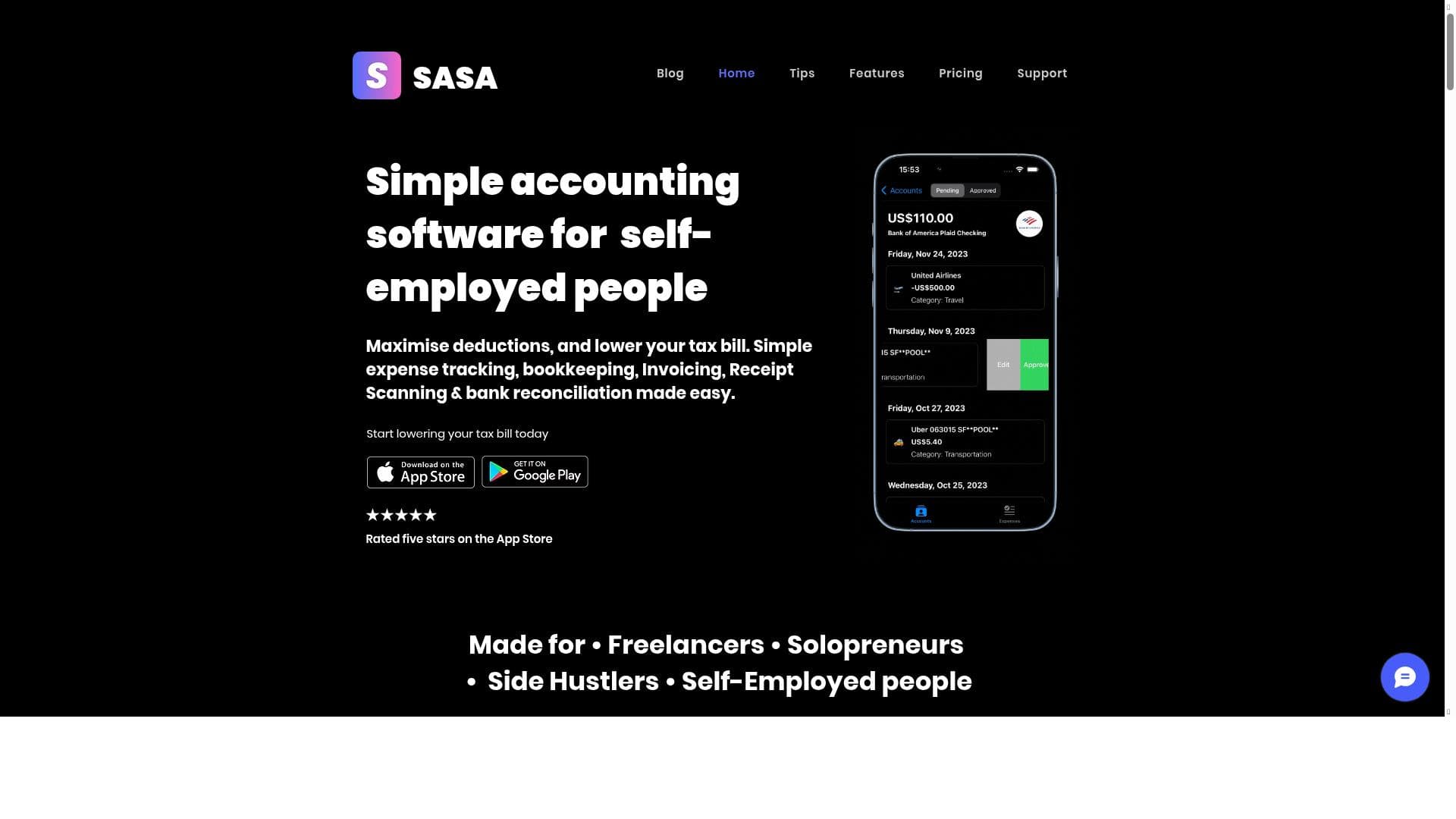
SASA App is an AI-powered financial management tool designed to simplify tax, expense tracking, invoicing, and bookkeeping for self-employed professionals. Its fast receipt scanning and workflow automation make it an indispensable assistant for freelancers and small business owners seeking effortless, accurate financial organization.
SASA App is a comprehensive financial management tool designed specifically to simplify tax management, expense tracking, invoice creation, receipt scanning, and bookkeeping for self-employed individuals and small business owners. Its core purpose is to streamline and automate the often complex and time-consuming financial tasks that freelancers, contractors, and entrepreneurs face, enabling them to focus more on their core business activities rather than administrative burdens. By leveraging AI technology, SASA App enhances productivity and accuracy, making financial management effortless and efficient. At the heart of SASA App are its robust features that combine AI-powered productivity enhancements with seamless workflow automation. The app automates routine bookkeeping tasks such as categorizing expenses, generating invoices, and scanning receipts quickly using AI-driven optical character recognition (OCR). This fast receipt scanning capability reduces manual data entry errors and saves valuable time. The app also integrates business processes, allowing users to connect their financial data with other operational tools, creating a cohesive ecosystem that supports end-to-end business management. Additionally, SASA App offers advanced organization and task management features, helping users keep track of deadlines, tax filings, and financial reports in one centralized platform. Its seamless system integration ensures compatibility with various accounting software and financial platforms, facilitating smooth data transfer and reducing duplication of effort. SASA App is best suited for self-employed professionals, freelancers, consultants, and small business owners who need a reliable, easy-to-use financial management solution without the complexity and cost of traditional accounting software. It is particularly valuable for those who handle their own taxes and bookkeeping but want to minimize errors and save time. Use cases include tracking business expenses on the go, creating and sending professional invoices quickly, managing tax deductions accurately, and maintaining organized financial records for tax season. The app’s AI capabilities also assist users in identifying spending patterns and optimizing cash flow. The pricing model for SASA App is freemium, offering a free tier with essential features that allow users to get started with basic expense tracking and invoice creation. For more advanced functionalities such as enhanced AI productivity tools, workflow automation, and integrations, users can upgrade to premium plans. These paid plans provide additional value for growing businesses requiring more comprehensive financial management and automation. Compared to alternatives, SASA App stands out due to its strong focus on AI-driven automation tailored specifically for self-employed individuals. While many accounting tools offer bookkeeping and invoicing, SASA App’s combination of fast receipt scanning, workflow automation, and seamless integration with business processes provides a more holistic and efficient approach. Its user-friendly interface and targeted features make it less overwhelming than traditional accounting software, which can be overly complex for freelancers and sole proprietors. However, some limitations to consider include the potential learning curve for users unfamiliar with AI-powered tools and the fact that the freemium version may have restrictions on the number of invoices or receipts processed. Additionally, while SASA App integrates with many systems, users with highly specialized accounting needs or larger enterprises might require more customizable or industry-specific solutions. Overall, SASA App offers a powerful, accessible option for self-employed professionals looking to automate and simplify their financial management with the help of AI technology.

Description
SASA App is an AI-powered financial management tool designed to simplify tax, expense tracking, invoicing, and bookkeeping for self-employed professionals. Its fast receipt scanning and workflow automation make it an indispensable assistant for freelancers and small business owners seeking effortless, accurate financial organization.
SASA App is a comprehensive financial management tool designed specifically to simplify tax management, expense tracking, invoice creation, receipt scanning, and bookkeeping for self-employed individuals and small business owners. Its core purpose is to streamline and automate the often complex and time-consuming financial tasks that freelancers, contractors, and entrepreneurs face, enabling them to focus more on their core business activities rather than administrative burdens. By leveraging AI technology, SASA App enhances productivity and accuracy, making financial management effortless and efficient. At the heart of SASA App are its robust features that combine AI-powered productivity enhancements with seamless workflow automation. The app automates routine bookkeeping tasks such as categorizing expenses, generating invoices, and scanning receipts quickly using AI-driven optical character recognition (OCR). This fast receipt scanning capability reduces manual data entry errors and saves valuable time. The app also integrates business processes, allowing users to connect their financial data with other operational tools, creating a cohesive ecosystem that supports end-to-end business management. Additionally, SASA App offers advanced organization and task management features, helping users keep track of deadlines, tax filings, and financial reports in one centralized platform. Its seamless system integration ensures compatibility with various accounting software and financial platforms, facilitating smooth data transfer and reducing duplication of effort. SASA App is best suited for self-employed professionals, freelancers, consultants, and small business owners who need a reliable, easy-to-use financial management solution without the complexity and cost of traditional accounting software. It is particularly valuable for those who handle their own taxes and bookkeeping but want to minimize errors and save time. Use cases include tracking business expenses on the go, creating and sending professional invoices quickly, managing tax deductions accurately, and maintaining organized financial records for tax season. The app’s AI capabilities also assist users in identifying spending patterns and optimizing cash flow. The pricing model for SASA App is freemium, offering a free tier with essential features that allow users to get started with basic expense tracking and invoice creation. For more advanced functionalities such as enhanced AI productivity tools, workflow automation, and integrations, users can upgrade to premium plans. These paid plans provide additional value for growing businesses requiring more comprehensive financial management and automation. Compared to alternatives, SASA App stands out due to its strong focus on AI-driven automation tailored specifically for self-employed individuals. While many accounting tools offer bookkeeping and invoicing, SASA App’s combination of fast receipt scanning, workflow automation, and seamless integration with business processes provides a more holistic and efficient approach. Its user-friendly interface and targeted features make it less overwhelming than traditional accounting software, which can be overly complex for freelancers and sole proprietors. However, some limitations to consider include the potential learning curve for users unfamiliar with AI-powered tools and the fact that the freemium version may have restrictions on the number of invoices or receipts processed. Additionally, while SASA App integrates with many systems, users with highly specialized accounting needs or larger enterprises might require more customizable or industry-specific solutions. Overall, SASA App offers a powerful, accessible option for self-employed professionals looking to automate and simplify their financial management with the help of AI technology.
Tool Features
- AI-powered productivity enhancement
- Workflow automation
- Business process integration
- Organization and task management
- Seamless system integration
Frequently Asked Questions
What is SASA App?
SASA App is a financial management platform that helps self-employed individuals and small business owners manage taxes, track expenses, create invoices, scan receipts quickly, and handle bookkeeping with AI-powered automation.
How much does SASA App cost?
SASA App offers a freemium pricing model with a free tier providing basic features, while premium plans with advanced AI productivity tools, workflow automation, and integrations are available for a subscription fee.
Who is SASA App best for?
It is best suited for freelancers, consultants, self-employed professionals, and small business owners who want an easy-to-use, AI-enhanced tool to automate and simplify their financial management tasks.
What are the main features of SASA App?
Key features include AI-powered productivity enhancement, workflow automation, business process integration, organization and task management, fast receipt scanning, invoice creation, and seamless system integration.
Does SASA App offer a free trial?
Yes, SASA App provides a free tier that allows users to access essential features without a time limit, effectively serving as a free trial to explore the platform.
What integrations does SASA App support?
SASA App supports seamless integration with various accounting software and financial platforms, enabling smooth data synchronization and business process connectivity.
How does SASA App work?
SASA App uses AI technology to automate bookkeeping tasks such as categorizing expenses, scanning receipts with OCR, generating invoices, and managing workflows, all within a unified platform designed for self-employed users.
Socials
Use ToolSponsored Tools













































Reviews
No reviews yet. Be the first to share your experience.
















