Recall Augmented Browsing
Description
Recall Augmented Browsing revolutionizes online content consumption by resurfacing related information from your personal knowledgebase, turning passive browsing into active discovery. Perfect for researchers, students, and knowledge workers, it combines saving, writing, and AI-driven recall to create a personalized browsing assistant that remembers what you know.
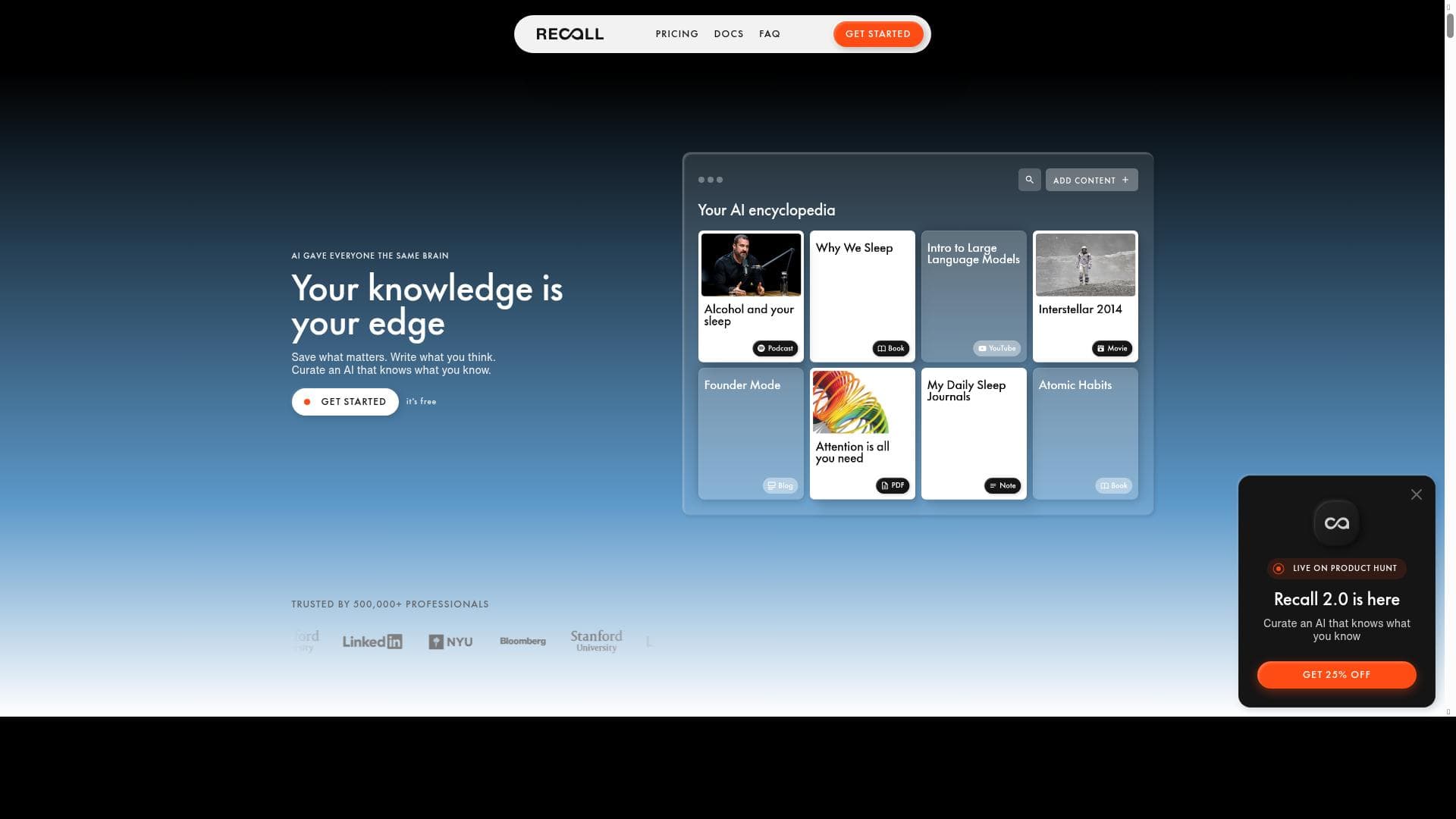
Recall Augmented Browsing is an innovative AI-powered tool designed to transform the way users interact with online content by resurfacing related information from a personalized knowledgebase. Its core purpose is to enhance the browsing experience by turning passive reading into active discovery, helping users recall previously encountered information effortlessly. Whether you’re researching, reading articles, or exploring new topics, Recall Augmented Browsing acts as an intelligent assistant that connects the dots between what you’re currently viewing and what you’ve saved or noted before. This capability significantly reduces the frustration of forgetting where you saw specific information and accelerates knowledge retention and application. At the heart of Recall Augmented Browsing are several key features that empower users to build a highly personalized AI assistant. First, the tool allows you to "Save what matters," enabling you to capture important snippets, articles, or insights as you browse. This curated knowledgebase becomes the foundation for the AI’s contextual understanding. Second, "Write what you think" provides a seamless way to jot down thoughts, reflections, or annotations directly within the browsing environment, ensuring that your insights are preserved alongside the source material. Third, the platform offers the ability to "Build an AI that knows what you know," meaning the AI continuously learns from your saved content and writings to provide increasingly relevant and personalized suggestions, making your browsing smarter over time. Recall Augmented Browsing is ideal for knowledge workers, researchers, students, writers, and anyone who consumes large volumes of information online and needs to keep track of complex ideas or sources. For example, academics can use it to link related research papers and notes, journalists can quickly recall previous reports or quotes, and lifelong learners can build a rich repository of interconnected knowledge. The tool’s ability to surface related content from your own knowledgebase means you spend less time searching and more time synthesizing and creating. The pricing model for Recall Augmented Browsing is freemium, allowing users to access core functionalities at no cost, which is perfect for casual users or those wanting to test the platform. Premium plans, which likely include expanded storage, advanced AI capabilities, and priority support, cater to power users and professionals who require more extensive features and customization. This tiered approach ensures accessibility while providing scalability for users with growing needs. Compared to alternatives, Recall Augmented Browsing stands out by focusing on personalized knowledge augmentation rather than generic content recommendation. Unlike traditional bookmarking tools or note-taking apps, it integrates AI to actively resurface relevant information in real-time as you browse, creating a dynamic and context-aware browsing experience. While some competitors may offer AI note summarization or search enhancements, Recall’s unique blend of saving, writing, and AI-driven recall tailored to your own knowledgebase offers a more holistic and intelligent approach. However, users should consider some limitations. Since the tool relies heavily on the quality and breadth of the user’s saved content, its effectiveness depends on consistent use and curation. New users may experience a learning curve as they build their knowledgebase and train the AI. Additionally, as with any AI-driven platform, privacy and data security are important considerations; users should review Recall’s policies to ensure their information is handled appropriately. Finally, while the freemium model is accessible, some advanced features may require paid subscriptions, which could be a barrier for budget-conscious users. Overall, Recall Augmented Browsing offers a powerful, AI-enhanced way to elevate content consumption and knowledge management. By seamlessly integrating saving, writing, and AI recall into the browsing experience, it helps users unlock the full potential of their accumulated knowledge and transform passive reading into active, productive discovery.

Description
Recall Augmented Browsing revolutionizes online content consumption by resurfacing related information from your personal knowledgebase, turning passive browsing into active discovery. Perfect for researchers, students, and knowledge workers, it combines saving, writing, and AI-driven recall to create a personalized browsing assistant that remembers what you know.
Recall Augmented Browsing is an innovative AI-powered tool designed to transform the way users interact with online content by resurfacing related information from a personalized knowledgebase. Its core purpose is to enhance the browsing experience by turning passive reading into active discovery, helping users recall previously encountered information effortlessly. Whether you’re researching, reading articles, or exploring new topics, Recall Augmented Browsing acts as an intelligent assistant that connects the dots between what you’re currently viewing and what you’ve saved or noted before. This capability significantly reduces the frustration of forgetting where you saw specific information and accelerates knowledge retention and application. At the heart of Recall Augmented Browsing are several key features that empower users to build a highly personalized AI assistant. First, the tool allows you to "Save what matters," enabling you to capture important snippets, articles, or insights as you browse. This curated knowledgebase becomes the foundation for the AI’s contextual understanding. Second, "Write what you think" provides a seamless way to jot down thoughts, reflections, or annotations directly within the browsing environment, ensuring that your insights are preserved alongside the source material. Third, the platform offers the ability to "Build an AI that knows what you know," meaning the AI continuously learns from your saved content and writings to provide increasingly relevant and personalized suggestions, making your browsing smarter over time. Recall Augmented Browsing is ideal for knowledge workers, researchers, students, writers, and anyone who consumes large volumes of information online and needs to keep track of complex ideas or sources. For example, academics can use it to link related research papers and notes, journalists can quickly recall previous reports or quotes, and lifelong learners can build a rich repository of interconnected knowledge. The tool’s ability to surface related content from your own knowledgebase means you spend less time searching and more time synthesizing and creating. The pricing model for Recall Augmented Browsing is freemium, allowing users to access core functionalities at no cost, which is perfect for casual users or those wanting to test the platform. Premium plans, which likely include expanded storage, advanced AI capabilities, and priority support, cater to power users and professionals who require more extensive features and customization. This tiered approach ensures accessibility while providing scalability for users with growing needs. Compared to alternatives, Recall Augmented Browsing stands out by focusing on personalized knowledge augmentation rather than generic content recommendation. Unlike traditional bookmarking tools or note-taking apps, it integrates AI to actively resurface relevant information in real-time as you browse, creating a dynamic and context-aware browsing experience. While some competitors may offer AI note summarization or search enhancements, Recall’s unique blend of saving, writing, and AI-driven recall tailored to your own knowledgebase offers a more holistic and intelligent approach. However, users should consider some limitations. Since the tool relies heavily on the quality and breadth of the user’s saved content, its effectiveness depends on consistent use and curation. New users may experience a learning curve as they build their knowledgebase and train the AI. Additionally, as with any AI-driven platform, privacy and data security are important considerations; users should review Recall’s policies to ensure their information is handled appropriately. Finally, while the freemium model is accessible, some advanced features may require paid subscriptions, which could be a barrier for budget-conscious users. Overall, Recall Augmented Browsing offers a powerful, AI-enhanced way to elevate content consumption and knowledge management. By seamlessly integrating saving, writing, and AI recall into the browsing experience, it helps users unlock the full potential of their accumulated knowledge and transform passive reading into active, productive discovery.
Tool Features
- Save what matters
- Write what you think
- Build an AI that knows what you know
Frequently Asked Questions
What is Recall Augmented Browsing?
Recall Augmented Browsing is an AI-powered tool that enhances your web browsing by resurfacing related content from your personal knowledgebase, helping you remember and connect information you've previously saved or noted.
How much does Recall Augmented Browsing cost?
Recall Augmented Browsing offers a freemium pricing model, allowing free access to core features with optional premium plans that provide additional storage, advanced AI capabilities, and enhanced support.
Who is Recall Augmented Browsing best for?
It is best suited for knowledge workers, researchers, students, writers, and anyone who regularly consumes and manages large amounts of information online and wants to improve recall and content discovery.
What are the main features of Recall Augmented Browsing?
Key features include saving important content ('Save what matters'), writing and annotating thoughts directly while browsing ('Write what you think'), and building a personalized AI that understands and recalls your saved knowledge ('Build an AI that knows what you know').
Does Recall Augmented Browsing offer a free trial?
Yes, the tool operates on a freemium basis, allowing users to access essential features for free without a time-limited trial, making it easy to start using immediately.
What integrations does Recall Augmented Browsing support?
While specific integrations are not detailed, Recall Augmented Browsing primarily functions as a browser-based AI assistant that integrates with your browsing activity and personal knowledgebase; users should check the official website for updates on third-party integrations.
How does Recall Augmented Browsing work?
It works by capturing and saving content you find important during browsing, allowing you to write notes and reflections, and then using AI to resurface related saved information contextually as you browse, effectively linking your current content with your knowledgebase.
Socials
Use ToolSponsored Tools













































Reviews
No reviews yet. Be the first to share your experience.
















