
Description
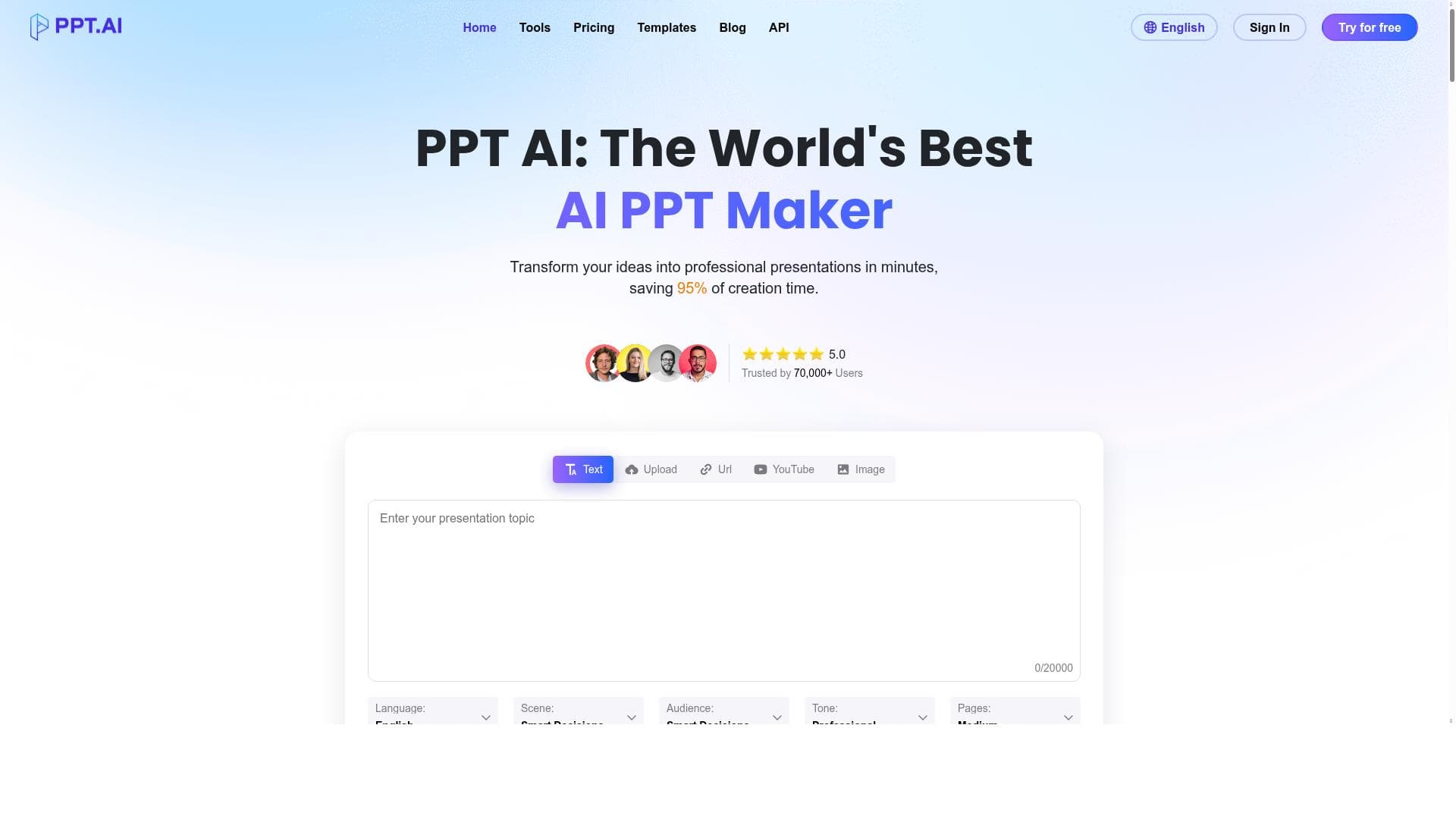
PPT.AI is a cutting-edge AI-powered presentation maker that transforms text, documents, and multimedia into professional slides in minutes, saving users up to 95% of creation time. Ideal for professionals, educators, and marketers, it combines smart automation with premium templates to deliver polished presentations effortlessly.
PPT.AI is an advanced AI-powered presentation creation tool designed to revolutionize how users develop professional PowerPoint presentations. Its core purpose is to transform raw ideas, text, documents, PDFs, websites, and even videos into polished, visually appealing presentations within minutes. By leveraging cutting-edge artificial intelligence and smart automation, PPT.AI significantly reduces the time and effort traditionally required to create high-quality slides, boasting up to 95% time savings in the presentation-building process. This makes it an indispensable tool for professionals, educators, marketers, and anyone who frequently needs to communicate ideas effectively through presentations. At the heart of PPT.AI are several key features that set it apart from conventional presentation software. The AI-driven presentation maker intelligently interprets input content and automatically generates well-structured slides, complete with relevant visuals, layouts, and design elements. This automation eliminates the need for manual formatting and design decisions, allowing users to focus on content quality and messaging. Additionally, PPT.AI offers a rich library of premium templates tailored for various industries and presentation styles, ensuring that every deck looks polished and professional. The tool’s ability to convert diverse content types—including text documents, PDFs, websites, and videos—into cohesive presentations is particularly noteworthy, enabling seamless integration of multimedia and complex information without extra effort. PPT.AI is best suited for a wide range of users who require efficient and professional presentation creation. Business professionals and sales teams can quickly generate pitch decks and client presentations, saving valuable time during busy workdays. Educators and trainers benefit from its ability to convert lesson plans and educational materials into engaging slideshows. Content creators and marketers can repurpose blog posts, reports, and video content into compelling presentations for webinars or social media. Essentially, anyone who needs to communicate ideas clearly and attractively, but lacks the time or design expertise, will find PPT.AI invaluable. The pricing model of PPT.AI is freemium, allowing users to access basic features at no cost while offering premium plans that unlock advanced capabilities such as additional templates, higher usage limits, and priority support. This flexible approach enables individuals and organizations to try the tool risk-free and scale their usage according to their needs and budget. Detailed pricing tiers and feature comparisons are available on the official website, providing transparency and ease of decision-making. Compared to traditional presentation software like Microsoft PowerPoint or Google Slides, PPT.AI stands out by automating the content-to-slide conversion process, drastically reducing manual input and design time. Unlike generic presentation tools, it incorporates AI-driven content analysis and smart layout suggestions, which help users create more engaging and visually consistent presentations without design skills. While some competitors offer AI features, PPT.AI’s ability to handle multiple input formats and its extensive template library provide a comprehensive solution that caters to diverse presentation needs. Despite its many advantages, PPT.AI does have some considerations to keep in mind. As with any AI-driven tool, the quality of the generated presentation depends on the clarity and structure of the input content; ambiguous or poorly organized source material may require manual adjustments. Additionally, while the freemium plan is generous, power users or enterprises may find the need to upgrade to access all advanced features. Integration options with other software platforms may be limited compared to some competitors, so users should verify compatibility with their existing workflows. Overall, PPT.AI offers a powerful, time-saving solution for creating professional presentations, with a few minor limitations typical of AI-based content creation tools.

Description
PPT.AI is a cutting-edge AI-powered presentation maker that transforms text, documents, and multimedia into professional slides in minutes, saving users up to 95% of creation time. Ideal for professionals, educators, and marketers, it combines smart automation with premium templates to deliver polished presentations effortlessly.
PPT.AI is an advanced AI-powered presentation creation tool designed to revolutionize how users develop professional PowerPoint presentations. Its core purpose is to transform raw ideas, text, documents, PDFs, websites, and even videos into polished, visually appealing presentations within minutes. By leveraging cutting-edge artificial intelligence and smart automation, PPT.AI significantly reduces the time and effort traditionally required to create high-quality slides, boasting up to 95% time savings in the presentation-building process. This makes it an indispensable tool for professionals, educators, marketers, and anyone who frequently needs to communicate ideas effectively through presentations. At the heart of PPT.AI are several key features that set it apart from conventional presentation software. The AI-driven presentation maker intelligently interprets input content and automatically generates well-structured slides, complete with relevant visuals, layouts, and design elements. This automation eliminates the need for manual formatting and design decisions, allowing users to focus on content quality and messaging. Additionally, PPT.AI offers a rich library of premium templates tailored for various industries and presentation styles, ensuring that every deck looks polished and professional. The tool’s ability to convert diverse content types—including text documents, PDFs, websites, and videos—into cohesive presentations is particularly noteworthy, enabling seamless integration of multimedia and complex information without extra effort. PPT.AI is best suited for a wide range of users who require efficient and professional presentation creation. Business professionals and sales teams can quickly generate pitch decks and client presentations, saving valuable time during busy workdays. Educators and trainers benefit from its ability to convert lesson plans and educational materials into engaging slideshows. Content creators and marketers can repurpose blog posts, reports, and video content into compelling presentations for webinars or social media. Essentially, anyone who needs to communicate ideas clearly and attractively, but lacks the time or design expertise, will find PPT.AI invaluable. The pricing model of PPT.AI is freemium, allowing users to access basic features at no cost while offering premium plans that unlock advanced capabilities such as additional templates, higher usage limits, and priority support. This flexible approach enables individuals and organizations to try the tool risk-free and scale their usage according to their needs and budget. Detailed pricing tiers and feature comparisons are available on the official website, providing transparency and ease of decision-making. Compared to traditional presentation software like Microsoft PowerPoint or Google Slides, PPT.AI stands out by automating the content-to-slide conversion process, drastically reducing manual input and design time. Unlike generic presentation tools, it incorporates AI-driven content analysis and smart layout suggestions, which help users create more engaging and visually consistent presentations without design skills. While some competitors offer AI features, PPT.AI’s ability to handle multiple input formats and its extensive template library provide a comprehensive solution that caters to diverse presentation needs. Despite its many advantages, PPT.AI does have some considerations to keep in mind. As with any AI-driven tool, the quality of the generated presentation depends on the clarity and structure of the input content; ambiguous or poorly organized source material may require manual adjustments. Additionally, while the freemium plan is generous, power users or enterprises may find the need to upgrade to access all advanced features. Integration options with other software platforms may be limited compared to some competitors, so users should verify compatibility with their existing workflows. Overall, PPT.AI offers a powerful, time-saving solution for creating professional presentations, with a few minor limitations typical of AI-based content creation tools.
Tool Features
- AI-driven presentation maker
- Smart automation to save time
- Premium templates for presentations
Frequently Asked Questions
What is PPT.AI?
PPT.AI is an AI-driven presentation creation tool that converts text, documents, PDFs, websites, and videos into professional PowerPoint presentations quickly and efficiently.
How much does PPT.AI cost?
PPT.AI offers a freemium pricing model, providing basic features for free with premium plans available that unlock additional templates, higher usage limits, and advanced functionalities.
Who is PPT.AI best for?
PPT.AI is ideal for business professionals, educators, marketers, content creators, and anyone who needs to create professional presentations quickly without extensive design skills.
What are the main features of PPT.AI?
Key features include AI-driven presentation generation, smart automation to save time, the ability to convert multiple content types into slides, and access to a library of premium templates.
Does PPT.AI offer a free trial?
Yes, PPT.AI’s freemium plan allows users to try the tool for free with access to basic features before deciding to upgrade to premium plans.
What integrations does PPT.AI support?
PPT.AI supports input from various formats such as text, documents, PDFs, websites, and videos, though specific third-party software integrations may be limited and should be verified on their website.
How does PPT.AI work?
PPT.AI uses advanced AI algorithms to analyze input content and automatically generate well-designed presentation slides, applying smart layouts and premium templates to create professional decks quickly.
Socials
Use ToolSponsored Tools













































Reviews
No reviews yet. Be the first to share your experience.
















