Perplexity Personal Computer
Description
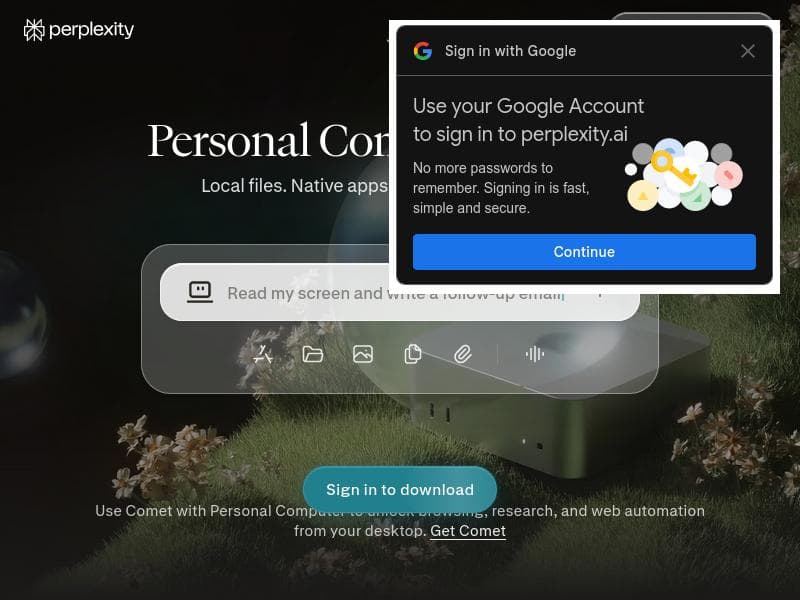
Perplexity Personal Computer transforms your Mac into an intelligent AI assistant that automates complex workflows across local files, native apps, and the web without requiring data uploads. Ideal for professionals seeking seamless, secure productivity boosts, it offers always-on access and deep integration to handle repetitive or messy tasks effortlessly.
Perplexity Personal Computer is an innovative AI-powered system designed to transform your Mac into an intelligent orchestrator that seamlessly manages complex workflows across local files, native applications, web connectors, and cloud environments. Its core purpose is to enhance productivity by automating repetitive or complicated tasks that typically require manual intervention, thereby saving users significant time and effort. By integrating deeply with your machine's ecosystem, it acts as a personal assistant that not only understands your workflows but also executes them end-to-end with precision and security. One of the standout features of Perplexity Personal Computer is its always-on AI accessibility, which can be summoned instantly with a single keyboard shortcut. This ensures that users can interact with the AI assistant without disrupting their workflow or switching between tabs or applications. The system offers robust control over local files on Mac, enabling users to organize, search, and manipulate documents directly through AI commands. Moreover, it integrates seamlessly with native Mac applications, allowing the AI to orchestrate tasks within apps you already use daily, such as managing emails, calendars, or notes. Another unique capability is its control over the Comet browser, which facilitates web-based workflows without requiring users to upload sensitive data to external servers, maintaining privacy and security. Perplexity Personal Computer is designed for professionals, creatives, and anyone who relies heavily on their Mac for complex, multi-step tasks. It is especially valuable for users who handle large volumes of data, need to automate repetitive processes, or require a smart assistant to bridge local and cloud-based workflows. For example, content creators can automate research and file organization, project managers can streamline task coordination across apps, and developers can manage code snippets and documentation more efficiently. Its secure and auditable action logs provide peace of mind for users concerned about data privacy and compliance. The tool follows a freemium pricing model, allowing users to access core functionalities for free while offering premium features or enhanced capabilities through paid plans. This approach makes it accessible to a wide range of users, from individuals exploring AI productivity tools to businesses seeking scalable automation solutions. Detailed pricing tiers and feature breakdowns are available on the official website, enabling users to choose plans that best fit their needs. Compared to alternative AI assistants and workflow automation tools, Perplexity Personal Computer distinguishes itself through its deep integration with the Mac ecosystem and its ability to operate without requiring data uploads to the cloud. Many competitors rely heavily on cloud processing, which can raise privacy concerns and introduce latency. Perplexity’s hybrid local-cloud approach ensures faster response times and enhanced security. Additionally, its always-on accessibility and no-tab-switching design provide a smoother user experience, reducing friction in daily workflows. However, potential users should consider that Perplexity Personal Computer currently focuses on Mac environments, which may limit its applicability for users on other operating systems. Also, while it supports integration with native Mac apps and the Comet browser, users relying on other browsers or platforms might find fewer options. As with any AI tool, there is a learning curve to fully leverage its capabilities, and users should be prepared to invest time in customizing workflows and commands to maximize productivity gains. In summary, Perplexity Personal Computer offers a powerful, secure, and user-friendly AI assistant tailored for Mac users who want to automate and streamline complex workflows. Its unique blend of local and cloud processing, combined with seamless integration and always-on accessibility, makes it a compelling choice for professionals seeking to boost efficiency and reduce manual workload.

Description
Perplexity Personal Computer transforms your Mac into an intelligent AI assistant that automates complex workflows across local files, native apps, and the web without requiring data uploads. Ideal for professionals seeking seamless, secure productivity boosts, it offers always-on access and deep integration to handle repetitive or messy tasks effortlessly.
Perplexity Personal Computer is an innovative AI-powered system designed to transform your Mac into an intelligent orchestrator that seamlessly manages complex workflows across local files, native applications, web connectors, and cloud environments. Its core purpose is to enhance productivity by automating repetitive or complicated tasks that typically require manual intervention, thereby saving users significant time and effort. By integrating deeply with your machine's ecosystem, it acts as a personal assistant that not only understands your workflows but also executes them end-to-end with precision and security. One of the standout features of Perplexity Personal Computer is its always-on AI accessibility, which can be summoned instantly with a single keyboard shortcut. This ensures that users can interact with the AI assistant without disrupting their workflow or switching between tabs or applications. The system offers robust control over local files on Mac, enabling users to organize, search, and manipulate documents directly through AI commands. Moreover, it integrates seamlessly with native Mac applications, allowing the AI to orchestrate tasks within apps you already use daily, such as managing emails, calendars, or notes. Another unique capability is its control over the Comet browser, which facilitates web-based workflows without requiring users to upload sensitive data to external servers, maintaining privacy and security. Perplexity Personal Computer is designed for professionals, creatives, and anyone who relies heavily on their Mac for complex, multi-step tasks. It is especially valuable for users who handle large volumes of data, need to automate repetitive processes, or require a smart assistant to bridge local and cloud-based workflows. For example, content creators can automate research and file organization, project managers can streamline task coordination across apps, and developers can manage code snippets and documentation more efficiently. Its secure and auditable action logs provide peace of mind for users concerned about data privacy and compliance. The tool follows a freemium pricing model, allowing users to access core functionalities for free while offering premium features or enhanced capabilities through paid plans. This approach makes it accessible to a wide range of users, from individuals exploring AI productivity tools to businesses seeking scalable automation solutions. Detailed pricing tiers and feature breakdowns are available on the official website, enabling users to choose plans that best fit their needs. Compared to alternative AI assistants and workflow automation tools, Perplexity Personal Computer distinguishes itself through its deep integration with the Mac ecosystem and its ability to operate without requiring data uploads to the cloud. Many competitors rely heavily on cloud processing, which can raise privacy concerns and introduce latency. Perplexity’s hybrid local-cloud approach ensures faster response times and enhanced security. Additionally, its always-on accessibility and no-tab-switching design provide a smoother user experience, reducing friction in daily workflows. However, potential users should consider that Perplexity Personal Computer currently focuses on Mac environments, which may limit its applicability for users on other operating systems. Also, while it supports integration with native Mac apps and the Comet browser, users relying on other browsers or platforms might find fewer options. As with any AI tool, there is a learning curve to fully leverage its capabilities, and users should be prepared to invest time in customizing workflows and commands to maximize productivity gains. In summary, Perplexity Personal Computer offers a powerful, secure, and user-friendly AI assistant tailored for Mac users who want to automate and streamline complex workflows. Its unique blend of local and cloud processing, combined with seamless integration and always-on accessibility, makes it a compelling choice for professionals seeking to boost efficiency and reduce manual workload.
Tool Features
- Always-on AI accessible with one keyboard shortcut
- Controls local files on Mac
- Integrates with native Mac applications
- Controls Comet browser
- No uploads required
- No need to switch tabs
Frequently Asked Questions
What is Perplexity Personal Computer?
Perplexity Personal Computer is an AI-powered system that turns your Mac into an intelligent orchestrator, automating complex workflows by working across local files, native applications, web connectors, and cloud environments to boost productivity and handle repetitive or complicated tasks.
How much does Perplexity Personal Computer cost?
Perplexity Personal Computer offers a freemium pricing model, providing core features for free with optional premium plans available for advanced capabilities. Detailed pricing information can be found on their official website.
Who is Perplexity Personal Computer best for?
It is best suited for Mac users such as professionals, creatives, project managers, and developers who need to automate complex or repetitive workflows, organize data efficiently, and integrate tasks across local and cloud environments.
What are the main features of Perplexity Personal Computer?
Key features include always-on AI accessible via a keyboard shortcut, control over local files on Mac, integration with native Mac applications, control of the Comet browser, no requirement to upload data externally, and the ability to operate without switching tabs.
Does Perplexity Personal Computer offer a free trial?
Yes, the tool follows a freemium model allowing users to access essential features for free, which effectively serves as a free trial. Users can upgrade to paid plans for additional features.
What integrations does Perplexity Personal Computer support?
It integrates with native Mac applications and the Comet browser, enabling AI-driven control and automation across these platforms without needing to upload data to the cloud.
How does Perplexity Personal Computer work?
It operates by blending local and cloud AI processing to orchestrate tasks across your Mac’s files, applications, and the web. Users invoke the AI via a keyboard shortcut, and it executes workflows end-to-end securely and audibly, without requiring tab switching or data uploads.
Socials
Use ToolSponsored Tools













































Reviews
No reviews yet. Be the first to share your experience.
















