Description
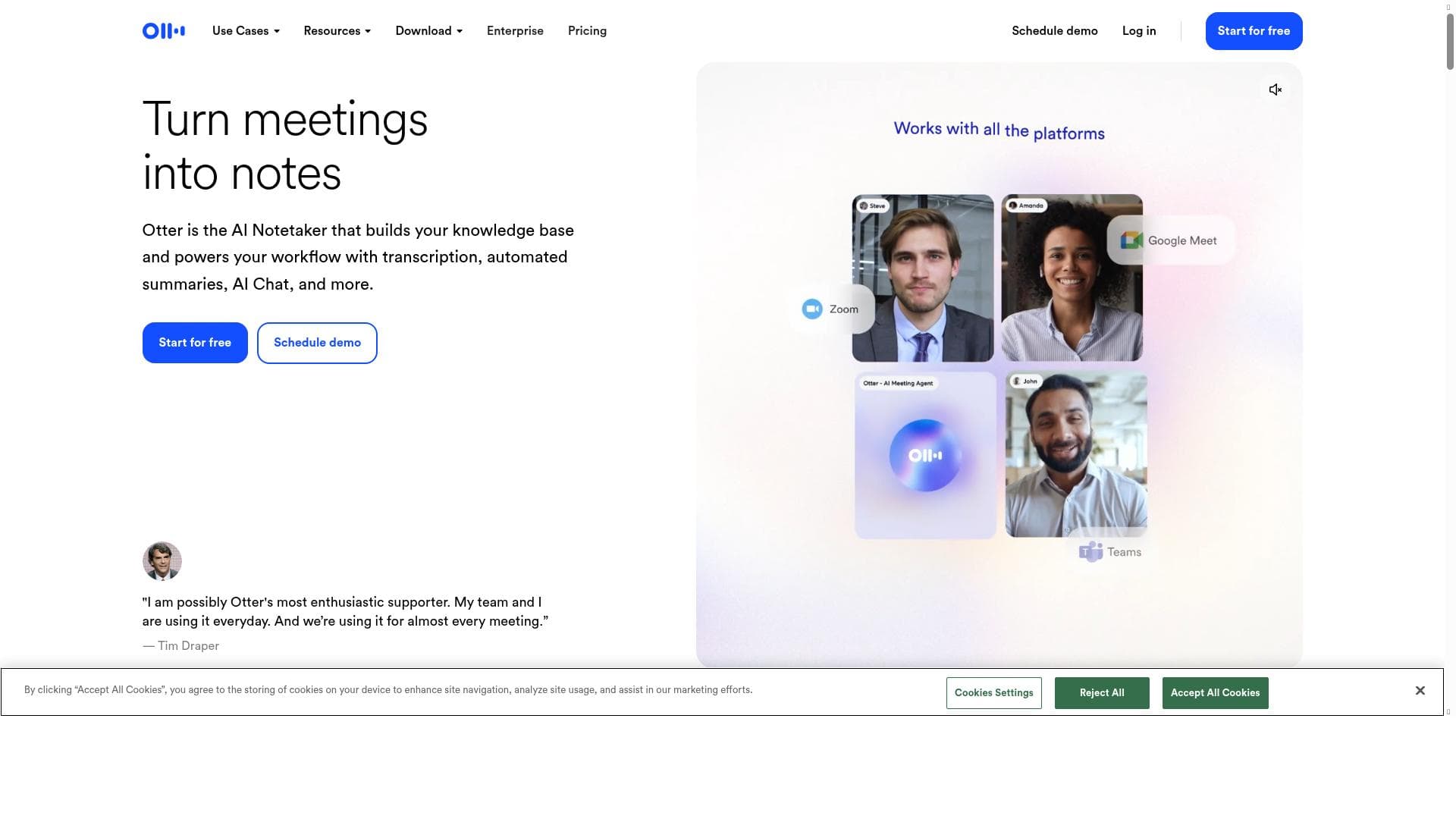
Otter AI transforms meetings and conversations into accurate, real-time transcriptions with automated summaries and actionable insights, making it an essential tool for professionals, educators, and teams seeking to capture and organize spoken content effortlessly. Its unique blend of live transcription, collaboration features, and AI-powered summaries sets it apart as a comprehensive productivity enhancer.
Otter AI is a sophisticated AI-powered transcription tool designed to capture, record, and transcribe meetings, interviews, lectures, and conversations with remarkable accuracy. Its core purpose is to streamline the process of note-taking and documentation by providing real-time transcription and detailed summaries, enabling users to focus on the discussion rather than manual note-taking. Otter AI leverages advanced speech recognition technology combined with natural language processing to deliver transcripts that are not only accurate but also contextually rich, making it an invaluable assistant for professionals, educators, and students alike. One of the standout features of Otter AI is its real-time transcription capability, which allows users to see spoken words converted into text instantly during meetings or conversations. This feature is particularly useful in fast-paced environments where capturing every detail is critical. Additionally, Otter AI supports live chat functionality, enabling participants to communicate and collaborate within the platform while the transcription is ongoing. Beyond transcription, Otter AI automatically generates summaries that highlight key points discussed, saving users time by distilling lengthy conversations into concise overviews. The tool also provides actionable insights and identifies action items, helping teams stay organized and ensuring follow-ups are clearly documented. These features collectively enhance productivity and improve information retention. Otter AI is best suited for a wide range of users including business professionals who need to document meetings and client calls, educators and students who want to capture lectures and study sessions, journalists conducting interviews, and anyone requiring accurate and searchable records of spoken content. Specific use cases include remote teams using Otter AI to transcribe virtual meetings for better collaboration, researchers capturing qualitative data from interviews, and content creators repurposing spoken content into written formats. Its ability to integrate with popular video conferencing tools further extends its utility in hybrid and remote work environments. In terms of pricing, Otter AI offers a freemium model that provides a generous free tier with basic transcription features suitable for casual users or those wanting to test the service. Paid plans unlock additional benefits such as longer transcription limits, advanced export options, and priority customer support. This tiered pricing approach makes Otter AI accessible to individuals and scalable for enterprise-level needs. Users can choose plans based on their transcription volume and feature requirements, ensuring cost-effectiveness. When compared to alternatives, Otter AI stands out for its combination of real-time transcription accuracy, automated summarization, and integrated collaboration features. While other transcription tools may offer basic speech-to-text conversion, Otter AI’s added layers of insights and action item detection provide a more comprehensive solution. Its user-friendly interface and cross-platform availability also contribute to a seamless user experience. However, some competitors may offer specialized features like multi-language support or industry-specific jargon handling that Otter AI is still developing. Despite its many strengths, Otter AI has some limitations to consider. The accuracy of transcription can vary depending on audio quality, speaker accents, and background noise, which is a common challenge for all speech recognition tools. Additionally, while Otter AI supports English primarily, its capabilities in other languages are limited compared to some niche transcription services. Privacy-conscious users should also review Otter AI’s data handling policies to ensure compliance with their organizational standards. Overall, Otter AI remains a powerful and versatile tool for anyone looking to enhance productivity through AI-driven transcription and meeting documentation.

Description
Otter AI transforms meetings and conversations into accurate, real-time transcriptions with automated summaries and actionable insights, making it an essential tool for professionals, educators, and teams seeking to capture and organize spoken content effortlessly. Its unique blend of live transcription, collaboration features, and AI-powered summaries sets it apart as a comprehensive productivity enhancer.
Otter AI is a sophisticated AI-powered transcription tool designed to capture, record, and transcribe meetings, interviews, lectures, and conversations with remarkable accuracy. Its core purpose is to streamline the process of note-taking and documentation by providing real-time transcription and detailed summaries, enabling users to focus on the discussion rather than manual note-taking. Otter AI leverages advanced speech recognition technology combined with natural language processing to deliver transcripts that are not only accurate but also contextually rich, making it an invaluable assistant for professionals, educators, and students alike. One of the standout features of Otter AI is its real-time transcription capability, which allows users to see spoken words converted into text instantly during meetings or conversations. This feature is particularly useful in fast-paced environments where capturing every detail is critical. Additionally, Otter AI supports live chat functionality, enabling participants to communicate and collaborate within the platform while the transcription is ongoing. Beyond transcription, Otter AI automatically generates summaries that highlight key points discussed, saving users time by distilling lengthy conversations into concise overviews. The tool also provides actionable insights and identifies action items, helping teams stay organized and ensuring follow-ups are clearly documented. These features collectively enhance productivity and improve information retention. Otter AI is best suited for a wide range of users including business professionals who need to document meetings and client calls, educators and students who want to capture lectures and study sessions, journalists conducting interviews, and anyone requiring accurate and searchable records of spoken content. Specific use cases include remote teams using Otter AI to transcribe virtual meetings for better collaboration, researchers capturing qualitative data from interviews, and content creators repurposing spoken content into written formats. Its ability to integrate with popular video conferencing tools further extends its utility in hybrid and remote work environments. In terms of pricing, Otter AI offers a freemium model that provides a generous free tier with basic transcription features suitable for casual users or those wanting to test the service. Paid plans unlock additional benefits such as longer transcription limits, advanced export options, and priority customer support. This tiered pricing approach makes Otter AI accessible to individuals and scalable for enterprise-level needs. Users can choose plans based on their transcription volume and feature requirements, ensuring cost-effectiveness. When compared to alternatives, Otter AI stands out for its combination of real-time transcription accuracy, automated summarization, and integrated collaboration features. While other transcription tools may offer basic speech-to-text conversion, Otter AI’s added layers of insights and action item detection provide a more comprehensive solution. Its user-friendly interface and cross-platform availability also contribute to a seamless user experience. However, some competitors may offer specialized features like multi-language support or industry-specific jargon handling that Otter AI is still developing. Despite its many strengths, Otter AI has some limitations to consider. The accuracy of transcription can vary depending on audio quality, speaker accents, and background noise, which is a common challenge for all speech recognition tools. Additionally, while Otter AI supports English primarily, its capabilities in other languages are limited compared to some niche transcription services. Privacy-conscious users should also review Otter AI’s data handling policies to ensure compliance with their organizational standards. Overall, Otter AI remains a powerful and versatile tool for anyone looking to enhance productivity through AI-driven transcription and meeting documentation.
Tool Features
- Real-time transcription
- Live chat
- Automated summaries
- Insights
- Action items
Frequently Asked Questions
What is Otter AI?
Otter AI is an AI-powered transcription tool that records and transcribes meetings, conversations, and lectures in real time, providing accurate transcripts, automated summaries, and actionable insights to help users capture and organize spoken content efficiently.
How much does Otter AI cost?
Otter AI offers a freemium pricing model with a free tier that includes basic transcription features. Paid plans provide extended transcription limits, advanced features, and priority support, allowing users to select a plan that fits their needs and usage volume.
Who is Otter AI best for?
Otter AI is ideal for business professionals, educators, students, journalists, and remote teams who need accurate, real-time transcription and meeting documentation to improve productivity, collaboration, and information retention.
What are the main features of Otter AI?
Key features include real-time transcription, live chat during recordings, automated meeting summaries, actionable insights, and identification of action items, all designed to enhance note-taking and collaboration.
Does Otter AI offer a free trial?
Yes, Otter AI provides a free tier that allows users to try out its core transcription features without cost, making it easy to evaluate the tool before upgrading to a paid plan.
What integrations does Otter AI support?
Otter AI integrates with popular video conferencing platforms such as Zoom and Microsoft Teams, enabling seamless transcription of virtual meetings and enhancing remote collaboration workflows.
How does Otter AI work?
Otter AI uses advanced speech recognition and natural language processing technologies to convert spoken words into text in real time, while also analyzing the content to generate summaries, highlight key points, and identify action items automatically.
Socials
Use ToolSponsored Tools













































Reviews
No reviews yet. Be the first to share your experience.