Description
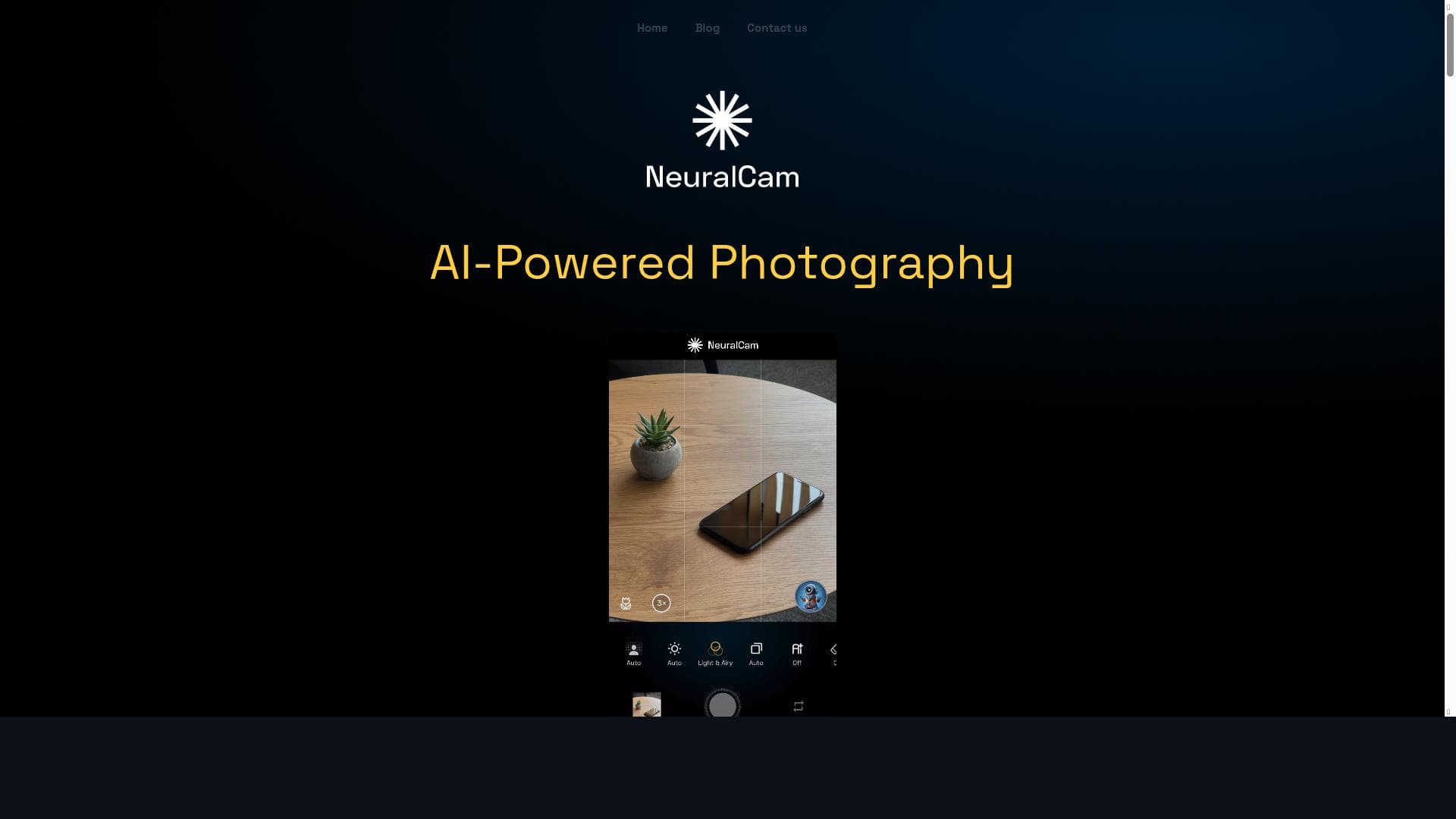
NeuralStudio is a free, AI-powered all-in-one photo and art studio that guides creators through real-time composition and advanced editing. Ideal for photographers and digital artists, it combines intelligent capture modes and professional auto-editing to deliver stunning, high-resolution images effortlessly.
NeuralStudio is an advanced all-in-one Photo & Art Studio designed to empower creators by leveraging cutting-edge AI technologies. Its core purpose is to simplify and enhance the creative process for photographers and digital artists, enabling them to achieve professional-quality results with ease. By integrating intelligent tools that assist in both capturing and editing images, NeuralStudio serves as a comprehensive platform that supports users from the initial shot composition to the final polished artwork. At the heart of NeuralStudio are several key features that distinguish it from traditional photo editing software. The AI Photography Coach is a standout capability, offering real-time composition guidance to help users frame their shots optimally. This feature is particularly valuable for photographers seeking to improve their skills or ensure their images follow classical composition principles without needing extensive manual adjustments. Complementing this is the Smart Capture System, which includes specialized modes such as SmartHDR, DeepFusion, and Night Mode. These modes intelligently optimize exposure, detail, and color balance in challenging lighting conditions, producing vibrant and clear images even in low light or high contrast scenarios. NeuralStudio also incorporates SmartMERGE Frame Fusion technology, which combines multiple frames into a single superior-quality image. This technique reduces noise and enhances detail by merging the best elements from several shots, a feature especially useful for handheld photography or dynamic scenes. For post-processing, the AI Upscaling & Detail Enhancement tool can increase image resolution up to 48 megapixels while applying noise reduction, allowing users to create large prints or crop images without losing clarity. The platform’s Professional-Level Auto-Editing capabilities simulate DSLR-like portrait effects, streamlining the editing workflow for portrait photographers who want polished results quickly. Additionally, the Intelligent Illumination feature brightens dark scenes while preserving natural contrast, ensuring images look vivid and true-to-life without artificial overexposure. NeuralStudio is ideally suited for a wide range of users including amateur photographers looking to improve their composition and image quality, professional photographers who want efficient AI-assisted editing workflows, and digital artists who require high-resolution, detailed images for their creative projects. It is particularly beneficial for those who prefer an integrated solution that covers both capture and editing phases, eliminating the need to switch between multiple apps. Use cases include portrait photography, landscape and night photography, social media content creation, and fine art digital imaging. One of NeuralStudio’s most attractive aspects is its pricing model: it is available for free, making advanced AI-powered photography and editing tools accessible to a broad audience without financial barriers. This free access encourages experimentation and learning, especially for beginners or hobbyists who may not want to invest in expensive software upfront. Compared to alternatives, NeuralStudio stands out by combining AI-driven capture assistance with powerful editing features in a single platform. While many photo editing tools focus solely on post-processing, NeuralStudio’s real-time coaching and smart capture modes provide a unique end-to-end solution. Its AI upscaling and frame fusion technologies are competitive with specialized standalone tools, but integrated seamlessly within the user experience. However, some professional users might find NeuralStudio’s feature set less customizable than high-end software suites like Adobe Photoshop or Lightroom, which offer more granular manual controls and extensive plugin ecosystems. Potential limitations include the reliance on AI algorithms that may occasionally misinterpret artistic intent, leading to automated edits that require manual correction. Additionally, as a free tool, NeuralStudio might have restrictions on export formats or advanced features compared to paid professional software. Users should also consider hardware compatibility and performance, as AI processing can be resource-intensive on older devices. In summary, NeuralStudio is a powerful, AI-driven photo and art studio that democratizes professional-level photography and editing. Its unique combination of real-time composition coaching, intelligent capture modes, advanced frame fusion, and high-quality auto-editing makes it an excellent choice for creators seeking to elevate their work efficiently and creatively without cost barriers.

Description
NeuralStudio is a free, AI-powered all-in-one photo and art studio that guides creators through real-time composition and advanced editing. Ideal for photographers and digital artists, it combines intelligent capture modes and professional auto-editing to deliver stunning, high-resolution images effortlessly.
NeuralStudio is an advanced all-in-one Photo & Art Studio designed to empower creators by leveraging cutting-edge AI technologies. Its core purpose is to simplify and enhance the creative process for photographers and digital artists, enabling them to achieve professional-quality results with ease. By integrating intelligent tools that assist in both capturing and editing images, NeuralStudio serves as a comprehensive platform that supports users from the initial shot composition to the final polished artwork. At the heart of NeuralStudio are several key features that distinguish it from traditional photo editing software. The AI Photography Coach is a standout capability, offering real-time composition guidance to help users frame their shots optimally. This feature is particularly valuable for photographers seeking to improve their skills or ensure their images follow classical composition principles without needing extensive manual adjustments. Complementing this is the Smart Capture System, which includes specialized modes such as SmartHDR, DeepFusion, and Night Mode. These modes intelligently optimize exposure, detail, and color balance in challenging lighting conditions, producing vibrant and clear images even in low light or high contrast scenarios. NeuralStudio also incorporates SmartMERGE Frame Fusion technology, which combines multiple frames into a single superior-quality image. This technique reduces noise and enhances detail by merging the best elements from several shots, a feature especially useful for handheld photography or dynamic scenes. For post-processing, the AI Upscaling & Detail Enhancement tool can increase image resolution up to 48 megapixels while applying noise reduction, allowing users to create large prints or crop images without losing clarity. The platform’s Professional-Level Auto-Editing capabilities simulate DSLR-like portrait effects, streamlining the editing workflow for portrait photographers who want polished results quickly. Additionally, the Intelligent Illumination feature brightens dark scenes while preserving natural contrast, ensuring images look vivid and true-to-life without artificial overexposure. NeuralStudio is ideally suited for a wide range of users including amateur photographers looking to improve their composition and image quality, professional photographers who want efficient AI-assisted editing workflows, and digital artists who require high-resolution, detailed images for their creative projects. It is particularly beneficial for those who prefer an integrated solution that covers both capture and editing phases, eliminating the need to switch between multiple apps. Use cases include portrait photography, landscape and night photography, social media content creation, and fine art digital imaging. One of NeuralStudio’s most attractive aspects is its pricing model: it is available for free, making advanced AI-powered photography and editing tools accessible to a broad audience without financial barriers. This free access encourages experimentation and learning, especially for beginners or hobbyists who may not want to invest in expensive software upfront. Compared to alternatives, NeuralStudio stands out by combining AI-driven capture assistance with powerful editing features in a single platform. While many photo editing tools focus solely on post-processing, NeuralStudio’s real-time coaching and smart capture modes provide a unique end-to-end solution. Its AI upscaling and frame fusion technologies are competitive with specialized standalone tools, but integrated seamlessly within the user experience. However, some professional users might find NeuralStudio’s feature set less customizable than high-end software suites like Adobe Photoshop or Lightroom, which offer more granular manual controls and extensive plugin ecosystems. Potential limitations include the reliance on AI algorithms that may occasionally misinterpret artistic intent, leading to automated edits that require manual correction. Additionally, as a free tool, NeuralStudio might have restrictions on export formats or advanced features compared to paid professional software. Users should also consider hardware compatibility and performance, as AI processing can be resource-intensive on older devices. In summary, NeuralStudio is a powerful, AI-driven photo and art studio that democratizes professional-level photography and editing. Its unique combination of real-time composition coaching, intelligent capture modes, advanced frame fusion, and high-quality auto-editing makes it an excellent choice for creators seeking to elevate their work efficiently and creatively without cost barriers.
Tool Features
- AI Photography Coach providing real-time composition guidance
- Smart Capture System with modes like SmartHDR, DeepFusion, and Night Mode
- SmartMERGE Frame Fusion combining multiple frames for superior quality
- AI Upscaling & Detail Enhancement up to 48MP with noise reduction
- Professional-Level Auto-Editing including DSLR-like portrait effects
- Intelligent Illumination for brightening dark scenes while preserving natural contrast
Frequently Asked Questions
What is NeuralStudio?
NeuralStudio is an all-in-one Photo & Art Studio powered by AI technologies that helps creators capture, enhance, and edit images with professional quality through features like real-time composition guidance, smart capture modes, and AI-driven editing tools.
How much does NeuralStudio cost?
NeuralStudio is available for free, providing access to its full suite of AI-powered photography and editing features without any subscription or purchase fees.
Who is NeuralStudio best for?
NeuralStudio is best suited for amateur and professional photographers, digital artists, and content creators who want an integrated AI-assisted platform for capturing and editing high-quality images efficiently.
What are the main features of NeuralStudio?
Key features include an AI Photography Coach for real-time composition guidance, Smart Capture System with SmartHDR, DeepFusion, and Night Mode, SmartMERGE Frame Fusion for combining multiple frames, AI Upscaling & Detail Enhancement up to 48MP with noise reduction, Professional-Level Auto-Editing with DSLR-like portrait effects, and Intelligent Illumination for brightening dark scenes while preserving natural contrast.
Does NeuralStudio offer a free trial?
NeuralStudio is completely free to use, so there is no need for a separate free trial period.
What integrations does NeuralStudio support?
NeuralStudio primarily functions as a standalone photo and art studio application; specific third-party integrations are not highlighted, focusing instead on its comprehensive in-app AI features.
How does NeuralStudio work?
NeuralStudio uses advanced AI algorithms to assist users in real-time during photo capture with composition coaching and smart modes, then applies AI-driven editing techniques such as frame fusion, upscaling, noise reduction, and auto-enhancements to produce high-quality images.
Socials
Use ToolSponsored Tools













































Reviews
No reviews yet. Be the first to share your experience.