Description
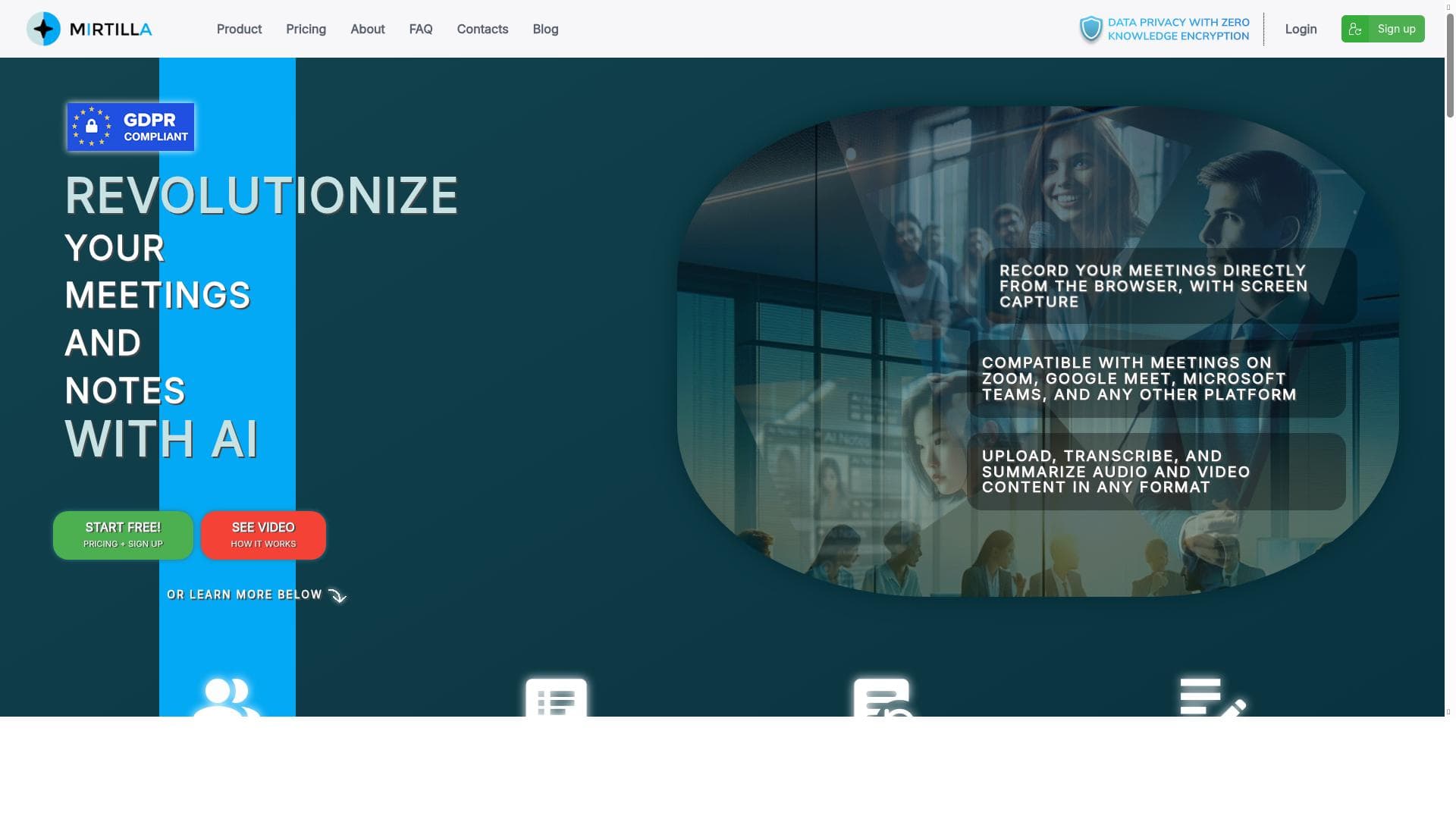
Mirtilla is a privacy-focused AI tool that automatically transcribes and summarizes meetings while offering an advanced Markdown note-taking editor enhanced by AI. Ideal for professionals and students alike, it transforms meeting content into actionable insights with seamless workflow integration and robust security.
Mirtilla is an advanced AI-powered platform designed to streamline the process of meeting transcription, summarization, and note-taking. Its core purpose is to help users capture, organize, and enhance meeting content effortlessly, whether meetings are uploaded as audio files or recorded directly on the website. By automating transcription and generating concise summaries, Mirtilla saves users valuable time and ensures that critical information is accurately documented and easily accessible. Beyond transcription, Mirtilla offers a robust note-taking service featuring a fully functional Markdown editor, allowing users to create richly formatted notes. The integration of AI within the note editor enables users to enhance their notes with suggestions, content expansion, and other intelligent assistance, making it a versatile tool for knowledge workers, students, and professionals alike. Privacy and security are paramount on the platform, with all stored data either embedded, fully encrypted, or both, ensuring that sensitive information remains protected at all times. Key features of Mirtilla include AI-powered assistance that supports a variety of tasks such as transcription, summarization, and note enhancement. The platform integrates seamlessly with multiple workflows, enabling users to incorporate Mirtilla into their existing productivity ecosystems. Productivity enhancement tools are central to the experience, helping users reduce manual effort and focus on higher-value activities. Content creation support is another highlight, as the AI can assist in drafting, editing, and organizing notes and meeting outputs. Additionally, Mirtilla offers organization and automation features that help users manage their meeting records and notes efficiently, including tagging, searching, and automated categorization. Mirtilla is best suited for professionals who regularly participate in meetings, such as project managers, team leads, consultants, and remote workers who need accurate meeting records without the hassle of manual transcription. It is also ideal for students and researchers who require detailed notes and summaries from lectures or group discussions. Specific use cases include converting recorded client calls into actionable summaries, creating structured meeting minutes, enhancing brainstorming session notes, and maintaining a secure, searchable archive of all meeting content. The platform operates on a freemium pricing model, offering basic transcription and note-taking features for free, with premium plans unlocking advanced AI capabilities, higher usage limits, and additional integrations. This approach allows users to test the core functionality before committing financially, making it accessible to individuals and small teams. Pricing details and plan options are available on the Mirtilla website, providing flexibility depending on user needs. Compared to alternatives, Mirtilla stands out due to its combination of transcription, summarization, and a powerful Markdown-based note editor enhanced by AI. While many transcription tools focus solely on converting speech to text, Mirtilla adds value by summarizing content and enabling note enhancement within a secure environment. Its emphasis on privacy through encryption and data embedding is a significant advantage for users handling sensitive information. However, unlike some competitors that offer extensive third-party integrations or mobile apps, Mirtilla’s integration ecosystem may be more limited, which could be a consideration for users seeking a highly connected workflow. Notable limitations include the potential learning curve associated with the Markdown editor for users unfamiliar with markup languages, as well as the reliance on internet connectivity for AI-powered features. Additionally, while the freemium model is generous, heavy users or large teams may find the need to upgrade to premium plans to access sufficient transcription minutes and advanced functionalities. Overall, Mirtilla is a powerful, privacy-conscious tool that excels at transforming meetings into actionable insights and well-organized notes, making it a valuable asset for anyone looking to enhance productivity and information management.

Description
Mirtilla is a privacy-focused AI tool that automatically transcribes and summarizes meetings while offering an advanced Markdown note-taking editor enhanced by AI. Ideal for professionals and students alike, it transforms meeting content into actionable insights with seamless workflow integration and robust security.
Mirtilla is an advanced AI-powered platform designed to streamline the process of meeting transcription, summarization, and note-taking. Its core purpose is to help users capture, organize, and enhance meeting content effortlessly, whether meetings are uploaded as audio files or recorded directly on the website. By automating transcription and generating concise summaries, Mirtilla saves users valuable time and ensures that critical information is accurately documented and easily accessible. Beyond transcription, Mirtilla offers a robust note-taking service featuring a fully functional Markdown editor, allowing users to create richly formatted notes. The integration of AI within the note editor enables users to enhance their notes with suggestions, content expansion, and other intelligent assistance, making it a versatile tool for knowledge workers, students, and professionals alike. Privacy and security are paramount on the platform, with all stored data either embedded, fully encrypted, or both, ensuring that sensitive information remains protected at all times. Key features of Mirtilla include AI-powered assistance that supports a variety of tasks such as transcription, summarization, and note enhancement. The platform integrates seamlessly with multiple workflows, enabling users to incorporate Mirtilla into their existing productivity ecosystems. Productivity enhancement tools are central to the experience, helping users reduce manual effort and focus on higher-value activities. Content creation support is another highlight, as the AI can assist in drafting, editing, and organizing notes and meeting outputs. Additionally, Mirtilla offers organization and automation features that help users manage their meeting records and notes efficiently, including tagging, searching, and automated categorization. Mirtilla is best suited for professionals who regularly participate in meetings, such as project managers, team leads, consultants, and remote workers who need accurate meeting records without the hassle of manual transcription. It is also ideal for students and researchers who require detailed notes and summaries from lectures or group discussions. Specific use cases include converting recorded client calls into actionable summaries, creating structured meeting minutes, enhancing brainstorming session notes, and maintaining a secure, searchable archive of all meeting content. The platform operates on a freemium pricing model, offering basic transcription and note-taking features for free, with premium plans unlocking advanced AI capabilities, higher usage limits, and additional integrations. This approach allows users to test the core functionality before committing financially, making it accessible to individuals and small teams. Pricing details and plan options are available on the Mirtilla website, providing flexibility depending on user needs. Compared to alternatives, Mirtilla stands out due to its combination of transcription, summarization, and a powerful Markdown-based note editor enhanced by AI. While many transcription tools focus solely on converting speech to text, Mirtilla adds value by summarizing content and enabling note enhancement within a secure environment. Its emphasis on privacy through encryption and data embedding is a significant advantage for users handling sensitive information. However, unlike some competitors that offer extensive third-party integrations or mobile apps, Mirtilla’s integration ecosystem may be more limited, which could be a consideration for users seeking a highly connected workflow. Notable limitations include the potential learning curve associated with the Markdown editor for users unfamiliar with markup languages, as well as the reliance on internet connectivity for AI-powered features. Additionally, while the freemium model is generous, heavy users or large teams may find the need to upgrade to premium plans to access sufficient transcription minutes and advanced functionalities. Overall, Mirtilla is a powerful, privacy-conscious tool that excels at transforming meetings into actionable insights and well-organized notes, making it a valuable asset for anyone looking to enhance productivity and information management.
Tool Features
- AI-powered assistance for various tasks
- Integration with multiple workflows
- Productivity enhancement tools
- Content creation support
- Organization and automation features
Frequently Asked Questions
What is Mirtilla?
Mirtilla is an AI-powered platform that automatically transcribes and summarizes meetings, allowing users to upload audio files or record meetings directly on the website. It also provides a Markdown-based note-taking service enhanced with AI to improve note quality and organization.
How much does Mirtilla cost?
Mirtilla operates on a freemium pricing model, offering free access to basic transcription and note-taking features, with premium plans available for advanced AI capabilities, higher usage limits, and additional integrations.
Who is Mirtilla best for?
Mirtilla is best suited for professionals, project managers, remote workers, consultants, students, and researchers who need accurate meeting transcriptions, summaries, and enhanced note-taking to improve productivity and information management.
What are the main features of Mirtilla?
Key features include AI-powered transcription and summarization, a fully featured Markdown editor for note-taking, AI-enhanced note improvements, integration with multiple workflows, productivity enhancement tools, content creation support, and strong data privacy through encryption.
Does Mirtilla offer a free trial?
Yes, Mirtilla offers a freemium plan that allows users to access core features for free, enabling them to try the platform before opting for premium plans.
What integrations does Mirtilla support?
Mirtilla supports integration with multiple workflows, allowing users to incorporate the platform into their existing productivity tools, though specific third-party integrations may be more limited compared to some competitors.
How does Mirtilla work?
Users can upload meeting audio files or record meetings directly on Mirtilla’s website. The platform then uses AI to transcribe the audio and generate summaries. Users can take notes using the Markdown editor, where AI assistance helps enhance and organize the content. All data is securely stored with encryption to ensure privacy.
Sponsored Tools













































Reviews
No reviews yet. Be the first to share your experience.
















