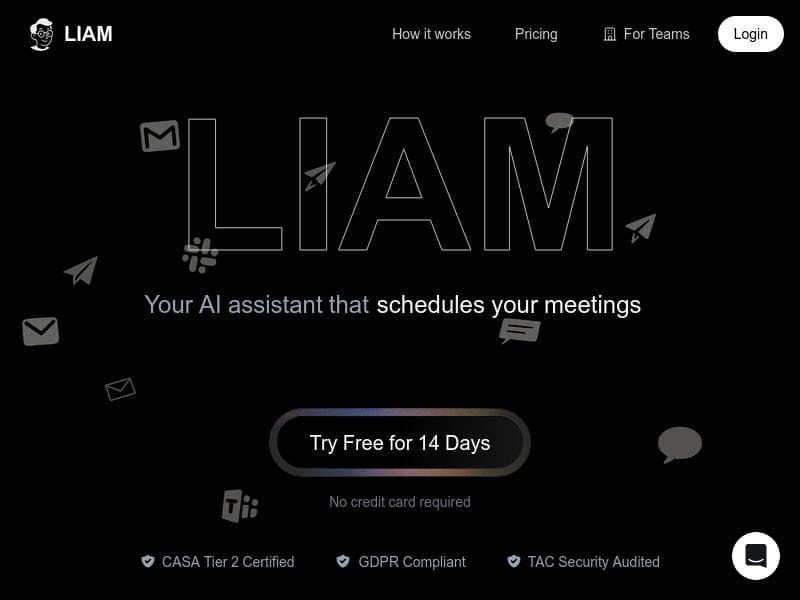
Description
LIAM is an AI-powered executive assistant that transforms your Gmail inbox by prioritizing emails, drafting responses in your voice, and managing your calendar—all without sending messages without your approval. Perfect for busy professionals, LIAM saves time and boosts productivity by seamlessly integrating into your existing mailbox with no extra software required.
LIAM is an AI-powered executive assistant designed to streamline email management and calendar scheduling, saving users hours of tedious work each week. By connecting directly to your Gmail account, LIAM intelligently prioritizes your inbox, identifies important messages, and generates ready-to-send email drafts that match your unique voice and style. Unlike many automated tools, LIAM never sends emails without your explicit approval, ensuring you maintain full control over your communications. It requires no additional software installation or app downloads and can be set up in under a minute, seamlessly integrating into your existing mailbox environment for effortless use. At its core, LIAM functions as an AI copilot for your inbox, helping you stay on top of incoming emails by filtering and prioritizing messages that matter most. This feature reduces the cognitive load of sifting through cluttered inboxes and allows you to focus on high-impact conversations. LIAM’s ability to generate draft responses in your personal tone is particularly valuable for busy professionals who want to maintain consistent communication without spending excessive time composing emails. Additionally, LIAM offers calendar management integration, enabling it to assist with scheduling meetings and managing your appointments directly from your email interface. This holistic approach to email and calendar management makes LIAM a comprehensive productivity tool. LIAM supports multiple platforms, making it versatile for users who operate across different devices and email clients. Its seamless integration means there is no need to switch between apps or learn new software, which is a significant advantage for executives, entrepreneurs, and professionals who rely heavily on email and calendar coordination. LIAM is particularly suited for individuals overwhelmed by high email volumes, those who want to improve their email response efficiency, and anyone seeking to optimize their daily schedule without added complexity. The pricing model for LIAM is freemium, allowing users to access core features at no cost while offering premium capabilities through paid plans. This approach enables users to try the service risk-free and evaluate its impact on their productivity before committing financially. The freemium plan typically includes basic inbox prioritization and draft generation, while advanced calendar management and multi-platform support may be part of the premium offerings. Compared to other AI email assistants, LIAM stands out due to its focus on user control and privacy—never sending emails without approval—and its quick, no-install setup that lives directly within your mailbox. Many alternatives require separate apps or complex integrations, which can disrupt workflows. LIAM’s ability to generate personalized drafts that reflect your voice also differentiates it from generic email automation tools that produce robotic or templated responses. However, potential users should consider that LIAM’s effectiveness depends on the quality of its AI training and how well it adapts to individual communication styles over time. While it supports multiple platforms, the depth of integration and feature availability might vary depending on the email client or calendar system used. Additionally, as with any AI tool handling sensitive communications, users should remain vigilant about privacy and data security policies. In summary, LIAM offers a powerful, user-friendly solution for managing emails and calendars with AI assistance. Its combination of inbox prioritization, personalized draft generation, and scheduling support makes it an ideal tool for busy professionals seeking to reclaim time and enhance productivity without sacrificing control or convenience.

Description
LIAM is an AI-powered executive assistant that transforms your Gmail inbox by prioritizing emails, drafting responses in your voice, and managing your calendar—all without sending messages without your approval. Perfect for busy professionals, LIAM saves time and boosts productivity by seamlessly integrating into your existing mailbox with no extra software required.
LIAM is an AI-powered executive assistant designed to streamline email management and calendar scheduling, saving users hours of tedious work each week. By connecting directly to your Gmail account, LIAM intelligently prioritizes your inbox, identifies important messages, and generates ready-to-send email drafts that match your unique voice and style. Unlike many automated tools, LIAM never sends emails without your explicit approval, ensuring you maintain full control over your communications. It requires no additional software installation or app downloads and can be set up in under a minute, seamlessly integrating into your existing mailbox environment for effortless use. At its core, LIAM functions as an AI copilot for your inbox, helping you stay on top of incoming emails by filtering and prioritizing messages that matter most. This feature reduces the cognitive load of sifting through cluttered inboxes and allows you to focus on high-impact conversations. LIAM’s ability to generate draft responses in your personal tone is particularly valuable for busy professionals who want to maintain consistent communication without spending excessive time composing emails. Additionally, LIAM offers calendar management integration, enabling it to assist with scheduling meetings and managing your appointments directly from your email interface. This holistic approach to email and calendar management makes LIAM a comprehensive productivity tool. LIAM supports multiple platforms, making it versatile for users who operate across different devices and email clients. Its seamless integration means there is no need to switch between apps or learn new software, which is a significant advantage for executives, entrepreneurs, and professionals who rely heavily on email and calendar coordination. LIAM is particularly suited for individuals overwhelmed by high email volumes, those who want to improve their email response efficiency, and anyone seeking to optimize their daily schedule without added complexity. The pricing model for LIAM is freemium, allowing users to access core features at no cost while offering premium capabilities through paid plans. This approach enables users to try the service risk-free and evaluate its impact on their productivity before committing financially. The freemium plan typically includes basic inbox prioritization and draft generation, while advanced calendar management and multi-platform support may be part of the premium offerings. Compared to other AI email assistants, LIAM stands out due to its focus on user control and privacy—never sending emails without approval—and its quick, no-install setup that lives directly within your mailbox. Many alternatives require separate apps or complex integrations, which can disrupt workflows. LIAM’s ability to generate personalized drafts that reflect your voice also differentiates it from generic email automation tools that produce robotic or templated responses. However, potential users should consider that LIAM’s effectiveness depends on the quality of its AI training and how well it adapts to individual communication styles over time. While it supports multiple platforms, the depth of integration and feature availability might vary depending on the email client or calendar system used. Additionally, as with any AI tool handling sensitive communications, users should remain vigilant about privacy and data security policies. In summary, LIAM offers a powerful, user-friendly solution for managing emails and calendars with AI assistance. Its combination of inbox prioritization, personalized draft generation, and scheduling support makes it an ideal tool for busy professionals seeking to reclaim time and enhance productivity without sacrificing control or convenience.
Tool Features
- AI Copilot for inbox management
- Supports multiple platforms
- Calendar management integration
Frequently Asked Questions
What is LIAM?
LIAM is an AI-driven executive assistant that connects to your Gmail account to help manage your inbox and calendar. It prioritizes important emails, generates draft responses in your personal voice, and assists with scheduling, all while ensuring no emails are sent without your approval.
How much does LIAM cost?
LIAM offers a freemium pricing model, allowing users to access basic features for free with the option to upgrade to premium plans for advanced capabilities such as enhanced calendar management and multi-platform support.
Who is LIAM best for?
LIAM is ideal for busy professionals, executives, entrepreneurs, and anyone overwhelmed by high email volumes who wants to save time on email management and scheduling without installing new software.
What are the main features of LIAM?
Key features include AI-powered inbox prioritization, generation of ready-to-send email drafts in your voice, calendar management integration, support for multiple platforms, and a seamless setup that requires no additional app installation.
Does LIAM offer a free trial?
Yes, LIAM’s freemium model allows users to try core features at no cost, providing an opportunity to evaluate the tool’s benefits before opting for premium plans.
What integrations does LIAM support?
LIAM primarily integrates with Gmail for email management and supports calendar management integration, enabling scheduling assistance directly within your mailbox. It also supports multiple platforms to accommodate various user environments.
How does LIAM work?
Once connected to your Gmail account, LIAM uses AI to analyze and prioritize your inbox, generate draft email responses that match your style, and assist with scheduling by integrating calendar management—all while requiring your approval before sending any emails.
Sponsored Tools













































Reviews
No reviews yet. Be the first to share your experience.
















