Description
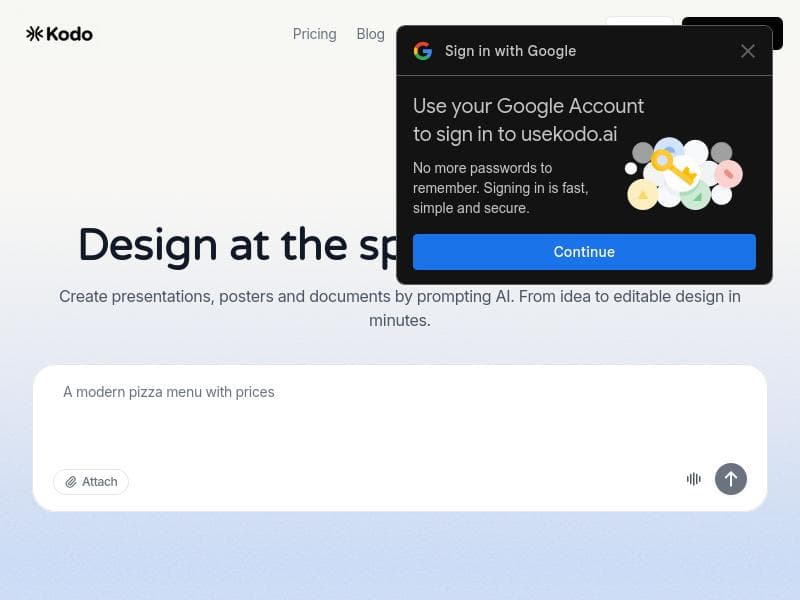
Kodo is a cutting-edge AI design tool that transforms simple text prompts into fully editable, layered posters, slides, and social graphics. Perfect for marketers, creators, and teams seeking fast, customizable designs without templates, Kodo combines AI-powered generation with real-time collaboration and advanced editing features for seamless creative workflows.
Kodo is an innovative AI-powered design tool that revolutionizes the way users create visual content such as posters, slides, menus, and social graphics. Unlike traditional AI design platforms that generate static, flat images, Kodo produces fully editable, structured, and layered designs from simple text prompts. This core capability allows users to instantly modify every element of their design, including text, colors, layouts, and spacing, providing unparalleled flexibility and creative control. The tool is designed to streamline the entire design process, enabling users to generate, refine, and export professional-quality visuals within minutes without relying on templates or locked layouts. At the heart of Kodo’s functionality is its AI-powered design generation engine, which converts textual descriptions directly into sophisticated designs. This text-to-design conversion feature simplifies the creative workflow, especially for users who may not have extensive graphic design experience. Kodo also supports real-time collaboration, allowing teams to work simultaneously on projects, share feedback, and make edits seamlessly. The platform includes advanced design editing tools, such as background removal and a 'magic editor' that enables object removal from images, enhancing the precision and polish of final outputs. Additionally, Kodo incorporates AI image generation capabilities, allowing users to create custom visuals within their designs. Voice input further enhances accessibility and ease of use, enabling users to dictate design instructions hands-free. Kodo is ideally suited for a wide range of users, including marketers, content creators, small business owners, educators, and design teams who need to produce high-quality visual content quickly and efficiently. Its ability to generate editable layered designs makes it particularly valuable for those who require customization beyond what typical template-based tools offer. Use cases include creating marketing materials such as advertisements and social media posts, designing presentation slides, crafting menus for restaurants, and producing branded graphics for digital campaigns. The collaborative features also make Kodo a strong choice for teams working remotely or across different locations. The platform operates on a freemium pricing model, offering basic features at no cost to allow users to explore its capabilities. Paid plans unlock additional professional design tools, expanded export options (including PNG, JPG, PDF, and PPTX formats), team workspaces, and access to component libraries, catering to more advanced or enterprise-level needs. This flexible pricing structure makes Kodo accessible to individuals and scalable for growing teams. Compared to other AI design tools, Kodo stands out due to its focus on editable, layered outputs rather than static images. This distinction provides users with much greater creative freedom and reduces the need for external editing software. While many competitors rely heavily on templates and fixed layouts, Kodo’s no-template approach empowers users to craft unique designs tailored precisely to their vision. Its integration of voice input and real-time collaboration further enhances its usability and appeal. However, potential users should consider that, as with many AI-driven creative tools, the quality of the initial design output can vary depending on the prompt clarity and complexity. Some learning curve may be involved in mastering the full suite of editing features, especially for users unfamiliar with design software. Additionally, while the freemium plan is generous, access to advanced functionalities requires a subscription. Overall, Kodo offers a powerful, flexible, and user-friendly solution for anyone looking to harness AI to accelerate and elevate their design projects.

Description
Kodo is a cutting-edge AI design tool that transforms simple text prompts into fully editable, layered posters, slides, and social graphics. Perfect for marketers, creators, and teams seeking fast, customizable designs without templates, Kodo combines AI-powered generation with real-time collaboration and advanced editing features for seamless creative workflows.
Kodo is an innovative AI-powered design tool that revolutionizes the way users create visual content such as posters, slides, menus, and social graphics. Unlike traditional AI design platforms that generate static, flat images, Kodo produces fully editable, structured, and layered designs from simple text prompts. This core capability allows users to instantly modify every element of their design, including text, colors, layouts, and spacing, providing unparalleled flexibility and creative control. The tool is designed to streamline the entire design process, enabling users to generate, refine, and export professional-quality visuals within minutes without relying on templates or locked layouts. At the heart of Kodo’s functionality is its AI-powered design generation engine, which converts textual descriptions directly into sophisticated designs. This text-to-design conversion feature simplifies the creative workflow, especially for users who may not have extensive graphic design experience. Kodo also supports real-time collaboration, allowing teams to work simultaneously on projects, share feedback, and make edits seamlessly. The platform includes advanced design editing tools, such as background removal and a 'magic editor' that enables object removal from images, enhancing the precision and polish of final outputs. Additionally, Kodo incorporates AI image generation capabilities, allowing users to create custom visuals within their designs. Voice input further enhances accessibility and ease of use, enabling users to dictate design instructions hands-free. Kodo is ideally suited for a wide range of users, including marketers, content creators, small business owners, educators, and design teams who need to produce high-quality visual content quickly and efficiently. Its ability to generate editable layered designs makes it particularly valuable for those who require customization beyond what typical template-based tools offer. Use cases include creating marketing materials such as advertisements and social media posts, designing presentation slides, crafting menus for restaurants, and producing branded graphics for digital campaigns. The collaborative features also make Kodo a strong choice for teams working remotely or across different locations. The platform operates on a freemium pricing model, offering basic features at no cost to allow users to explore its capabilities. Paid plans unlock additional professional design tools, expanded export options (including PNG, JPG, PDF, and PPTX formats), team workspaces, and access to component libraries, catering to more advanced or enterprise-level needs. This flexible pricing structure makes Kodo accessible to individuals and scalable for growing teams. Compared to other AI design tools, Kodo stands out due to its focus on editable, layered outputs rather than static images. This distinction provides users with much greater creative freedom and reduces the need for external editing software. While many competitors rely heavily on templates and fixed layouts, Kodo’s no-template approach empowers users to craft unique designs tailored precisely to their vision. Its integration of voice input and real-time collaboration further enhances its usability and appeal. However, potential users should consider that, as with many AI-driven creative tools, the quality of the initial design output can vary depending on the prompt clarity and complexity. Some learning curve may be involved in mastering the full suite of editing features, especially for users unfamiliar with design software. Additionally, while the freemium plan is generous, access to advanced functionalities requires a subscription. Overall, Kodo offers a powerful, flexible, and user-friendly solution for anyone looking to harness AI to accelerate and elevate their design projects.
Tool Features
- AI-powered design generation
- Text-to-design conversion
- Real-time collaboration
- Design editing
- Background removal
- Magic editor (object removal)
- AI image generation
- Voice input
- Export to PNG, JPG, PDF, PPTX
- Professional design tools
- Team workspaces
- Component libraries
Frequently Asked Questions
What is Kodo?
Kodo is an AI-powered design tool that generates fully editable and layered visual content such as posters, slides, menus, and social graphics from simple text prompts, allowing users to customize every design element instantly.
How much does Kodo cost?
Kodo offers a freemium pricing model with basic features available for free. Paid plans provide access to advanced design tools, expanded export options, team workspaces, and component libraries.
Who is Kodo best for?
Kodo is ideal for marketers, content creators, small business owners, educators, and design teams who need to quickly produce customizable, professional-quality visual content without relying on templates.
What are the main features of Kodo?
Key features include AI-powered design generation, text-to-design conversion, real-time collaboration, comprehensive design editing, background removal, magic editor for object removal, AI image generation, voice input, and multiple export formats like PNG, JPG, PDF, and PPTX.
Does Kodo offer a free trial?
Yes, Kodo provides a freemium plan that allows users to access basic features for free, enabling them to try the platform before opting for paid subscriptions.
What integrations does Kodo support?
While specific third-party integrations are not detailed, Kodo supports exporting designs in various formats such as PNG, JPG, PDF, and PPTX, facilitating easy use with other tools and platforms.
How does Kodo work?
Users input simple text prompts describing the desired design, and Kodo’s AI engine generates a fully editable, layered design. Users can then customize text, colors, layouts, and other elements in real time, collaborate with team members, and export the final product in multiple formats.
Socials
Use ToolSponsored Tools













































Reviews
No reviews yet. Be the first to share your experience.















