Description
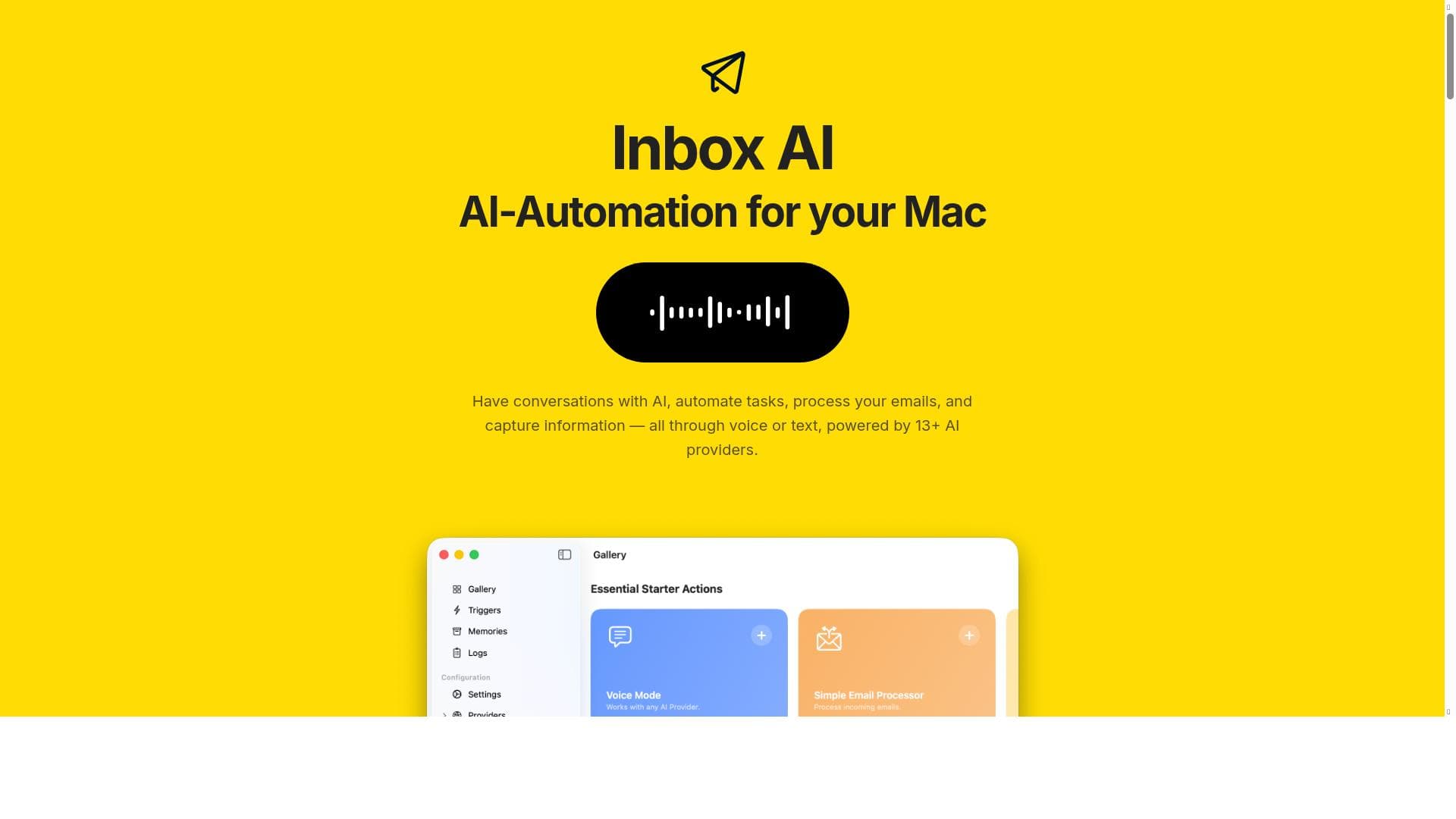
Inbox AI is a MacOS-exclusive app that transforms email management and task automation through customizable AI-powered workflows, offering both cloud and privacy-first on-device AI options. Ideal for professionals and Mac users seeking seamless integration with Apple Reminders and extensive app connectivity, it delivers a unique blend of productivity and privacy without any cost.
Inbox AI is a powerful MacOS application designed to revolutionize the way users manage their email and automate everyday tasks by leveraging custom AI-powered workflows. At its core, Inbox AI aims to streamline communication and task management by integrating advanced artificial intelligence capabilities directly into the user's email environment. This tool offers a unique blend of cloud-based and privacy-first on-device AI options, allowing users to choose between powerful cloud processing or keeping their data secure and private on their own device. By connecting natively with Apple Reminders and supporting integrations with virtually any app through API or file-based commands, Inbox AI provides a seamless and highly customizable productivity experience tailored specifically for Mac users. The key features of Inbox AI are designed to enhance productivity and reduce manual effort. Users can engage in conversations with the AI via voice or text, enabling natural language interactions that help draft, organize, or respond to emails effortlessly. Task automation is another standout feature, allowing users to create custom workflows that automate repetitive tasks such as sorting emails, setting reminders, or extracting important information. The app excels in email processing by intelligently managing inbox clutter, prioritizing messages, and capturing critical information for follow-up actions. Moreover, Inbox AI integrates with over 13 different AI providers, offering a broad spectrum of AI capabilities that can be tailored to specific needs. Its Mac-specific AI automation ensures that users benefit from optimizations unique to the MacOS ecosystem, including native support for Apple Reminders, which enhances task tracking and scheduling. Inbox AI is best suited for professionals, entrepreneurs, and anyone who relies heavily on email communication and task management within the Mac environment. It is particularly valuable for users who want to automate routine workflows without sacrificing privacy or those who prefer a hybrid approach with both cloud and on-device AI options. Use cases include managing large volumes of email efficiently, automating follow-ups, capturing actionable insights from messages, and integrating email workflows with other productivity tools. Its voice and text AI interaction capabilities also make it ideal for users who prefer hands-free or conversational interfaces to speed up their daily routines. The pricing model for Inbox AI is straightforward and user-friendly, as the app is offered for free. This makes it accessible to a wide range of users without the barrier of subscription fees or hidden costs. The free pricing model encourages users to explore the full capabilities of the app and integrate it into their daily workflows without financial commitment. When compared to other AI-powered email management tools, Inbox AI stands out due to its native MacOS focus and privacy-first on-device AI option. Many alternatives rely solely on cloud processing, which may raise privacy concerns for sensitive communications. Inbox AI’s ability to connect natively with Apple Reminders and support extensive API and file-based integrations also provides a level of customization and ecosystem compatibility that is rare among competitors. However, users should consider that the app is currently MacOS exclusive, which limits its availability to users on other platforms. Additionally, while the integration with multiple AI providers is a strength, it may require some technical setup to fully leverage these capabilities. In summary, Inbox AI offers a comprehensive, privacy-conscious, and highly customizable AI-powered email and task management solution tailored specifically for Mac users. Its combination of voice and text AI interactions, task automation, and deep integration with Apple Reminders and other apps makes it a standout tool for those looking to enhance productivity and streamline their digital workflows. While limited to MacOS and potentially requiring some initial configuration for advanced integrations, Inbox AI’s free pricing and robust feature set make it an attractive choice for individuals and professionals seeking intelligent automation in their email and task management.

Description
Inbox AI is a MacOS-exclusive app that transforms email management and task automation through customizable AI-powered workflows, offering both cloud and privacy-first on-device AI options. Ideal for professionals and Mac users seeking seamless integration with Apple Reminders and extensive app connectivity, it delivers a unique blend of productivity and privacy without any cost.
Inbox AI is a powerful MacOS application designed to revolutionize the way users manage their email and automate everyday tasks by leveraging custom AI-powered workflows. At its core, Inbox AI aims to streamline communication and task management by integrating advanced artificial intelligence capabilities directly into the user's email environment. This tool offers a unique blend of cloud-based and privacy-first on-device AI options, allowing users to choose between powerful cloud processing or keeping their data secure and private on their own device. By connecting natively with Apple Reminders and supporting integrations with virtually any app through API or file-based commands, Inbox AI provides a seamless and highly customizable productivity experience tailored specifically for Mac users. The key features of Inbox AI are designed to enhance productivity and reduce manual effort. Users can engage in conversations with the AI via voice or text, enabling natural language interactions that help draft, organize, or respond to emails effortlessly. Task automation is another standout feature, allowing users to create custom workflows that automate repetitive tasks such as sorting emails, setting reminders, or extracting important information. The app excels in email processing by intelligently managing inbox clutter, prioritizing messages, and capturing critical information for follow-up actions. Moreover, Inbox AI integrates with over 13 different AI providers, offering a broad spectrum of AI capabilities that can be tailored to specific needs. Its Mac-specific AI automation ensures that users benefit from optimizations unique to the MacOS ecosystem, including native support for Apple Reminders, which enhances task tracking and scheduling. Inbox AI is best suited for professionals, entrepreneurs, and anyone who relies heavily on email communication and task management within the Mac environment. It is particularly valuable for users who want to automate routine workflows without sacrificing privacy or those who prefer a hybrid approach with both cloud and on-device AI options. Use cases include managing large volumes of email efficiently, automating follow-ups, capturing actionable insights from messages, and integrating email workflows with other productivity tools. Its voice and text AI interaction capabilities also make it ideal for users who prefer hands-free or conversational interfaces to speed up their daily routines. The pricing model for Inbox AI is straightforward and user-friendly, as the app is offered for free. This makes it accessible to a wide range of users without the barrier of subscription fees or hidden costs. The free pricing model encourages users to explore the full capabilities of the app and integrate it into their daily workflows without financial commitment. When compared to other AI-powered email management tools, Inbox AI stands out due to its native MacOS focus and privacy-first on-device AI option. Many alternatives rely solely on cloud processing, which may raise privacy concerns for sensitive communications. Inbox AI’s ability to connect natively with Apple Reminders and support extensive API and file-based integrations also provides a level of customization and ecosystem compatibility that is rare among competitors. However, users should consider that the app is currently MacOS exclusive, which limits its availability to users on other platforms. Additionally, while the integration with multiple AI providers is a strength, it may require some technical setup to fully leverage these capabilities. In summary, Inbox AI offers a comprehensive, privacy-conscious, and highly customizable AI-powered email and task management solution tailored specifically for Mac users. Its combination of voice and text AI interactions, task automation, and deep integration with Apple Reminders and other apps makes it a standout tool for those looking to enhance productivity and streamline their digital workflows. While limited to MacOS and potentially requiring some initial configuration for advanced integrations, Inbox AI’s free pricing and robust feature set make it an attractive choice for individuals and professionals seeking intelligent automation in their email and task management.
Tool Features
- Conversations with AI via voice or text
- Task automation
- Email processing
- Information capture
- Integration with 13+ AI providers
- Mac-specific AI automation
Frequently Asked Questions
What is Inbox AI?
Inbox AI is a MacOS application that helps users manage their email and automate everyday tasks using custom AI-powered workflows. It offers both cloud-based and on-device AI options, integrates natively with Apple Reminders, and connects with other apps via API or file-based commands.
How much does Inbox AI cost?
Inbox AI is available for free, allowing users to access its full range of features without any subscription or purchase fees.
Who is Inbox AI best for?
Inbox AI is best suited for Mac users who want to streamline email management and automate routine tasks, including professionals, entrepreneurs, and anyone who relies heavily on email and task workflows within the Mac ecosystem.
What are the main features of Inbox AI?
The main features include AI conversations via voice or text, task automation, intelligent email processing, information capture, integration with over 13 AI providers, and Mac-specific AI automation with native Apple Reminders support.
Does Inbox AI offer a free trial?
Inbox AI is offered entirely for free, so there is no need for a separate free trial period.
What integrations does Inbox AI support?
Inbox AI integrates natively with Apple Reminders and supports connections with any app through API or file-based commands. It also works with more than 13 AI providers to enhance its capabilities.
How does Inbox AI work?
Inbox AI uses custom AI-powered workflows to automate email management and task processing. Users can interact with the AI via voice or text to manage emails, automate tasks, capture information, and integrate with other apps, choosing between cloud or on-device AI processing for privacy or power.
Socials
Use ToolSponsored Tools













































Reviews
No reviews yet. Be the first to share your experience.
















