Description
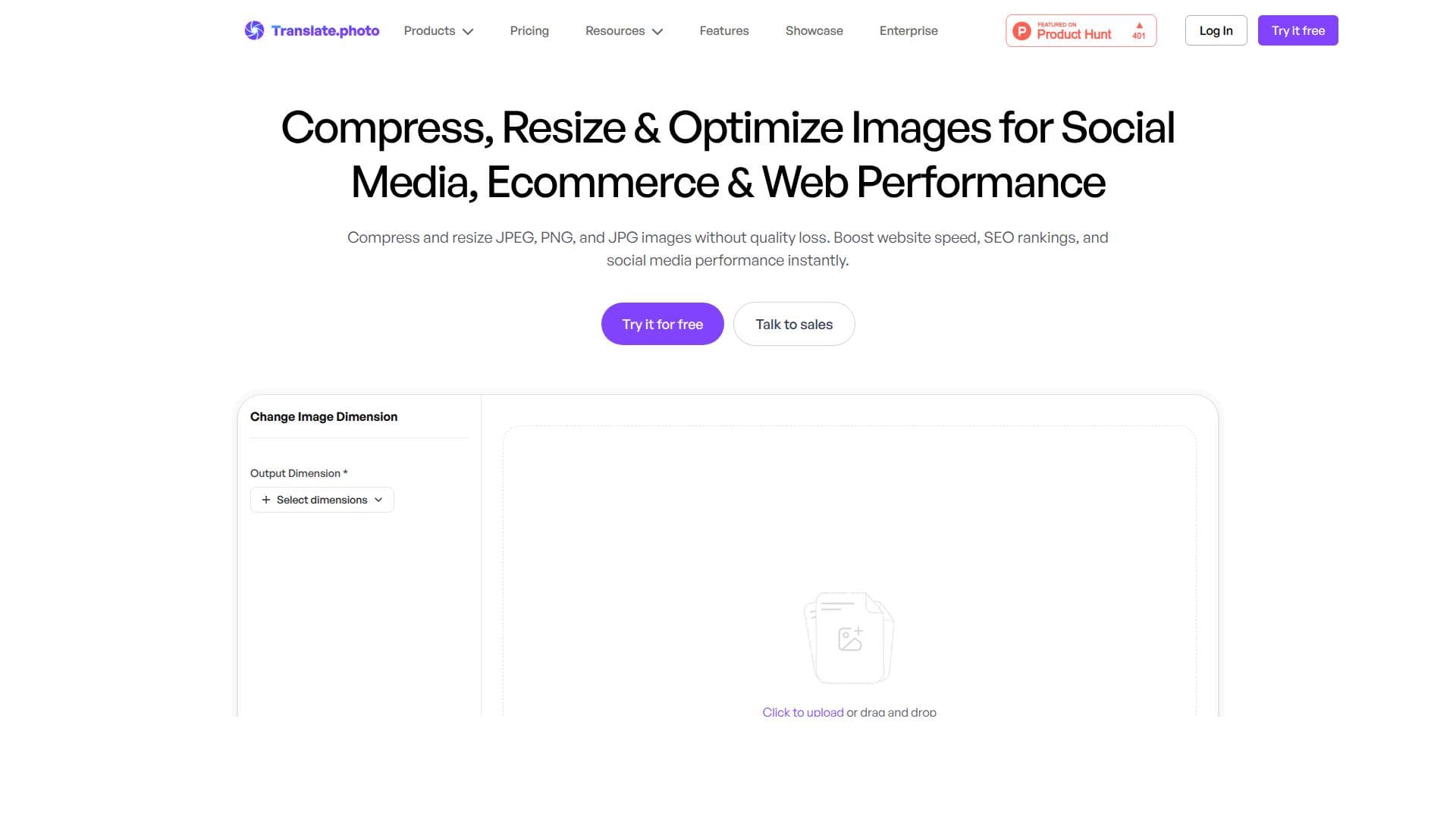
Image Adaptor is a powerful online tool that compresses and resizes JPEG, PNG, and JPG images without any quality loss, helping users boost website speed and improve SEO instantly. Ideal for web developers, marketers, and content creators, it streamlines image optimization to enhance digital performance effortlessly.
Image Adaptor is a specialized online tool designed to optimize images by compressing and resizing JPEG, PNG, and JPG formats without compromising their visual quality. Its core purpose is to enhance digital content performance by reducing image file sizes while maintaining crispness and clarity. This optimization directly contributes to faster website loading times, improved SEO rankings, and better engagement on social media platforms. By streamlining images, Image Adaptor ensures that websites and digital campaigns run more efficiently, providing users with a seamless and visually appealing experience. The tool’s key features revolve around its ability to compress images losslessly, meaning that the reduction in file size does not degrade the image quality. This is crucial for professionals who require high-quality visuals but need to optimize loading speeds and bandwidth usage. In addition to compression, Image Adaptor offers precise resizing capabilities, allowing users to adjust image dimensions to fit specific requirements without distortion or pixelation. These features collectively help reduce page load times, which is a critical factor for search engine optimization and user retention. Faster websites tend to rank higher on search engines like Google, making Image Adaptor a valuable asset for digital marketers and web developers. Image Adaptor is ideal for a wide range of users including web designers, content creators, digital marketers, e-commerce businesses, and social media managers. For web designers and developers, it simplifies the process of preparing images for websites, ensuring that pages load quickly and look professional. Content creators and marketers benefit from optimized images that enhance the visual appeal of blogs, newsletters, and social media posts without sacrificing quality. E-commerce platforms can use Image Adaptor to speed up product page loading times, which can improve conversion rates and customer satisfaction. Social media managers will find the tool useful for preparing images that meet platform requirements while maintaining high visual standards. Regarding pricing, Image Adaptor typically offers a freemium model where users can access basic compression and resizing features for free, with limitations on file size or the number of images processed per day. For more extensive needs, premium plans are available that provide higher limits, batch processing, and additional features such as priority support or integration capabilities. These plans are competitively priced to cater to individual professionals and businesses of varying sizes, making it accessible for both small-scale users and enterprise-level clients. Compared to alternatives, Image Adaptor stands out due to its focus on lossless compression combined with resizing in a single, easy-to-use interface. While many tools offer either compression or resizing, Image Adaptor integrates both seamlessly, saving time and effort. It also emphasizes maintaining image quality, which some competitors sacrifice for smaller file sizes. Furthermore, its web-based platform requires no software installation, making it convenient and accessible from any device. However, unlike some advanced image editors, it does not offer extensive image manipulation features beyond compression and resizing, which might be a limitation for users seeking all-in-one graphic editing solutions. Notable considerations include the fact that Image Adaptor primarily supports JPEG, PNG, and JPG formats, so users working with other image types like GIF, TIFF, or RAW may need alternative tools. Additionally, while the tool excels at lossless compression, extremely large image files or specialized formats might require more powerful desktop software. Users should also be aware of any file size or usage limits imposed by their chosen plan. Overall, Image Adaptor is a highly effective and user-friendly tool for anyone looking to optimize images quickly and efficiently without sacrificing quality, making it a valuable addition to any digital content workflow.

Description
Image Adaptor is a powerful online tool that compresses and resizes JPEG, PNG, and JPG images without any quality loss, helping users boost website speed and improve SEO instantly. Ideal for web developers, marketers, and content creators, it streamlines image optimization to enhance digital performance effortlessly.
Image Adaptor is a specialized online tool designed to optimize images by compressing and resizing JPEG, PNG, and JPG formats without compromising their visual quality. Its core purpose is to enhance digital content performance by reducing image file sizes while maintaining crispness and clarity. This optimization directly contributes to faster website loading times, improved SEO rankings, and better engagement on social media platforms. By streamlining images, Image Adaptor ensures that websites and digital campaigns run more efficiently, providing users with a seamless and visually appealing experience. The tool’s key features revolve around its ability to compress images losslessly, meaning that the reduction in file size does not degrade the image quality. This is crucial for professionals who require high-quality visuals but need to optimize loading speeds and bandwidth usage. In addition to compression, Image Adaptor offers precise resizing capabilities, allowing users to adjust image dimensions to fit specific requirements without distortion or pixelation. These features collectively help reduce page load times, which is a critical factor for search engine optimization and user retention. Faster websites tend to rank higher on search engines like Google, making Image Adaptor a valuable asset for digital marketers and web developers. Image Adaptor is ideal for a wide range of users including web designers, content creators, digital marketers, e-commerce businesses, and social media managers. For web designers and developers, it simplifies the process of preparing images for websites, ensuring that pages load quickly and look professional. Content creators and marketers benefit from optimized images that enhance the visual appeal of blogs, newsletters, and social media posts without sacrificing quality. E-commerce platforms can use Image Adaptor to speed up product page loading times, which can improve conversion rates and customer satisfaction. Social media managers will find the tool useful for preparing images that meet platform requirements while maintaining high visual standards. Regarding pricing, Image Adaptor typically offers a freemium model where users can access basic compression and resizing features for free, with limitations on file size or the number of images processed per day. For more extensive needs, premium plans are available that provide higher limits, batch processing, and additional features such as priority support or integration capabilities. These plans are competitively priced to cater to individual professionals and businesses of varying sizes, making it accessible for both small-scale users and enterprise-level clients. Compared to alternatives, Image Adaptor stands out due to its focus on lossless compression combined with resizing in a single, easy-to-use interface. While many tools offer either compression or resizing, Image Adaptor integrates both seamlessly, saving time and effort. It also emphasizes maintaining image quality, which some competitors sacrifice for smaller file sizes. Furthermore, its web-based platform requires no software installation, making it convenient and accessible from any device. However, unlike some advanced image editors, it does not offer extensive image manipulation features beyond compression and resizing, which might be a limitation for users seeking all-in-one graphic editing solutions. Notable considerations include the fact that Image Adaptor primarily supports JPEG, PNG, and JPG formats, so users working with other image types like GIF, TIFF, or RAW may need alternative tools. Additionally, while the tool excels at lossless compression, extremely large image files or specialized formats might require more powerful desktop software. Users should also be aware of any file size or usage limits imposed by their chosen plan. Overall, Image Adaptor is a highly effective and user-friendly tool for anyone looking to optimize images quickly and efficiently without sacrificing quality, making it a valuable addition to any digital content workflow.
Tool Features
- Compress JPEG, PNG, and JPG images without quality loss
- Resize images efficiently
- Boost website speed
- Improve SEO rankings
- Enhance social media performance
Frequently Asked Questions
What is Image Adaptor?
Image Adaptor is an online tool designed to compress and resize JPEG, PNG, and JPG images without any loss of quality, helping improve website speed, SEO rankings, and social media performance.
How much does Image Adaptor cost?
Image Adaptor offers a freemium model with basic features available for free and premium plans that provide higher usage limits, batch processing, and additional capabilities at competitive prices.
Who is Image Adaptor best for?
It is best suited for web designers, digital marketers, content creators, e-commerce businesses, and social media managers who need to optimize images quickly without sacrificing quality.
What are the main features of Image Adaptor?
Its main features include lossless compression of JPEG, PNG, and JPG images, efficient resizing capabilities, and the ability to boost website speed and SEO rankings by optimizing images.
Does Image Adaptor offer a free trial?
Yes, Image Adaptor provides free access to basic compression and resizing features, allowing users to try the tool before opting for premium plans.
What integrations does Image Adaptor support?
Image Adaptor primarily functions as a standalone web-based tool and does not currently offer direct integrations with other platforms or software.
How does Image Adaptor work?
Users upload JPEG, PNG, or JPG images to the platform, then apply compression and resizing settings. The tool processes the images losslessly, reducing file size while maintaining quality, and provides optimized images for download.
Socials
Use ToolSponsored Tools













































Reviews
No reviews yet. Be the first to share your experience.