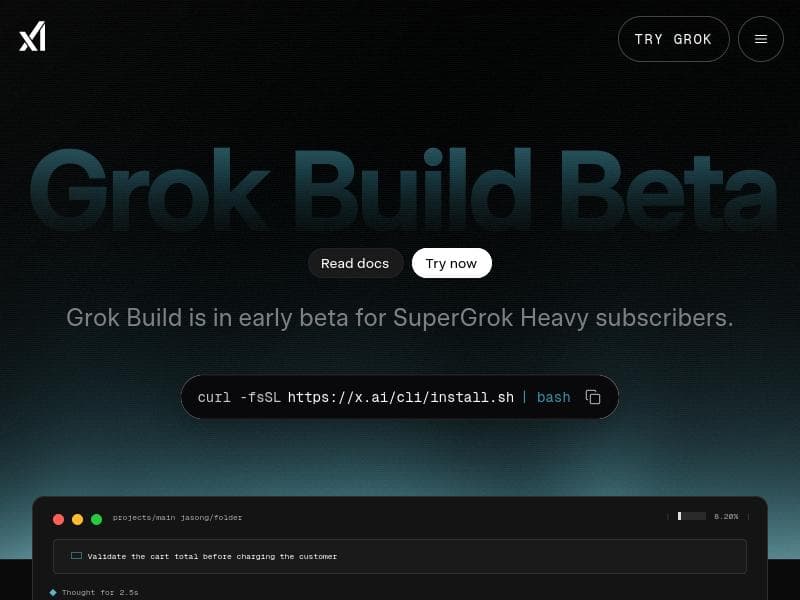
Description
Grok Build is a cutting-edge agentic CLI tool that intelligently plans, delegates, and executes coding and automation tasks via parallel subagents, all within a fullscreen terminal interface. Ideal for developers and automation professionals seeking to boost productivity through AI-driven task management, it offers seamless installation and interactive features like mouse support and Plan Mode integration.
Grok Build is an innovative agentic command-line interface (CLI) designed to streamline and automate coding and development workflows directly from the terminal. Its core purpose is to empower developers and automation specialists by providing a powerful tool that not only executes tasks but also intelligently plans and delegates subtasks to parallel subagents, significantly enhancing productivity and efficiency. By integrating advanced AI capabilities into a familiar CLI environment, Grok Build transforms the traditional coding experience into a more dynamic, interactive, and automated process. Currently, Grok Build is in early beta and available exclusively to SuperGrok Heavy subscribers, reflecting its cutting-edge status and ongoing development. At the heart of Grok Build’s functionality is its ability to break down complex coding and automation tasks into smaller, manageable units handled by parallel subagents. This native subagent view allows users to monitor and control multiple concurrent processes seamlessly within the terminal. The tool’s Plan Mode integration further enhances its utility by enabling users to create detailed execution plans that guide the subagents’ activities, ensuring tasks are completed efficiently and in the correct sequence. Grok Build also supports mouse interactions within its fullscreen terminal UI, a feature that improves navigation and usability, especially when managing multiple subagents or reviewing task progress. Installation is straightforward and user-friendly, requiring just a simple curl command, making it accessible for developers who want to get started quickly without complex setup procedures. Grok Build is best suited for software developers, DevOps engineers, automation experts, and technical teams who rely heavily on terminal-based workflows and seek to optimize their productivity through AI-driven task management. It is particularly valuable for those working on large-scale projects that involve repetitive coding tasks, script automation, or multi-step deployment processes. By delegating subtasks to parallel subagents, users can reduce manual overhead and focus on higher-level problem-solving. Additionally, Grok Build’s fullscreen terminal UI and mouse support make it an excellent choice for users who prefer working entirely within the command line but desire a more interactive and visually organized interface. Currently, Grok Build is offered free of charge to SuperGrok Heavy subscribers during its early beta phase, providing an opportunity for advanced users to explore its capabilities and contribute feedback for future improvements. This pricing model reflects the tool’s experimental status and the developer’s commitment to refining its features based on real-world usage. As the tool matures, it is expected that additional subscription tiers or standalone pricing options may be introduced to accommodate a broader user base. Compared to alternative CLI automation tools, Grok Build stands out due to its agentic architecture that combines planning, delegation, and execution within a single interface. While many CLI tools focus solely on task execution or scripting, Grok Build’s integration of AI-driven subagents and Plan Mode offers a higher level of automation intelligence and parallel task management. Its fullscreen terminal UI with mouse support also differentiates it from more traditional, text-only CLIs, providing a more user-friendly experience without sacrificing the power and flexibility developers expect. However, as an early beta product, Grok Build may not yet have the extensive plugin ecosystem or third-party integrations found in more established tools. Notable limitations include its current availability restricted to SuperGrok Heavy subscribers, which limits access to a niche group of users. Additionally, being in early beta means users might encounter bugs, incomplete features, or performance issues as the developers continue to enhance the platform. The reliance on a terminal-based interface, while a strength for many, may present a learning curve for users unfamiliar with CLI environments or those who prefer graphical user interfaces. Furthermore, the scope of supported integrations and compatibility with existing development environments is still evolving, which could impact adoption in complex or heterogeneous tech stacks. Prospective users should weigh these considerations against the potential productivity gains offered by Grok Build’s unique agentic approach to CLI automation.

Description
Grok Build is a cutting-edge agentic CLI tool that intelligently plans, delegates, and executes coding and automation tasks via parallel subagents, all within a fullscreen terminal interface. Ideal for developers and automation professionals seeking to boost productivity through AI-driven task management, it offers seamless installation and interactive features like mouse support and Plan Mode integration.
Grok Build is an innovative agentic command-line interface (CLI) designed to streamline and automate coding and development workflows directly from the terminal. Its core purpose is to empower developers and automation specialists by providing a powerful tool that not only executes tasks but also intelligently plans and delegates subtasks to parallel subagents, significantly enhancing productivity and efficiency. By integrating advanced AI capabilities into a familiar CLI environment, Grok Build transforms the traditional coding experience into a more dynamic, interactive, and automated process. Currently, Grok Build is in early beta and available exclusively to SuperGrok Heavy subscribers, reflecting its cutting-edge status and ongoing development. At the heart of Grok Build’s functionality is its ability to break down complex coding and automation tasks into smaller, manageable units handled by parallel subagents. This native subagent view allows users to monitor and control multiple concurrent processes seamlessly within the terminal. The tool’s Plan Mode integration further enhances its utility by enabling users to create detailed execution plans that guide the subagents’ activities, ensuring tasks are completed efficiently and in the correct sequence. Grok Build also supports mouse interactions within its fullscreen terminal UI, a feature that improves navigation and usability, especially when managing multiple subagents or reviewing task progress. Installation is straightforward and user-friendly, requiring just a simple curl command, making it accessible for developers who want to get started quickly without complex setup procedures. Grok Build is best suited for software developers, DevOps engineers, automation experts, and technical teams who rely heavily on terminal-based workflows and seek to optimize their productivity through AI-driven task management. It is particularly valuable for those working on large-scale projects that involve repetitive coding tasks, script automation, or multi-step deployment processes. By delegating subtasks to parallel subagents, users can reduce manual overhead and focus on higher-level problem-solving. Additionally, Grok Build’s fullscreen terminal UI and mouse support make it an excellent choice for users who prefer working entirely within the command line but desire a more interactive and visually organized interface. Currently, Grok Build is offered free of charge to SuperGrok Heavy subscribers during its early beta phase, providing an opportunity for advanced users to explore its capabilities and contribute feedback for future improvements. This pricing model reflects the tool’s experimental status and the developer’s commitment to refining its features based on real-world usage. As the tool matures, it is expected that additional subscription tiers or standalone pricing options may be introduced to accommodate a broader user base. Compared to alternative CLI automation tools, Grok Build stands out due to its agentic architecture that combines planning, delegation, and execution within a single interface. While many CLI tools focus solely on task execution or scripting, Grok Build’s integration of AI-driven subagents and Plan Mode offers a higher level of automation intelligence and parallel task management. Its fullscreen terminal UI with mouse support also differentiates it from more traditional, text-only CLIs, providing a more user-friendly experience without sacrificing the power and flexibility developers expect. However, as an early beta product, Grok Build may not yet have the extensive plugin ecosystem or third-party integrations found in more established tools. Notable limitations include its current availability restricted to SuperGrok Heavy subscribers, which limits access to a niche group of users. Additionally, being in early beta means users might encounter bugs, incomplete features, or performance issues as the developers continue to enhance the platform. The reliance on a terminal-based interface, while a strength for many, may present a learning curve for users unfamiliar with CLI environments or those who prefer graphical user interfaces. Furthermore, the scope of supported integrations and compatibility with existing development environments is still evolving, which could impact adoption in complex or heterogeneous tech stacks. Prospective users should weigh these considerations against the potential productivity gains offered by Grok Build’s unique agentic approach to CLI automation.
Tool Features
- Native subagent view
- Plan Mode integration
- Mouse support
- Fullscreen terminal UI
- Easy installation via curl command
Frequently Asked Questions
What is Grok Build?
Grok Build is an agentic command-line interface that plans, delegates to parallel subagents, and executes coding and automation tasks directly from the terminal, designed to enhance developer productivity through AI-driven task management.
How much does Grok Build cost?
Grok Build is currently available for free to SuperGrok Heavy subscribers during its early beta phase.
Who is Grok Build best for?
It is best suited for software developers, DevOps engineers, and automation specialists who work extensively in terminal environments and want to automate complex coding and deployment workflows efficiently.
What are the main features of Grok Build?
Key features include a native subagent view for managing parallel tasks, Plan Mode integration for detailed task planning, mouse support within a fullscreen terminal UI, and easy installation via a simple curl command.
Does Grok Build offer a free trial?
While there is no separate free trial, Grok Build is currently free for SuperGrok Heavy subscribers during its early beta testing period.
What integrations does Grok Build support?
Grok Build integrates Plan Mode for task planning and supports parallel subagents within its CLI, though broader third-party integrations are still under development as it is in early beta.
How does Grok Build work?
Grok Build works by using AI-driven subagents to break down and execute coding and automation tasks in parallel, managed through a fullscreen terminal UI that supports mouse input and detailed planning via Plan Mode.
Socials
Use ToolSponsored Tools













































Reviews
No reviews yet. Be the first to share your experience.
















