GitMind AI for Mind Maps
Description
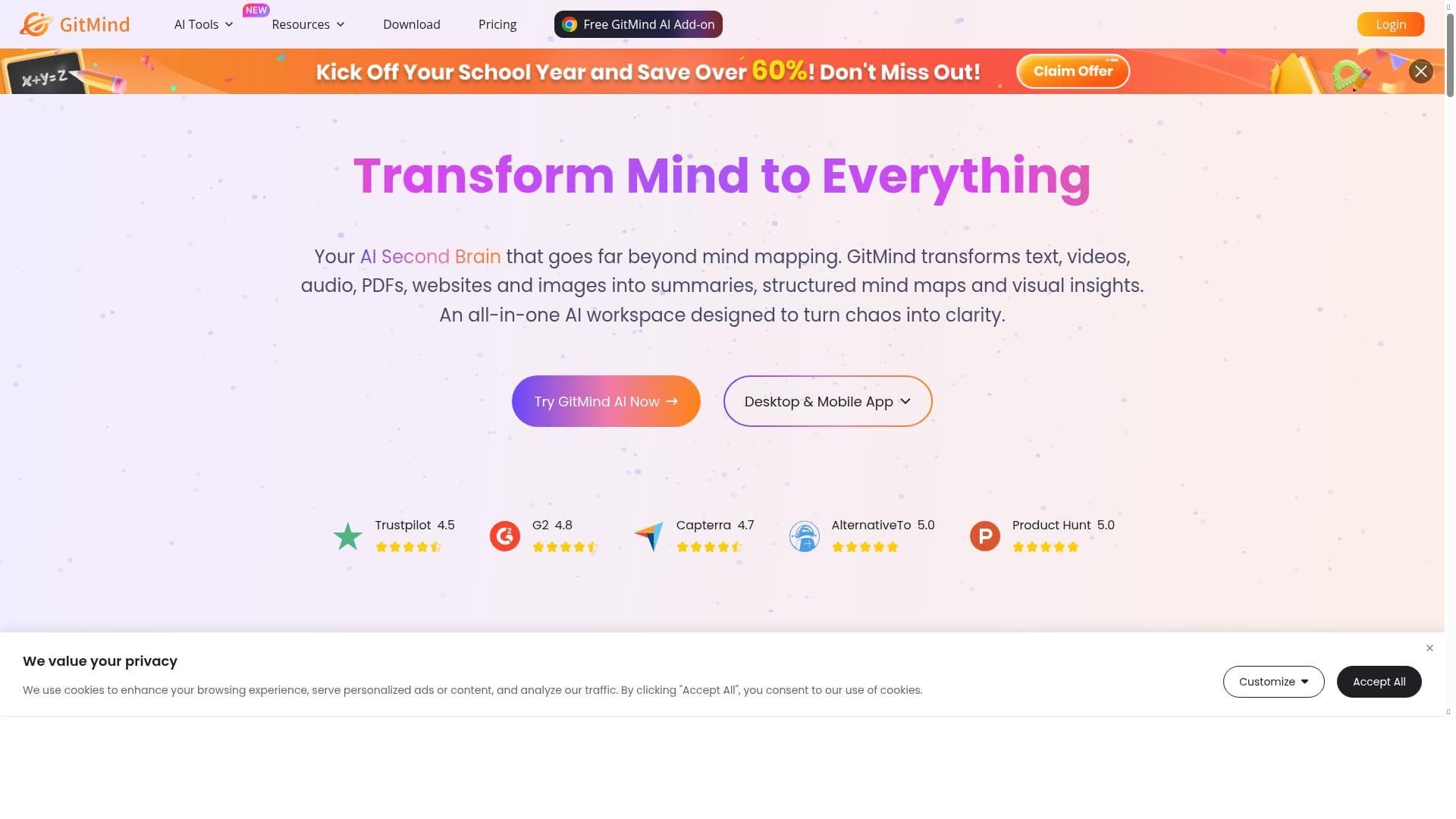
GitMind AI for Mind Maps uniquely transforms PDFs, articles, webpages, and images into structured, AI-generated mind maps with ease, empowering users to streamline their thinking and boost productivity. Ideal for professionals, students, and teams, it combines real-time collaboration and diverse diagramming tools to support comprehensive project planning and brainstorming.
GitMind AI for Mind Maps is an advanced AI-powered mind mapping tool designed to help users effortlessly convert complex information from various sources like PDFs, articles, webpages, and images into clear, structured mind maps. Its core purpose is to streamline the process of organizing thoughts, brainstorming ideas, and managing projects by leveraging artificial intelligence to automate and enhance mind map creation. This tool is especially valuable for individuals and teams looking to boost productivity, improve clarity in planning, and facilitate collaborative thinking. At the heart of GitMind AI is its AI-powered mind mapping capability, which intelligently analyzes input content and generates comprehensive mind maps that visually represent key concepts and their relationships. Users can create detailed project plans, take organized notes, and design various types of diagrams including flowcharts, organizational charts, and UML diagrams. The platform supports real-time collaboration, enabling multiple users to work simultaneously on the same mind map, which is ideal for team brainstorming sessions and project coordination. Additionally, GitMind offers a unique feature that generates AI-powered questions with a single click, helping users deepen their understanding and explore ideas more thoroughly. GitMind AI is best suited for professionals, students, educators, project managers, and creative teams who require an intuitive yet powerful tool to visualize information and enhance productivity. For example, project managers can use it to outline project timelines and tasks, educators can create lesson plans and study guides, while students can organize research materials and prepare for exams. Its versatility in supporting various diagram types also makes it a valuable resource for software developers and business analysts who need to create UML diagrams or organizational charts. One of the standout advantages of GitMind AI is its pricing model. The tool is available for free, making it accessible to a wide range of users without financial barriers. Moreover, new users can claim a 7-day VIP free trial using the code X016U-TWK0E-TJO4Q-4GATW, which unlocks premium features and enhanced capabilities. This approach allows users to explore the full potential of the platform before committing to any paid plans. When compared to alternative mind mapping and diagramming tools, GitMind AI distinguishes itself through its seamless integration of AI technology to automate mind map generation from diverse content types. While many competitors offer manual mind mapping or basic collaboration features, GitMind’s AI-driven question generation and multi-format diagram support provide a more comprehensive and efficient solution. However, some alternatives might offer deeper integrations with other productivity suites or more advanced customization options, which could be a consideration for power users. Despite its many strengths, GitMind AI does have some limitations. The AI-generated mind maps, while highly useful, may occasionally require manual adjustments to perfectly fit complex or highly specialized content. Additionally, the free plan, while generous, might have restrictions on the number of maps or collaborators, which could impact larger teams or intensive users. Users should also consider that the tool’s effectiveness depends on the quality and clarity of the input materials, as ambiguous or poorly formatted documents may yield less accurate mind maps. Overall, GitMind AI for Mind Maps is a robust, user-friendly platform that leverages artificial intelligence to transform how individuals and teams visualize and organize information. Its combination of AI-powered features, real-time collaboration, and support for multiple diagram types makes it a versatile choice for enhancing productivity across various professional and educational contexts.

Description
GitMind AI for Mind Maps uniquely transforms PDFs, articles, webpages, and images into structured, AI-generated mind maps with ease, empowering users to streamline their thinking and boost productivity. Ideal for professionals, students, and teams, it combines real-time collaboration and diverse diagramming tools to support comprehensive project planning and brainstorming.
GitMind AI for Mind Maps is an advanced AI-powered mind mapping tool designed to help users effortlessly convert complex information from various sources like PDFs, articles, webpages, and images into clear, structured mind maps. Its core purpose is to streamline the process of organizing thoughts, brainstorming ideas, and managing projects by leveraging artificial intelligence to automate and enhance mind map creation. This tool is especially valuable for individuals and teams looking to boost productivity, improve clarity in planning, and facilitate collaborative thinking. At the heart of GitMind AI is its AI-powered mind mapping capability, which intelligently analyzes input content and generates comprehensive mind maps that visually represent key concepts and their relationships. Users can create detailed project plans, take organized notes, and design various types of diagrams including flowcharts, organizational charts, and UML diagrams. The platform supports real-time collaboration, enabling multiple users to work simultaneously on the same mind map, which is ideal for team brainstorming sessions and project coordination. Additionally, GitMind offers a unique feature that generates AI-powered questions with a single click, helping users deepen their understanding and explore ideas more thoroughly. GitMind AI is best suited for professionals, students, educators, project managers, and creative teams who require an intuitive yet powerful tool to visualize information and enhance productivity. For example, project managers can use it to outline project timelines and tasks, educators can create lesson plans and study guides, while students can organize research materials and prepare for exams. Its versatility in supporting various diagram types also makes it a valuable resource for software developers and business analysts who need to create UML diagrams or organizational charts. One of the standout advantages of GitMind AI is its pricing model. The tool is available for free, making it accessible to a wide range of users without financial barriers. Moreover, new users can claim a 7-day VIP free trial using the code X016U-TWK0E-TJO4Q-4GATW, which unlocks premium features and enhanced capabilities. This approach allows users to explore the full potential of the platform before committing to any paid plans. When compared to alternative mind mapping and diagramming tools, GitMind AI distinguishes itself through its seamless integration of AI technology to automate mind map generation from diverse content types. While many competitors offer manual mind mapping or basic collaboration features, GitMind’s AI-driven question generation and multi-format diagram support provide a more comprehensive and efficient solution. However, some alternatives might offer deeper integrations with other productivity suites or more advanced customization options, which could be a consideration for power users. Despite its many strengths, GitMind AI does have some limitations. The AI-generated mind maps, while highly useful, may occasionally require manual adjustments to perfectly fit complex or highly specialized content. Additionally, the free plan, while generous, might have restrictions on the number of maps or collaborators, which could impact larger teams or intensive users. Users should also consider that the tool’s effectiveness depends on the quality and clarity of the input materials, as ambiguous or poorly formatted documents may yield less accurate mind maps. Overall, GitMind AI for Mind Maps is a robust, user-friendly platform that leverages artificial intelligence to transform how individuals and teams visualize and organize information. Its combination of AI-powered features, real-time collaboration, and support for multiple diagram types makes it a versatile choice for enhancing productivity across various professional and educational contexts.
Tool Features
- AI-powered mind mapping
- Real-time collaboration on mind maps
- Create project plans
- Take notes
- Create flowcharts
- Create organizational charts
- Create UML diagrams
Frequently Asked Questions
What is GitMind AI for Mind Maps?
GitMind AI for Mind Maps is an AI-powered tool that helps users convert documents, articles, webpages, and images into structured mind maps and various diagrams, enhancing productivity and organization through intelligent automation and real-time collaboration.
How much does GitMind AI for Mind Maps cost?
GitMind AI for Mind Maps offers a free plan accessible to all users, with an option to claim a 7-day VIP free trial using the code X016U-TWK0E-TJO4Q-4GATW, which unlocks premium features for enhanced functionality.
Who is GitMind AI for Mind Maps best for?
It is best suited for professionals, students, educators, project managers, and creative teams who need to visualize complex information, collaborate in real-time, and create various diagrams such as mind maps, flowcharts, and UML diagrams.
What are the main features of GitMind AI for Mind Maps?
Key features include AI-powered mind mapping that transforms diverse content into structured maps, real-time collaboration, project planning tools, note-taking, and the ability to create flowcharts, organizational charts, and UML diagrams.
Does GitMind AI for Mind Maps offer a free trial?
Yes, GitMind offers a 7-day VIP free trial that can be claimed with the code X016U-TWK0E-TJO4Q-4GATW, allowing users to access premium features without charge during the trial period.
What integrations does GitMind AI for Mind Maps support?
While GitMind primarily focuses on mind mapping and diagramming, it supports importing content from PDFs, articles, webpages, and images. Specific third-party software integrations are limited, but it facilitates exporting and sharing for use with other productivity tools.
How does GitMind AI for Mind Maps work?
GitMind uses artificial intelligence to analyze input content such as PDFs, articles, and images, then automatically generates structured mind maps and diagrams. Users can edit, collaborate in real-time, and utilize AI-generated questions to deepen understanding and enhance productivity.
Socials
Use ToolSponsored Tools













































Reviews
No reviews yet. Be the first to share your experience.
















