Genspark for Word
Description
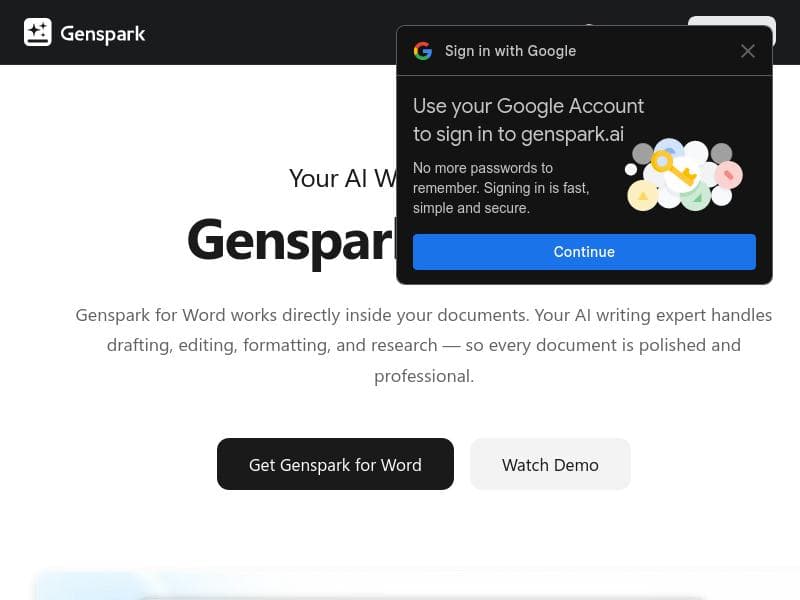
Genspark for Word uniquely embeds AI-powered drafting, editing, and research tools directly inside Microsoft Word, eliminating disruptive context switching and boosting writing productivity. Ideal for writers, analysts, and office professionals, it streamlines content creation with seamless integration and intelligent assistance.
Genspark for Word is an innovative AI-powered writing assistant designed to seamlessly integrate advanced drafting, editing, research, and formatting capabilities directly within Microsoft Word. Its core purpose is to eliminate the disruptive workflow of switching between multiple AI tools and Word, thereby preserving momentum and enhancing productivity for writers, analysts, and office workers. By embedding these functionalities inside the familiar Word environment, Genspark streamlines the entire content creation process, enabling users to generate, refine, and polish their documents without ever leaving the application. At the heart of Genspark for Word is a robust AI engine that offers comprehensive writing assistance. This includes content generation, where users can draft new text based on prompts or existing content, and content improvement, which helps enhance clarity, style, and tone. The tool also provides advanced editing and grammar correction features, ensuring that documents are not only well-written but also free from errors. Style and clarity suggestions guide users to produce more engaging and professional writing, making it ideal for a variety of document types, from reports and proposals to creative writing and academic papers. One of the standout features of Genspark for Word is its deep integration with Microsoft Word. Unlike standalone AI writing tools, Genspark operates within Word’s interface, allowing users to access AI-powered functionalities without interrupting their workflow. This integration supports seamless formatting and research capabilities, enabling users to pull in relevant information and apply consistent styling effortlessly. The tool’s user-friendly design ensures that even those with limited technical expertise can leverage AI to enhance their writing quality. Genspark for Word is particularly well-suited for professionals who rely heavily on Word for document creation and editing. Writers benefit from the AI’s ability to generate ideas and improve drafts, while analysts can use the research and formatting tools to produce clear, data-driven reports. Office workers who regularly create presentations, memos, or correspondence will find the grammar correction and style suggestions invaluable for maintaining professionalism. Educational users, including students and educators, can also leverage Genspark to improve academic writing and streamline the editing process. The pricing model for Genspark for Word follows a freemium approach, allowing users to access basic features at no cost while offering premium capabilities through paid plans. This structure makes it accessible for individuals and small teams to try the tool and evaluate its benefits before committing financially. Detailed pricing tiers and feature distinctions are available on the official website, providing transparency and flexibility to accommodate different user needs. Compared to alternative AI writing assistants, Genspark for Word’s primary advantage lies in its seamless integration with Microsoft Word. Many competing tools require users to switch between applications or copy-paste content, which can disrupt focus and reduce efficiency. Genspark’s embedded approach preserves the natural writing flow and leverages Word’s native features alongside AI enhancements. However, some alternatives may offer broader platform compatibility or more specialized AI models for niche writing styles. Users should consider their specific workflow requirements when choosing between options. While Genspark for Word offers a powerful suite of features, users should be mindful of certain limitations. The AI’s effectiveness depends on the quality of input and may occasionally produce suggestions that require manual review. Additionally, the tool’s performance is tied to Microsoft Word, so users of other word processors will not benefit from its integration. Finally, advanced features may require a paid subscription, which could be a consideration for budget-conscious users. Overall, Genspark for Word represents a compelling solution for those seeking to enhance their writing productivity directly within the Word environment, balancing ease of use with sophisticated AI capabilities.

Description
Genspark for Word uniquely embeds AI-powered drafting, editing, and research tools directly inside Microsoft Word, eliminating disruptive context switching and boosting writing productivity. Ideal for writers, analysts, and office professionals, it streamlines content creation with seamless integration and intelligent assistance.
Genspark for Word is an innovative AI-powered writing assistant designed to seamlessly integrate advanced drafting, editing, research, and formatting capabilities directly within Microsoft Word. Its core purpose is to eliminate the disruptive workflow of switching between multiple AI tools and Word, thereby preserving momentum and enhancing productivity for writers, analysts, and office workers. By embedding these functionalities inside the familiar Word environment, Genspark streamlines the entire content creation process, enabling users to generate, refine, and polish their documents without ever leaving the application. At the heart of Genspark for Word is a robust AI engine that offers comprehensive writing assistance. This includes content generation, where users can draft new text based on prompts or existing content, and content improvement, which helps enhance clarity, style, and tone. The tool also provides advanced editing and grammar correction features, ensuring that documents are not only well-written but also free from errors. Style and clarity suggestions guide users to produce more engaging and professional writing, making it ideal for a variety of document types, from reports and proposals to creative writing and academic papers. One of the standout features of Genspark for Word is its deep integration with Microsoft Word. Unlike standalone AI writing tools, Genspark operates within Word’s interface, allowing users to access AI-powered functionalities without interrupting their workflow. This integration supports seamless formatting and research capabilities, enabling users to pull in relevant information and apply consistent styling effortlessly. The tool’s user-friendly design ensures that even those with limited technical expertise can leverage AI to enhance their writing quality. Genspark for Word is particularly well-suited for professionals who rely heavily on Word for document creation and editing. Writers benefit from the AI’s ability to generate ideas and improve drafts, while analysts can use the research and formatting tools to produce clear, data-driven reports. Office workers who regularly create presentations, memos, or correspondence will find the grammar correction and style suggestions invaluable for maintaining professionalism. Educational users, including students and educators, can also leverage Genspark to improve academic writing and streamline the editing process. The pricing model for Genspark for Word follows a freemium approach, allowing users to access basic features at no cost while offering premium capabilities through paid plans. This structure makes it accessible for individuals and small teams to try the tool and evaluate its benefits before committing financially. Detailed pricing tiers and feature distinctions are available on the official website, providing transparency and flexibility to accommodate different user needs. Compared to alternative AI writing assistants, Genspark for Word’s primary advantage lies in its seamless integration with Microsoft Word. Many competing tools require users to switch between applications or copy-paste content, which can disrupt focus and reduce efficiency. Genspark’s embedded approach preserves the natural writing flow and leverages Word’s native features alongside AI enhancements. However, some alternatives may offer broader platform compatibility or more specialized AI models for niche writing styles. Users should consider their specific workflow requirements when choosing between options. While Genspark for Word offers a powerful suite of features, users should be mindful of certain limitations. The AI’s effectiveness depends on the quality of input and may occasionally produce suggestions that require manual review. Additionally, the tool’s performance is tied to Microsoft Word, so users of other word processors will not benefit from its integration. Finally, advanced features may require a paid subscription, which could be a consideration for budget-conscious users. Overall, Genspark for Word represents a compelling solution for those seeking to enhance their writing productivity directly within the Word environment, balancing ease of use with sophisticated AI capabilities.
Tool Features
- AI-powered writing assistance
- Editing and grammar correction
- Integration with Microsoft Word
- Content generation and improvement
- Style and clarity suggestions
Frequently Asked Questions
What is Genspark for Word?
Genspark for Word is an AI-powered writing assistant that integrates drafting, editing, research, and formatting features directly within Microsoft Word to help users create and improve documents without leaving the application.
How much does Genspark for Word cost?
Genspark for Word offers a freemium pricing model, providing basic features for free with additional premium capabilities available through paid subscription plans.
Who is Genspark for Word best for?
It is best suited for writers, analysts, office workers, and anyone who frequently uses Microsoft Word for document creation and wants to enhance productivity with embedded AI assistance.
What are the main features of Genspark for Word?
Key features include AI-powered writing assistance, editing and grammar correction, content generation and improvement, style and clarity suggestions, and seamless integration with Microsoft Word.
Does Genspark for Word offer a free trial?
Yes, Genspark for Word provides free access to basic features under its freemium plan, allowing users to try the tool before opting for premium subscriptions.
What integrations does Genspark for Word support?
Genspark for Word is specifically integrated with Microsoft Word, enabling users to access AI functionalities directly within the Word interface.
How does Genspark for Word work?
Genspark for Word works by embedding AI-powered tools inside Microsoft Word, allowing users to draft, edit, research, and format content seamlessly without switching between different applications.
Socials
Use ToolSponsored Tools













































Reviews
No reviews yet. Be the first to share your experience.
















