
Description
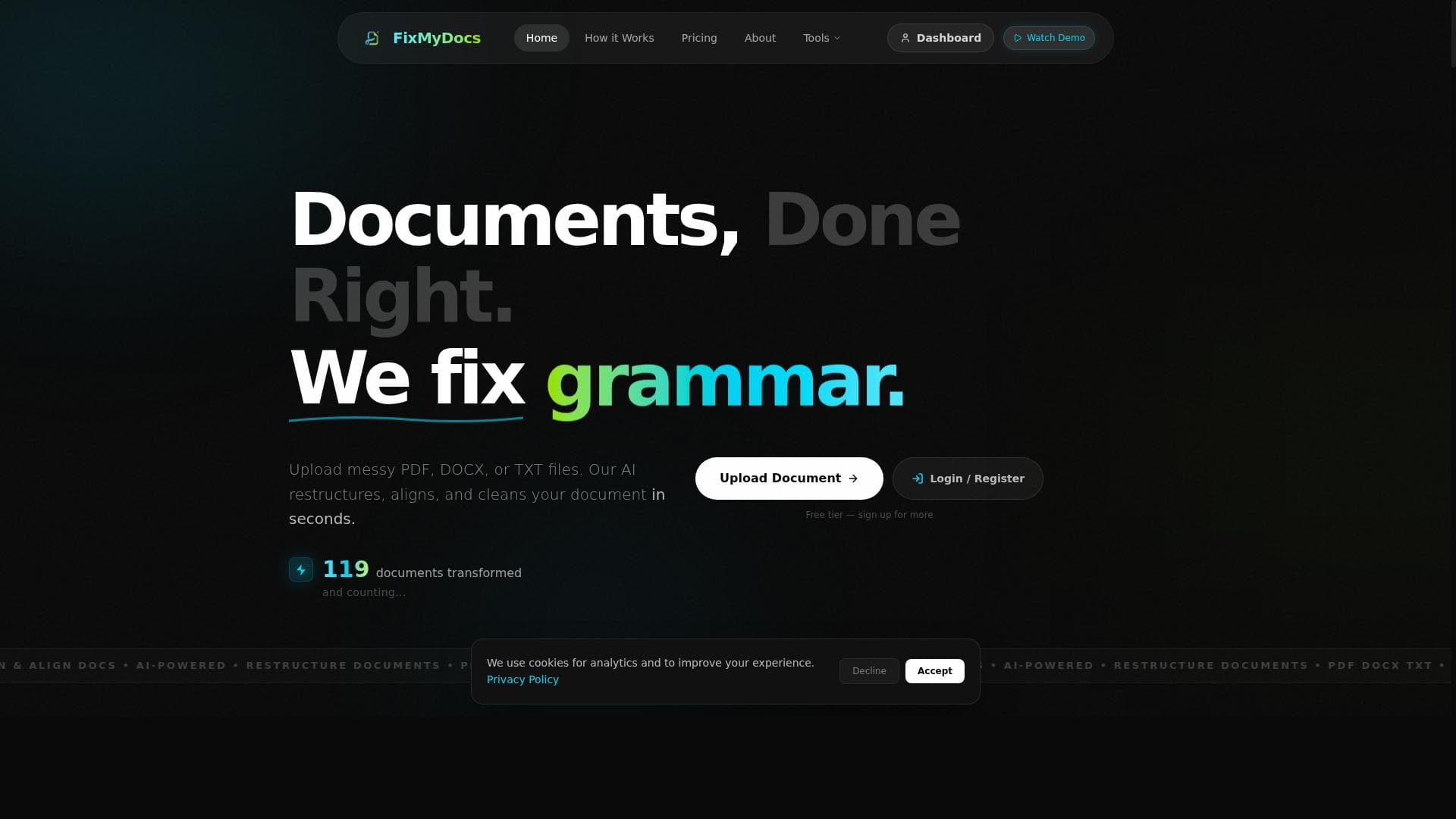
FixMyDocs is an AI-powered document engine that instantly fixes messy formatting in PDFs, Word documents, and text files, making it ideal for professionals, students, and HR teams seeking polished, well-structured documents without manual effort. Its unique ability to clean resumes and extract text from webpages sets it apart as a versatile and time-saving productivity tool.
FixMyDocs is an advanced AI-powered document engine designed to automatically correct and enhance the formatting of various document types including PDF, DOCX, and TXT files. Its core purpose is to streamline the tedious and time-consuming process of fixing messy document layouts by intelligently adjusting spacing, alignment, and structural elements within seconds. This tool is especially valuable for users who frequently work with documents that require professional presentation but lack the time or expertise to manually reformat them. By leveraging AI technology, FixMyDocs offers a seamless, efficient, and reliable solution to improve document quality and readability without compromising content integrity. One of the standout features of FixMyDocs is its ability to fix PDF formatting issues, which are notoriously difficult to edit due to the fixed nature of PDF files. The tool automatically detects and corrects inconsistencies such as uneven spacing, misaligned text, and broken paragraphs, transforming cluttered PDFs into clean, well-structured documents. Similarly, it supports Word documents (DOCX), where it realigns text, fixes indentation, and restructures sections to ensure a polished and uniform appearance. Beyond these, FixMyDocs also handles plain text files (TXT), enhancing their layout by organizing content logically and improving readability. In addition to basic formatting fixes, FixMyDocs offers specialized capabilities such as cleaning resume formatting, which is critical for job seekers aiming to present their qualifications clearly and professionally. The AI engine restructures resumes to highlight key information, ensuring consistent font usage, proper spacing, and alignment that meet industry standards. Another unique feature is the ability to extract text directly from webpage URLs, allowing users to quickly capture and clean content from online sources without manual copying and pasting. This broadens the tool’s utility beyond static documents to dynamic web content. FixMyDocs is ideal for a wide range of users including students, professionals, HR personnel, writers, and anyone who deals with document preparation and editing. For example, students can use it to tidy up research papers or assignments, while HR teams can streamline resume reviews by standardizing formatting across multiple candidates. Writers and editors benefit from the quick restructuring capabilities that save hours of manual formatting, allowing them to focus on content quality rather than layout issues. The pricing model for FixMyDocs is freemium, offering a free tier that provides access to core formatting features with certain usage limits. This makes it accessible to casual users and those who want to test the tool’s capabilities before committing. Paid plans unlock advanced features, higher usage quotas, and priority processing, catering to power users and organizations requiring frequent document cleanup. The freemium approach ensures that users can experience the value of the tool without upfront costs, making it a low-risk option for individuals and businesses alike. Compared to traditional document editing software or manual formatting, FixMyDocs stands out by automating the entire cleanup process with AI precision and speed. While alternatives may require extensive user input or offer limited support for certain file types, FixMyDocs provides a comprehensive, multi-format solution that is both user-friendly and efficient. However, users should note that while the AI is highly capable, extremely complex documents with custom layouts or embedded graphics may still require manual adjustments post-processing. Additionally, as a cloud-based tool, users should consider data privacy and security policies when uploading sensitive documents. In summary, FixMyDocs is a powerful AI-driven document formatting assistant that significantly reduces the effort needed to produce clean, professional-looking documents. Its broad feature set, ease of use, and flexible pricing make it an excellent choice for anyone looking to enhance document presentation quickly and reliably. Whether you need to fix a single PDF or batch process multiple resumes, FixMyDocs delivers a smart, secure, and efficient solution that saves time and improves productivity.

Description
FixMyDocs is an AI-powered document engine that instantly fixes messy formatting in PDFs, Word documents, and text files, making it ideal for professionals, students, and HR teams seeking polished, well-structured documents without manual effort. Its unique ability to clean resumes and extract text from webpages sets it apart as a versatile and time-saving productivity tool.
FixMyDocs is an advanced AI-powered document engine designed to automatically correct and enhance the formatting of various document types including PDF, DOCX, and TXT files. Its core purpose is to streamline the tedious and time-consuming process of fixing messy document layouts by intelligently adjusting spacing, alignment, and structural elements within seconds. This tool is especially valuable for users who frequently work with documents that require professional presentation but lack the time or expertise to manually reformat them. By leveraging AI technology, FixMyDocs offers a seamless, efficient, and reliable solution to improve document quality and readability without compromising content integrity. One of the standout features of FixMyDocs is its ability to fix PDF formatting issues, which are notoriously difficult to edit due to the fixed nature of PDF files. The tool automatically detects and corrects inconsistencies such as uneven spacing, misaligned text, and broken paragraphs, transforming cluttered PDFs into clean, well-structured documents. Similarly, it supports Word documents (DOCX), where it realigns text, fixes indentation, and restructures sections to ensure a polished and uniform appearance. Beyond these, FixMyDocs also handles plain text files (TXT), enhancing their layout by organizing content logically and improving readability. In addition to basic formatting fixes, FixMyDocs offers specialized capabilities such as cleaning resume formatting, which is critical for job seekers aiming to present their qualifications clearly and professionally. The AI engine restructures resumes to highlight key information, ensuring consistent font usage, proper spacing, and alignment that meet industry standards. Another unique feature is the ability to extract text directly from webpage URLs, allowing users to quickly capture and clean content from online sources without manual copying and pasting. This broadens the tool’s utility beyond static documents to dynamic web content. FixMyDocs is ideal for a wide range of users including students, professionals, HR personnel, writers, and anyone who deals with document preparation and editing. For example, students can use it to tidy up research papers or assignments, while HR teams can streamline resume reviews by standardizing formatting across multiple candidates. Writers and editors benefit from the quick restructuring capabilities that save hours of manual formatting, allowing them to focus on content quality rather than layout issues. The pricing model for FixMyDocs is freemium, offering a free tier that provides access to core formatting features with certain usage limits. This makes it accessible to casual users and those who want to test the tool’s capabilities before committing. Paid plans unlock advanced features, higher usage quotas, and priority processing, catering to power users and organizations requiring frequent document cleanup. The freemium approach ensures that users can experience the value of the tool without upfront costs, making it a low-risk option for individuals and businesses alike. Compared to traditional document editing software or manual formatting, FixMyDocs stands out by automating the entire cleanup process with AI precision and speed. While alternatives may require extensive user input or offer limited support for certain file types, FixMyDocs provides a comprehensive, multi-format solution that is both user-friendly and efficient. However, users should note that while the AI is highly capable, extremely complex documents with custom layouts or embedded graphics may still require manual adjustments post-processing. Additionally, as a cloud-based tool, users should consider data privacy and security policies when uploading sensitive documents. In summary, FixMyDocs is a powerful AI-driven document formatting assistant that significantly reduces the effort needed to produce clean, professional-looking documents. Its broad feature set, ease of use, and flexible pricing make it an excellent choice for anyone looking to enhance document presentation quickly and reliably. Whether you need to fix a single PDF or batch process multiple resumes, FixMyDocs delivers a smart, secure, and efficient solution that saves time and improves productivity.
Tool Features
- Fix PDF formatting
- Fix Word document formatting
- Align document text
- Restructure documents
- Clean resume formatting
- Extract text from webpage URLs
Frequently Asked Questions
What is FixMyDocs?
FixMyDocs is an AI-powered document engine designed to automatically fix messy formatting in PDF, DOCX, and TXT files by correcting spacing, alignment, and document structure to enhance overall quality and layout.
How much does FixMyDocs cost?
FixMyDocs operates on a freemium model, offering a free tier with core features and usage limits, while paid plans provide access to advanced features, higher usage quotas, and priority processing.
Who is FixMyDocs best for?
FixMyDocs is ideal for students, professionals, HR personnel, writers, and anyone who needs to quickly clean up and improve document formatting, including resumes and web-extracted text.
What are the main features of FixMyDocs?
Key features include fixing PDF and Word document formatting, aligning text, restructuring documents, cleaning resume layouts, and extracting text from webpage URLs.
Does FixMyDocs offer a free trial?
Yes, FixMyDocs offers a free tier that allows users to access core formatting features with certain usage limits, effectively serving as a free trial to evaluate the tool.
What integrations does FixMyDocs support?
Currently, FixMyDocs primarily functions as a standalone web-based tool accessible via its website; specific third-party integrations are not detailed.
How does FixMyDocs work?
FixMyDocs uses AI algorithms to analyze uploaded documents, detect formatting issues such as spacing and alignment errors, and automatically correct them to produce clean, well-structured files within seconds.
Socials
Use ToolSponsored Tools













































Reviews
No reviews yet. Be the first to share your experience.
















