Description
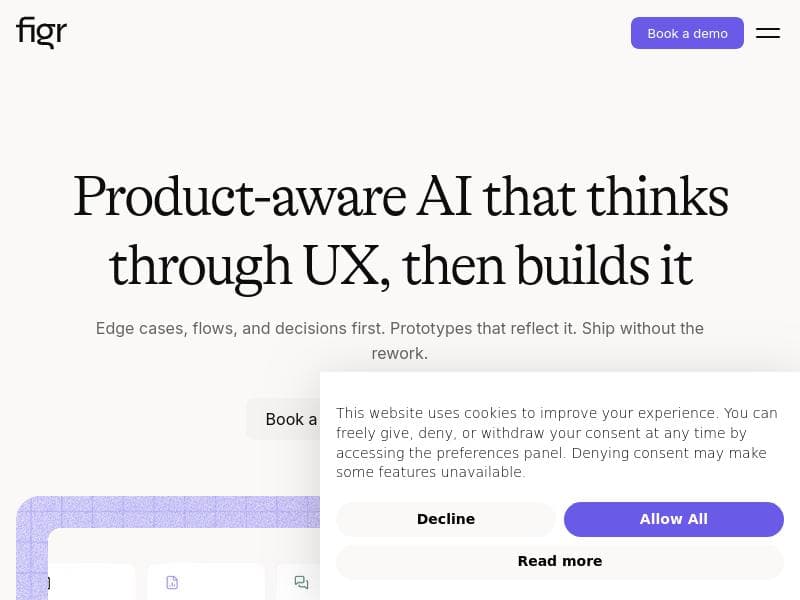
Figr AI is a powerful AI product agent designed for product managers to streamline UX reviews, map user flows, and generate design variations seamlessly integrated with Figma. Backed by a vast database of UX patterns, it offers data-driven recommendations that help teams optimize product design and user experience efficiently.
Figr AI is an advanced AI-powered product agent specifically designed for product managers (PMs) to streamline and enhance the product design and development process. At its core, Figr AI enables users to parse their live applications through a Chrome extension, import designs directly from Figma, and integrate various documentation and analytics sources. This comprehensive approach allows Figr AI to map user flows, identify edge cases, conduct UX reviews, and generate A/B test variations and prototypes that are perfectly aligned with the app’s existing design language. By leveraging a vast knowledge base of over 200,000 UX patterns, Figr AI provides data-driven recommendations that help teams optimize user experience and product functionality with confidence. One of the standout features of Figr AI is its AI-powered design generation capability. This feature allows PMs and designers to quickly create design variations and prototypes that maintain consistency with the established design system. The tool’s deep understanding of product context ensures that generated designs are not only visually coherent but also functionally relevant. The integration with design systems and the ability to export directly back to Figma makes it seamless for teams to iterate on designs without losing fidelity or introducing inconsistencies. Additionally, Figr AI’s live product crawl feature enables real-time analysis of the existing product, helping to uncover usability issues and edge cases that might otherwise be overlooked. Figr AI also integrates knowledge bases and web search capabilities to enrich its recommendations and UX insights. This means that the AI agent can pull in relevant information from internal documentation or external sources to inform design decisions and product strategies. The inclusion of rules and memories allows the tool to learn from past decisions and maintain consistency across projects, making it a valuable long-term assistant for product teams. This tool is best suited for product managers, UX designers, and product teams who want to leverage AI to improve their design workflows and product decision-making processes. It is particularly useful for teams working with complex products where mapping user flows and identifying edge cases manually can be time-consuming and error-prone. By automating UX reviews and generating A/B test variations, Figr AI helps teams accelerate iteration cycles and improve user engagement through data-backed design choices. Figr AI operates on a paid pricing model, which reflects its advanced capabilities and enterprise-grade features. While specific pricing details are not publicly listed, interested users can explore the tool via its website and request demos or pricing information tailored to their needs. Compared to alternatives, Figr AI stands out due to its holistic approach to product design and management. Unlike tools that focus solely on design generation or analytics, Figr AI combines live product crawling, design import/export, UX pattern analysis, and knowledge integration into a single platform. This makes it a more comprehensive solution for product teams looking to unify their workflows. However, users should consider that the tool’s reliance on integrations like Figma and Chrome extensions means it works best within certain technical ecosystems. Some limitations to consider include the need for a paid subscription, which might be a barrier for smaller teams or individual users. Additionally, while Figr AI supports extensive integrations, teams heavily reliant on other design or analytics platforms may face challenges in fully leveraging the tool’s capabilities. As with any AI-driven solution, the quality of recommendations depends on the input data and context provided, so proper setup and ongoing management are essential to maximize value.

Description
Figr AI is a powerful AI product agent designed for product managers to streamline UX reviews, map user flows, and generate design variations seamlessly integrated with Figma. Backed by a vast database of UX patterns, it offers data-driven recommendations that help teams optimize product design and user experience efficiently.
Figr AI is an advanced AI-powered product agent specifically designed for product managers (PMs) to streamline and enhance the product design and development process. At its core, Figr AI enables users to parse their live applications through a Chrome extension, import designs directly from Figma, and integrate various documentation and analytics sources. This comprehensive approach allows Figr AI to map user flows, identify edge cases, conduct UX reviews, and generate A/B test variations and prototypes that are perfectly aligned with the app’s existing design language. By leveraging a vast knowledge base of over 200,000 UX patterns, Figr AI provides data-driven recommendations that help teams optimize user experience and product functionality with confidence. One of the standout features of Figr AI is its AI-powered design generation capability. This feature allows PMs and designers to quickly create design variations and prototypes that maintain consistency with the established design system. The tool’s deep understanding of product context ensures that generated designs are not only visually coherent but also functionally relevant. The integration with design systems and the ability to export directly back to Figma makes it seamless for teams to iterate on designs without losing fidelity or introducing inconsistencies. Additionally, Figr AI’s live product crawl feature enables real-time analysis of the existing product, helping to uncover usability issues and edge cases that might otherwise be overlooked. Figr AI also integrates knowledge bases and web search capabilities to enrich its recommendations and UX insights. This means that the AI agent can pull in relevant information from internal documentation or external sources to inform design decisions and product strategies. The inclusion of rules and memories allows the tool to learn from past decisions and maintain consistency across projects, making it a valuable long-term assistant for product teams. This tool is best suited for product managers, UX designers, and product teams who want to leverage AI to improve their design workflows and product decision-making processes. It is particularly useful for teams working with complex products where mapping user flows and identifying edge cases manually can be time-consuming and error-prone. By automating UX reviews and generating A/B test variations, Figr AI helps teams accelerate iteration cycles and improve user engagement through data-backed design choices. Figr AI operates on a paid pricing model, which reflects its advanced capabilities and enterprise-grade features. While specific pricing details are not publicly listed, interested users can explore the tool via its website and request demos or pricing information tailored to their needs. Compared to alternatives, Figr AI stands out due to its holistic approach to product design and management. Unlike tools that focus solely on design generation or analytics, Figr AI combines live product crawling, design import/export, UX pattern analysis, and knowledge integration into a single platform. This makes it a more comprehensive solution for product teams looking to unify their workflows. However, users should consider that the tool’s reliance on integrations like Figma and Chrome extensions means it works best within certain technical ecosystems. Some limitations to consider include the need for a paid subscription, which might be a barrier for smaller teams or individual users. Additionally, while Figr AI supports extensive integrations, teams heavily reliant on other design or analytics platforms may face challenges in fully leveraging the tool’s capabilities. As with any AI-driven solution, the quality of recommendations depends on the input data and context provided, so proper setup and ongoing management are essential to maximize value.
Tool Features
- AI-powered design generation
- Product context understanding
- Design system integration
- Live product crawl
- Knowledge base integration
- Web search capabilities
- Rules and memories
- Export to Figma
Frequently Asked Questions
What is Figr AI?
Figr AI is an AI-powered product agent designed to assist product managers by parsing live apps, importing designs from Figma, integrating documentation and analytics, and providing UX reviews, flow mapping, and prototype generation based on extensive UX pattern data.
How much does Figr AI cost?
Figr AI operates on a paid subscription model. Specific pricing details are not publicly listed, so interested users should visit the official website or contact the sales team for tailored pricing information.
Who is Figr AI best for?
Figr AI is best suited for product managers, UX designers, and product teams looking to enhance their design workflows, identify UX issues, and generate data-backed design variations efficiently.
What are the main features of Figr AI?
Key features include AI-powered design generation, product context understanding, design system integration, live product crawling, knowledge base and web search integration, rules and memories for consistency, and export capabilities to Figma.
Does Figr AI offer a free trial?
There is no publicly available information about a free trial. Prospective users should check the official website or contact Figr AI directly to inquire about trial options.
What integrations does Figr AI support?
Figr AI supports integration with Figma for design import and export, Chrome extension for live product crawling, and can incorporate documentation, analytics, and knowledge bases to enrich its AI recommendations.
How does Figr AI work?
Figr AI works by parsing your live application through a Chrome extension, importing designs from Figma, and integrating relevant docs and analytics. It then maps user flows, identifies edge cases, runs UX reviews, and generates A/B test variations and prototypes that align with your app’s design language, all backed by a large database of UX patterns.
Socials
Use ToolSponsored Tools













































Reviews
No reviews yet. Be the first to share your experience.
















