Description
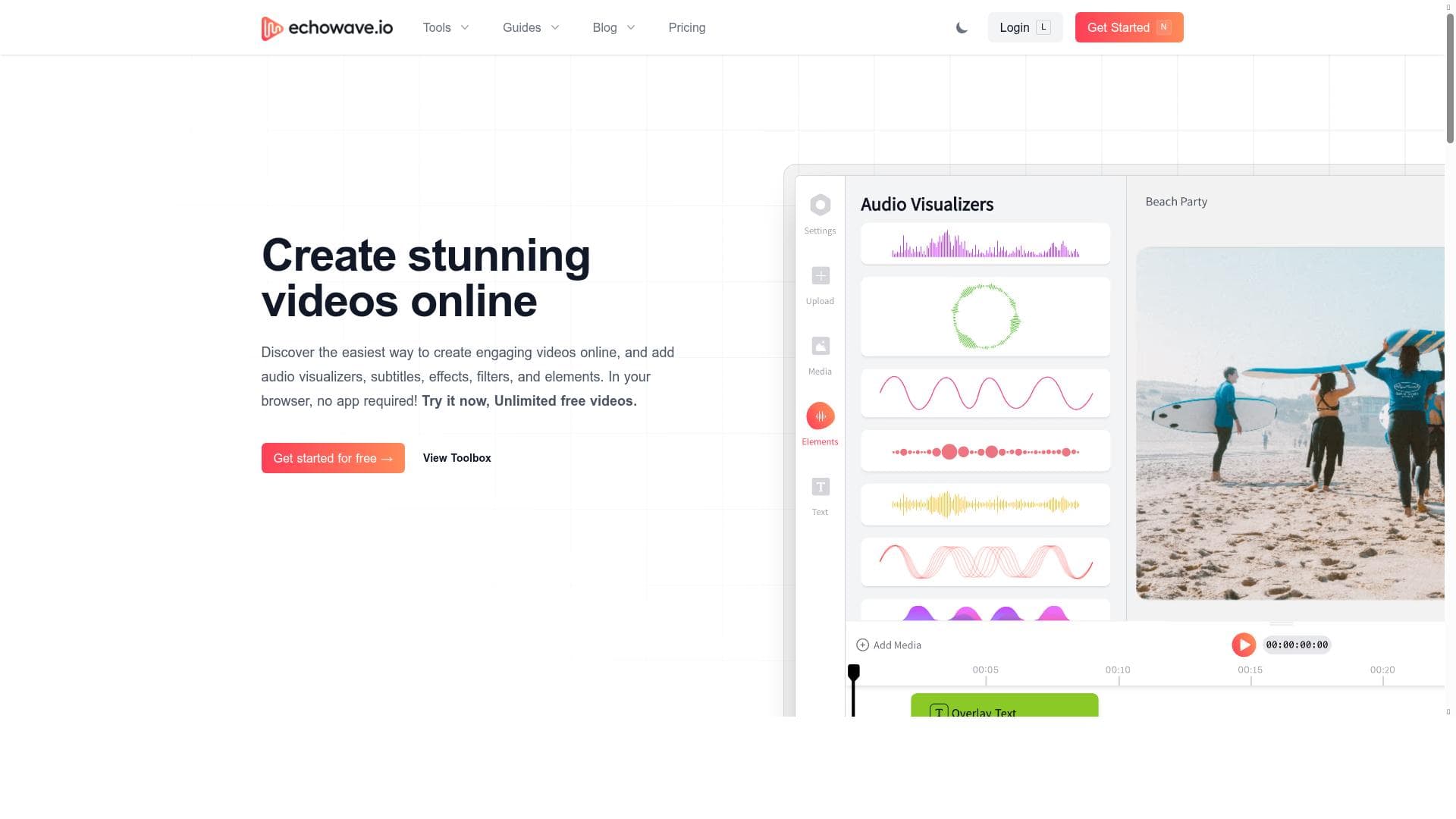
EchoWave is a free, cloud-based video editing platform that enables users to create and edit videos directly in their browser with no downloads required. Its standout features like podcast waveform conversion and real-time collaboration make it ideal for content creators and teams seeking an accessible, efficient way to produce and share videos across social media.
EchoWave is a comprehensive web-based video editing platform designed to empower users to create, edit, and share videos directly from their browser without the need for any software installation. Its core purpose is to simplify the video editing process by providing an intuitive, cloud-based environment that caters to both beginners and seasoned video editors. By leveraging cloud technology, EchoWave eliminates the constraints of local storage and device dependency, allowing users to access and work on their projects anytime, anywhere, from any internet-connected device. This flexibility makes it an ideal solution for individuals and teams looking to streamline their video production workflows. One of EchoWave's standout capabilities is its ability to convert podcasts into visually engaging waveform videos, a feature particularly useful for content creators who want to repurpose audio content for social media or other video platforms. The platform supports seamless online video and audio editing, enabling users to trim, merge, and enhance their media files with ease. Additionally, EchoWave facilitates real-time collaboration, allowing multiple users to work simultaneously on the same project, which is invaluable for teams and agencies managing complex video productions. Users can also share their finished videos directly to popular social media channels such as Facebook, Twitter, and Instagram, simplifying distribution and audience engagement. EchoWave is best suited for a wide range of users including social media influencers, podcasters, educators, marketers, and business professionals who require a fast, accessible, and user-friendly video editing solution. Its minimal learning curve and cloud-based architecture make it particularly attractive to novices who may find traditional video editing software overwhelming. At the same time, experienced editors benefit from the platform’s collaborative features and the convenience of cloud storage. Use cases span from creating promotional videos, educational tutorials, and social media content to business presentations and podcast visualizations. The platform is offered free of charge, making it accessible to anyone interested in video editing without upfront costs or subscription fees. This pricing model lowers the barrier to entry for individuals and small teams, although users should verify if any premium features or usage limits apply beyond the free tier. Compared to traditional desktop video editors like Adobe Premiere Pro or Final Cut Pro, EchoWave offers a more lightweight, accessible alternative without the need for powerful hardware or complex software installations. While it may not yet match the depth of advanced professional tools, its cloud-based collaboration and ease of use present significant advantages for many users. Potential limitations include dependency on a stable internet connection due to its cloud-based nature, which could impact performance in low-bandwidth environments. Additionally, while EchoWave covers essential editing functions, users requiring highly specialized or advanced editing features might find the platform less comprehensive than dedicated desktop software. Integration options beyond social media sharing are not extensively detailed, which could be a consideration for users needing broader workflow compatibility. In summary, EchoWave is a versatile, free, and user-friendly online video editing platform that excels in accessibility, collaboration, and simplifying the video creation process. It is particularly well-suited for content creators and teams looking to produce engaging videos quickly without the complexity and cost of traditional software.

Description
EchoWave is a free, cloud-based video editing platform that enables users to create and edit videos directly in their browser with no downloads required. Its standout features like podcast waveform conversion and real-time collaboration make it ideal for content creators and teams seeking an accessible, efficient way to produce and share videos across social media.
EchoWave is a comprehensive web-based video editing platform designed to empower users to create, edit, and share videos directly from their browser without the need for any software installation. Its core purpose is to simplify the video editing process by providing an intuitive, cloud-based environment that caters to both beginners and seasoned video editors. By leveraging cloud technology, EchoWave eliminates the constraints of local storage and device dependency, allowing users to access and work on their projects anytime, anywhere, from any internet-connected device. This flexibility makes it an ideal solution for individuals and teams looking to streamline their video production workflows. One of EchoWave's standout capabilities is its ability to convert podcasts into visually engaging waveform videos, a feature particularly useful for content creators who want to repurpose audio content for social media or other video platforms. The platform supports seamless online video and audio editing, enabling users to trim, merge, and enhance their media files with ease. Additionally, EchoWave facilitates real-time collaboration, allowing multiple users to work simultaneously on the same project, which is invaluable for teams and agencies managing complex video productions. Users can also share their finished videos directly to popular social media channels such as Facebook, Twitter, and Instagram, simplifying distribution and audience engagement. EchoWave is best suited for a wide range of users including social media influencers, podcasters, educators, marketers, and business professionals who require a fast, accessible, and user-friendly video editing solution. Its minimal learning curve and cloud-based architecture make it particularly attractive to novices who may find traditional video editing software overwhelming. At the same time, experienced editors benefit from the platform’s collaborative features and the convenience of cloud storage. Use cases span from creating promotional videos, educational tutorials, and social media content to business presentations and podcast visualizations. The platform is offered free of charge, making it accessible to anyone interested in video editing without upfront costs or subscription fees. This pricing model lowers the barrier to entry for individuals and small teams, although users should verify if any premium features or usage limits apply beyond the free tier. Compared to traditional desktop video editors like Adobe Premiere Pro or Final Cut Pro, EchoWave offers a more lightweight, accessible alternative without the need for powerful hardware or complex software installations. While it may not yet match the depth of advanced professional tools, its cloud-based collaboration and ease of use present significant advantages for many users. Potential limitations include dependency on a stable internet connection due to its cloud-based nature, which could impact performance in low-bandwidth environments. Additionally, while EchoWave covers essential editing functions, users requiring highly specialized or advanced editing features might find the platform less comprehensive than dedicated desktop software. Integration options beyond social media sharing are not extensively detailed, which could be a consideration for users needing broader workflow compatibility. In summary, EchoWave is a versatile, free, and user-friendly online video editing platform that excels in accessibility, collaboration, and simplifying the video creation process. It is particularly well-suited for content creators and teams looking to produce engaging videos quickly without the complexity and cost of traditional software.
Tool Features
- Convert podcasts into waveform videos
- Share videos on Facebook, Twitter, and Instagram
- Online video and audio editing
- Free and simple to use
Frequently Asked Questions
What is EchoWave?
EchoWave is a web-based video editing platform that allows users to create, edit, and share videos directly from their browser without needing to download any software. It offers cloud-based editing, real-time collaboration, and tools to convert podcasts into waveform videos.
How much does EchoWave cost?
EchoWave is free to use, providing access to its core video and audio editing features without any subscription fees or upfront costs.
Who is EchoWave best for?
EchoWave is ideal for social media influencers, podcasters, educators, marketers, business professionals, and anyone looking for an easy-to-use, collaborative video editing solution accessible from any device.
What are the main features of EchoWave?
Key features include converting podcasts into waveform videos, online video and audio editing, real-time team collaboration, cloud-based project storage, and direct sharing to Facebook, Twitter, and Instagram.
Does EchoWave offer a free trial?
EchoWave is free to use, so there is no need for a trial period. Users can access its features immediately upon signing up.
What integrations does EchoWave support?
EchoWave supports direct sharing of videos to major social media platforms such as Facebook, Twitter, and Instagram. Additional integrations are not explicitly detailed.
How does EchoWave work?
EchoWave operates entirely in the web browser, allowing users to upload or create video and audio content, edit it using its online tools, collaborate in real-time with others, and save projects in the cloud for access from any device.
Socials
Use ToolSponsored Tools













































Reviews
No reviews yet. Be the first to share your experience.