Description
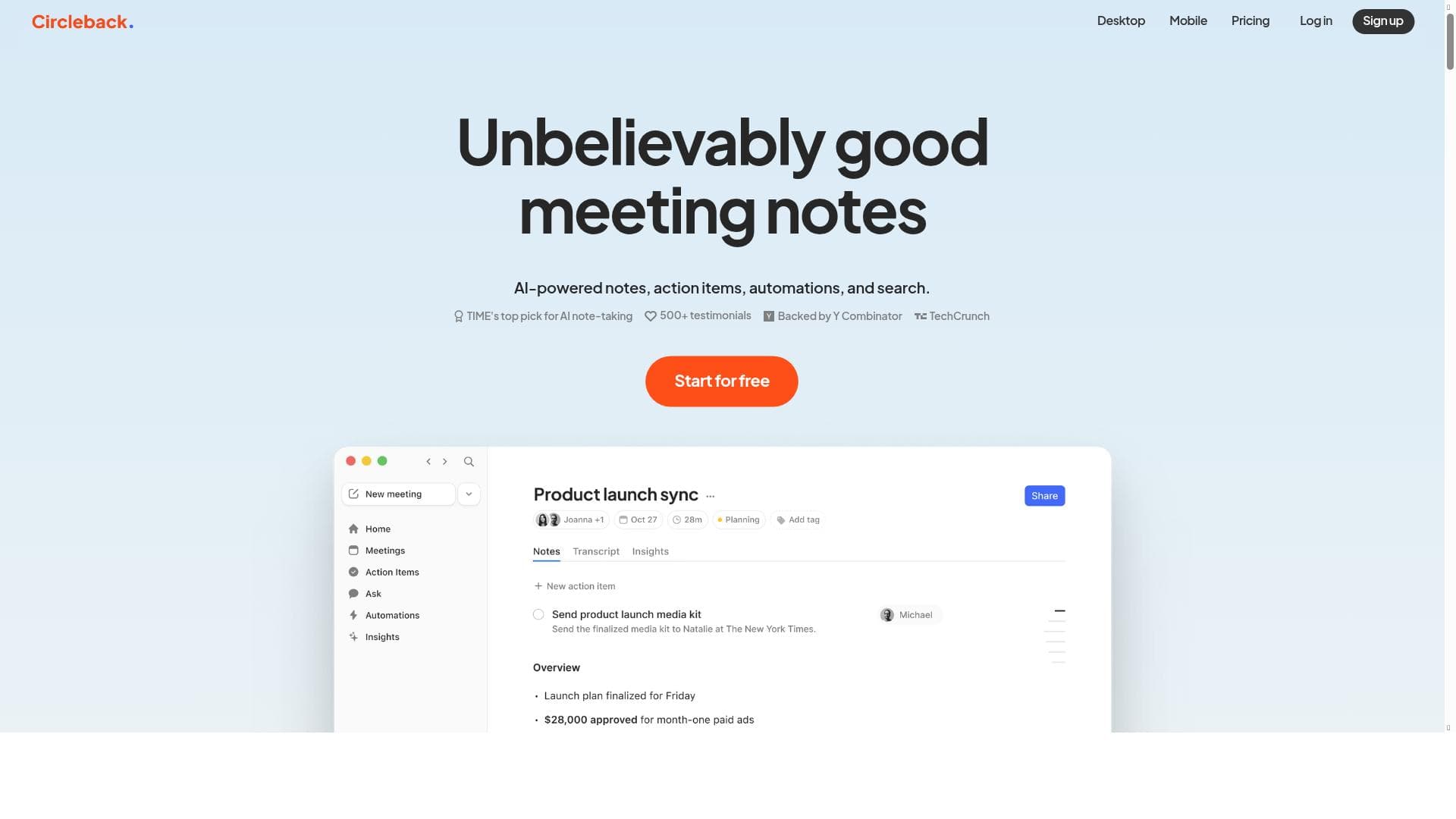
Circleback is an AI-driven meeting assistant that transforms how teams capture and act on meeting insights by automating note-taking, extracting action items, and integrating with popular collaboration tools. Ideal for sales, product, and customer success teams, it streamlines workflows both online and in-person, helping organizations boost productivity and follow-through.
Circleback is an AI-powered meeting assistant designed to help teams maximize productivity and efficiency during both online and in-person meetings. Its core purpose is to transform the way teams capture, organize, and act upon meeting information by automating note-taking, extracting actionable items, and integrating seamlessly with popular collaboration platforms. By leveraging AI, Circleback reduces the manual effort typically required to document meetings and follow up on tasks, enabling teams to focus more on meaningful discussions and decision-making. At its heart, Circleback offers AI-powered meeting notes that automatically transcribe and summarize conversations, highlighting key points and decisions made. One of its standout capabilities is action items extraction, which identifies tasks and responsibilities mentioned during meetings and converts them into clear, trackable items. This feature ensures nothing falls through the cracks after a meeting ends. Additionally, Circleback supports powerful automations that can be customized to fit specific workflows. For example, users can build automations to create Linear tasks directly from demo feedback, update CRM records with new customer details captured during calls, or generate sales feedback reports automatically. These automations streamline post-meeting processes and improve data accuracy. Circleback also includes robust search functionality, allowing users to quickly retrieve past meeting notes, action items, or customer information. This capability is particularly valuable for teams needing to reference historical data without sifting through multiple documents. The tool integrates with a wide range of communication platforms including Zoom, Google Meet, Microsoft Teams, and Slack huddles, enabling it to capture meeting content regardless of the environment. Notably, Circleback also supports in-person conversations, making it versatile for hybrid work settings where some meetings happen face-to-face. Circleback is best suited for sales teams, customer success managers, product teams, and any professionals who rely heavily on meetings to gather information and drive projects forward. Sales teams can benefit from its ability to capture demo feedback and update CRM systems automatically, while product teams can use it to track feature requests and action items. Customer success teams can leverage Circleback to document client conversations and ensure follow-up tasks are completed promptly. Its flexibility makes it valuable for any organization looking to improve meeting outcomes and reduce administrative overhead. Pricing for Circleback follows a freemium model, allowing users to access basic features at no cost, which is ideal for individuals or small teams wanting to try the tool. Paid plans likely offer enhanced capabilities such as advanced automations, increased integration options, and priority support, though specific pricing tiers and features should be confirmed on their website. This pricing approach makes Circleback accessible while providing scalability for growing teams. Compared to alternatives, Circleback stands out due to its comprehensive feature set that combines AI note-taking, action item extraction, and customizable automations in one platform. Many meeting assistants focus solely on transcription or note-taking, but Circleback’s ability to integrate with task management and CRM systems adds significant value. Its support for both virtual and in-person meetings also differentiates it from tools limited to online environments. However, some competing tools may offer deeper integrations with specific CRMs or project management platforms, so users should evaluate based on their existing tech stack. One consideration is that while Circleback offers powerful automations, setting them up may require some initial configuration and familiarity with the platform’s capabilities. Users looking for a completely hands-off experience might need to invest time in customizing workflows. Additionally, as with any AI-based transcription tool, accuracy can vary depending on audio quality and meeting dynamics, so manual review may still be necessary in some cases. Overall, Circleback provides a robust solution for teams aiming to enhance meeting productivity through AI-driven insights and automation, balancing ease of use with powerful customization options.

Description
Circleback is an AI-driven meeting assistant that transforms how teams capture and act on meeting insights by automating note-taking, extracting action items, and integrating with popular collaboration tools. Ideal for sales, product, and customer success teams, it streamlines workflows both online and in-person, helping organizations boost productivity and follow-through.
Circleback is an AI-powered meeting assistant designed to help teams maximize productivity and efficiency during both online and in-person meetings. Its core purpose is to transform the way teams capture, organize, and act upon meeting information by automating note-taking, extracting actionable items, and integrating seamlessly with popular collaboration platforms. By leveraging AI, Circleback reduces the manual effort typically required to document meetings and follow up on tasks, enabling teams to focus more on meaningful discussions and decision-making. At its heart, Circleback offers AI-powered meeting notes that automatically transcribe and summarize conversations, highlighting key points and decisions made. One of its standout capabilities is action items extraction, which identifies tasks and responsibilities mentioned during meetings and converts them into clear, trackable items. This feature ensures nothing falls through the cracks after a meeting ends. Additionally, Circleback supports powerful automations that can be customized to fit specific workflows. For example, users can build automations to create Linear tasks directly from demo feedback, update CRM records with new customer details captured during calls, or generate sales feedback reports automatically. These automations streamline post-meeting processes and improve data accuracy. Circleback also includes robust search functionality, allowing users to quickly retrieve past meeting notes, action items, or customer information. This capability is particularly valuable for teams needing to reference historical data without sifting through multiple documents. The tool integrates with a wide range of communication platforms including Zoom, Google Meet, Microsoft Teams, and Slack huddles, enabling it to capture meeting content regardless of the environment. Notably, Circleback also supports in-person conversations, making it versatile for hybrid work settings where some meetings happen face-to-face. Circleback is best suited for sales teams, customer success managers, product teams, and any professionals who rely heavily on meetings to gather information and drive projects forward. Sales teams can benefit from its ability to capture demo feedback and update CRM systems automatically, while product teams can use it to track feature requests and action items. Customer success teams can leverage Circleback to document client conversations and ensure follow-up tasks are completed promptly. Its flexibility makes it valuable for any organization looking to improve meeting outcomes and reduce administrative overhead. Pricing for Circleback follows a freemium model, allowing users to access basic features at no cost, which is ideal for individuals or small teams wanting to try the tool. Paid plans likely offer enhanced capabilities such as advanced automations, increased integration options, and priority support, though specific pricing tiers and features should be confirmed on their website. This pricing approach makes Circleback accessible while providing scalability for growing teams. Compared to alternatives, Circleback stands out due to its comprehensive feature set that combines AI note-taking, action item extraction, and customizable automations in one platform. Many meeting assistants focus solely on transcription or note-taking, but Circleback’s ability to integrate with task management and CRM systems adds significant value. Its support for both virtual and in-person meetings also differentiates it from tools limited to online environments. However, some competing tools may offer deeper integrations with specific CRMs or project management platforms, so users should evaluate based on their existing tech stack. One consideration is that while Circleback offers powerful automations, setting them up may require some initial configuration and familiarity with the platform’s capabilities. Users looking for a completely hands-off experience might need to invest time in customizing workflows. Additionally, as with any AI-based transcription tool, accuracy can vary depending on audio quality and meeting dynamics, so manual review may still be necessary in some cases. Overall, Circleback provides a robust solution for teams aiming to enhance meeting productivity through AI-driven insights and automation, balancing ease of use with powerful customization options.
Tool Features
- AI-powered meeting notes
- Action items extraction
- Automations
- Search functionality
- Integration with Zoom, Google Meet, Microsoft Teams, Slack huddles
- Supports in-person conversations
Frequently Asked Questions
What is Circleback?
Circleback is an AI-powered meeting assistant designed to help teams capture meeting notes, extract action items, and automate follow-up tasks for both online and in-person meetings.
How much does Circleback cost?
Circleback offers a freemium pricing model, providing basic features for free with options to upgrade for advanced automations, integrations, and additional capabilities. Specific pricing details are available on their website.
Who is Circleback best for?
Circleback is ideal for sales teams, customer success managers, product teams, and any professionals who rely on meetings to gather information and manage tasks effectively.
What are the main features of Circleback?
Key features include AI-powered meeting notes, action items extraction, customizable automations, robust search functionality, and integrations with platforms like Zoom, Google Meet, Microsoft Teams, and Slack huddles. It also supports capturing in-person conversations.
Does Circleback offer a free trial?
Yes, Circleback provides a freemium plan that allows users to access basic features at no cost, effectively serving as a free trial to explore the platform.
What integrations does Circleback support?
Circleback integrates with popular communication and collaboration tools including Zoom, Google Meet, Microsoft Teams, and Slack huddles, enabling seamless meeting capture across various platforms.
How does Circleback work?
Circleback uses AI to transcribe and summarize meetings, extract actionable tasks, and automate follow-up processes by connecting with other tools like CRMs and task managers. It captures content from both virtual meetings and in-person conversations to streamline team workflows.
Socials
Use ToolSponsored Tools













































Reviews
No reviews yet. Be the first to share your experience.
















