Description
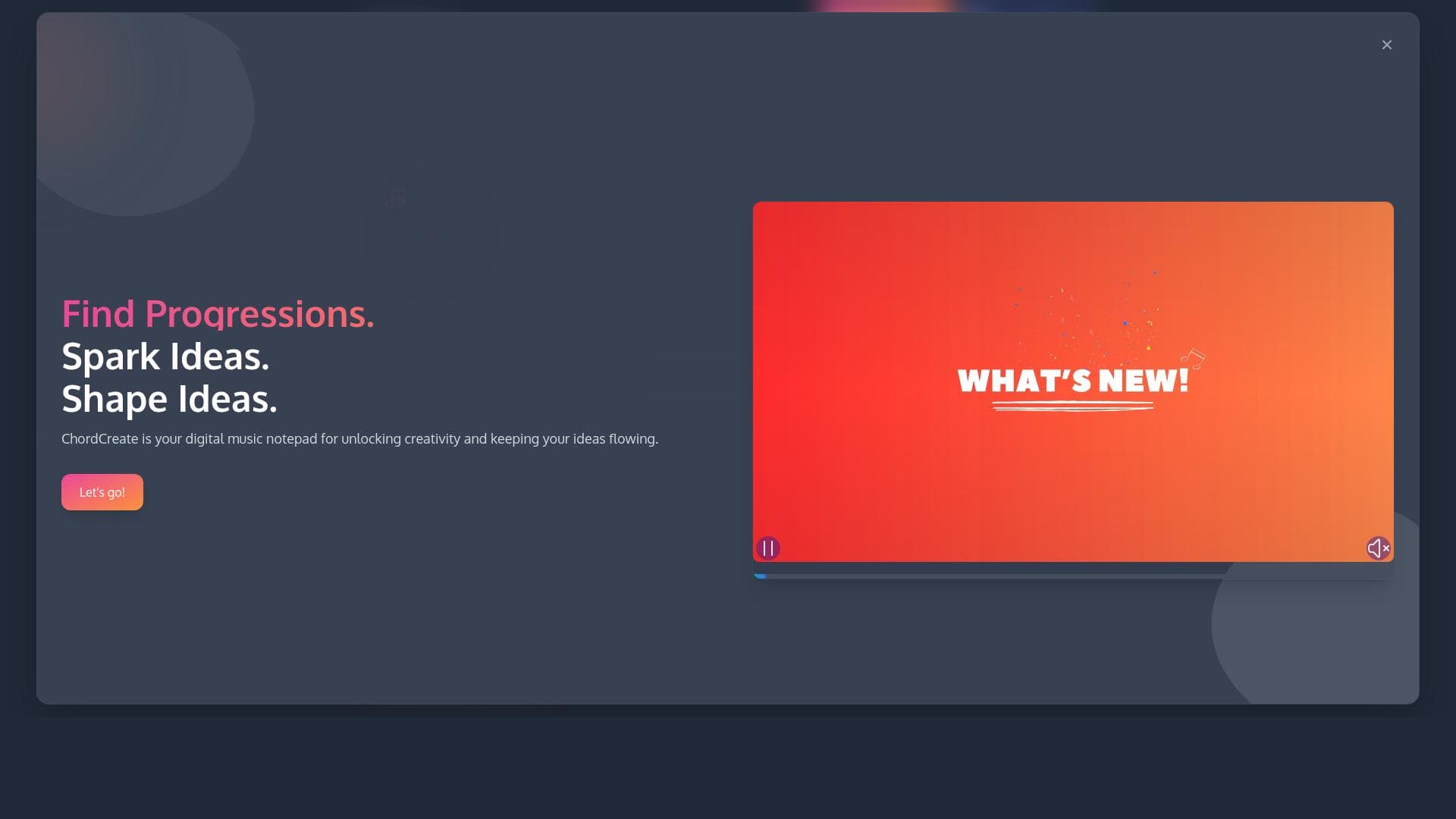
ChordCreate is an AI-powered chord progression generator that helps musicians create complex and inspiring chord sequences effortlessly. Ideal for songwriters and producers, it offers MIDI/WAV export, custom chord creation, and DAW integration to streamline music production workflows.
ChordCreate is an innovative AI-powered tool designed to simplify and enhance the process of creating chord progressions for musicians, producers, and composers. Its core purpose is to enable users to generate complex, musically rich chord sequences quickly and effortlessly, allowing them to focus more on the creative aspects of music production rather than the technical challenges of chord theory. By leveraging advanced artificial intelligence algorithms, ChordCreate analyzes musical patterns and generates chord progressions that fit a wide range of genres and styles, making it a versatile companion for any music creation workflow. One of the standout features of ChordCreate is its AI-powered chord progression generation, which intelligently suggests chord sequences based on user input or genre preferences. This feature helps both beginners and experienced musicians overcome creative blocks and explore new harmonic ideas. The tool also supports MIDI and WAV export, enabling seamless integration with digital audio workstations (DAWs) and other music production software. Users can export their chord progressions as MIDI files for further editing or as WAV files for immediate use in projects. ChordCreate includes a chord swap functionality that allows users to easily replace chords within a progression to experiment with different harmonic textures without rebuilding sequences from scratch. This feature accelerates the creative process by providing instant alternatives and variations. Additionally, the sequence history tracking feature records all changes made during a session, allowing users to revisit previous versions and compare different progressions effortlessly. For those who want more control, ChordCreate offers custom chord creation, enabling users to design unique chords beyond standard options. This capability is particularly useful for advanced musicians and producers looking to add distinctive harmonic elements to their compositions. The tool supports multiple music genres, from pop and rock to jazz and electronic, ensuring that generated progressions are stylistically appropriate and inspiring. ChordCreate is best suited for a wide range of users, including songwriters, music producers, composers, and hobbyists who want to streamline their chord creation process. Beginners benefit from the intuitive AI assistance that demystifies music theory, while professionals appreciate the tool’s ability to quickly generate fresh ideas and integrate smoothly with their existing DAW setups. Use cases include songwriting sessions, beat making, film scoring, and educational purposes where understanding chord structures is essential. The pricing model for ChordCreate is freemium, offering basic features for free with options to upgrade for access to premium functionalities. This approach allows users to try the tool without commitment and decide if the advanced features meet their creative needs. Premium plans typically unlock higher export quality, additional chord libraries, and enhanced customization options. Compared to alternative chord generation tools, ChordCreate stands out due to its comprehensive feature set and user-friendly interface. While some competitors focus solely on chord suggestions or MIDI export, ChordCreate combines AI-driven progression generation with robust editing tools and multi-format exports. Its integration capabilities with popular DAWs also provide a smoother workflow than many standalone apps. However, users should consider that while AI-generated progressions are highly useful, they may sometimes require manual tweaking to perfectly fit a specific musical vision. Additionally, the freemium model means that some advanced features are locked behind a paywall, which might limit access for casual users. Overall, ChordCreate offers a powerful and accessible solution for anyone looking to enhance their music creation process with intelligent chord progression assistance.

Description
ChordCreate is an AI-powered chord progression generator that helps musicians create complex and inspiring chord sequences effortlessly. Ideal for songwriters and producers, it offers MIDI/WAV export, custom chord creation, and DAW integration to streamline music production workflows.
ChordCreate is an innovative AI-powered tool designed to simplify and enhance the process of creating chord progressions for musicians, producers, and composers. Its core purpose is to enable users to generate complex, musically rich chord sequences quickly and effortlessly, allowing them to focus more on the creative aspects of music production rather than the technical challenges of chord theory. By leveraging advanced artificial intelligence algorithms, ChordCreate analyzes musical patterns and generates chord progressions that fit a wide range of genres and styles, making it a versatile companion for any music creation workflow. One of the standout features of ChordCreate is its AI-powered chord progression generation, which intelligently suggests chord sequences based on user input or genre preferences. This feature helps both beginners and experienced musicians overcome creative blocks and explore new harmonic ideas. The tool also supports MIDI and WAV export, enabling seamless integration with digital audio workstations (DAWs) and other music production software. Users can export their chord progressions as MIDI files for further editing or as WAV files for immediate use in projects. ChordCreate includes a chord swap functionality that allows users to easily replace chords within a progression to experiment with different harmonic textures without rebuilding sequences from scratch. This feature accelerates the creative process by providing instant alternatives and variations. Additionally, the sequence history tracking feature records all changes made during a session, allowing users to revisit previous versions and compare different progressions effortlessly. For those who want more control, ChordCreate offers custom chord creation, enabling users to design unique chords beyond standard options. This capability is particularly useful for advanced musicians and producers looking to add distinctive harmonic elements to their compositions. The tool supports multiple music genres, from pop and rock to jazz and electronic, ensuring that generated progressions are stylistically appropriate and inspiring. ChordCreate is best suited for a wide range of users, including songwriters, music producers, composers, and hobbyists who want to streamline their chord creation process. Beginners benefit from the intuitive AI assistance that demystifies music theory, while professionals appreciate the tool’s ability to quickly generate fresh ideas and integrate smoothly with their existing DAW setups. Use cases include songwriting sessions, beat making, film scoring, and educational purposes where understanding chord structures is essential. The pricing model for ChordCreate is freemium, offering basic features for free with options to upgrade for access to premium functionalities. This approach allows users to try the tool without commitment and decide if the advanced features meet their creative needs. Premium plans typically unlock higher export quality, additional chord libraries, and enhanced customization options. Compared to alternative chord generation tools, ChordCreate stands out due to its comprehensive feature set and user-friendly interface. While some competitors focus solely on chord suggestions or MIDI export, ChordCreate combines AI-driven progression generation with robust editing tools and multi-format exports. Its integration capabilities with popular DAWs also provide a smoother workflow than many standalone apps. However, users should consider that while AI-generated progressions are highly useful, they may sometimes require manual tweaking to perfectly fit a specific musical vision. Additionally, the freemium model means that some advanced features are locked behind a paywall, which might limit access for casual users. Overall, ChordCreate offers a powerful and accessible solution for anyone looking to enhance their music creation process with intelligent chord progression assistance.
Tool Features
- AI-powered chord progression generation
- MIDI export
- WAV export
- Chord swap functionality
- Sequence history tracking
- Custom chord creation
- Supports multiple music genres
- Integration with digital audio workstations (DAWs)
Frequently Asked Questions
What is ChordCreate?
ChordCreate is an AI-powered tool designed to generate chord progressions quickly and easily, helping musicians and producers create rich harmonic sequences without extensive music theory knowledge.
How much does ChordCreate cost?
ChordCreate operates on a freemium pricing model, offering basic features for free with optional premium plans that unlock advanced functionalities and higher export quality.
Who is ChordCreate best for?
ChordCreate is ideal for songwriters, music producers, composers, and hobbyists who want to streamline chord creation, overcome creative blocks, and integrate chord progressions seamlessly into their DAW workflows.
What are the main features of ChordCreate?
Key features include AI-powered chord progression generation, MIDI and WAV export, chord swap functionality, sequence history tracking, custom chord creation, support for multiple music genres, and integration with digital audio workstations.
Does ChordCreate offer a free trial?
Yes, ChordCreate offers a freemium version that allows users to access basic features for free, providing an opportunity to try the tool before opting for premium plans.
What integrations does ChordCreate support?
ChordCreate supports integration with popular digital audio workstations (DAWs) by allowing MIDI and WAV exports, enabling users to import generated chord progressions directly into their music production software.
How does ChordCreate work?
ChordCreate uses advanced AI algorithms to analyze musical patterns and generate chord progressions based on user preferences or genre selection. Users can customize chords, swap chords within sequences, and export their progressions for use in various music projects.
Socials
Use ToolSponsored Tools













































Reviews
No reviews yet. Be the first to share your experience.