Description
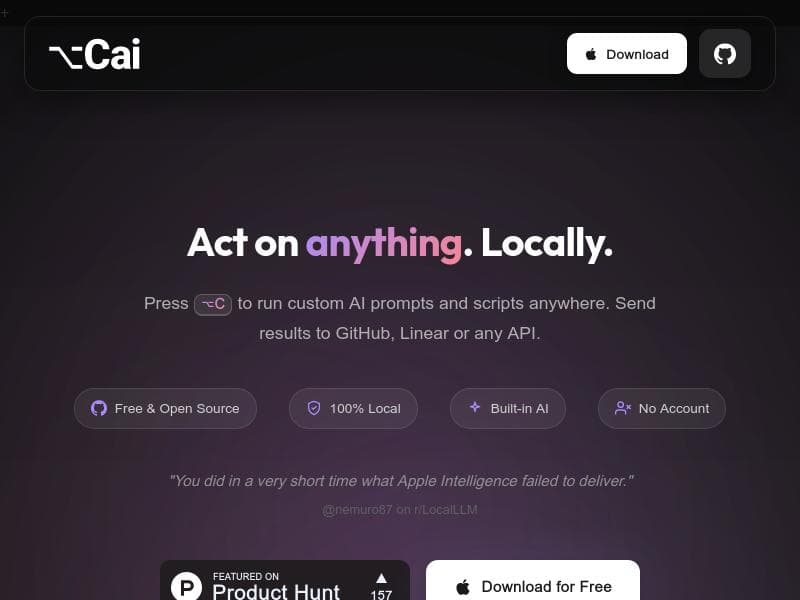
Cai is a free, privacy-focused AI assistant for macOS that lets users trigger smart actions on any selected text or image with a single keystroke. Ideal for developers and power users, it combines local AI models, customizable workflows, and integrations like GitHub and Linear to streamline productivity without cloud dependencies.
Cai is a versatile AI-powered productivity tool designed to streamline and enhance the way users interact with text and data across their devices. At its core, Cai enables users to trigger intelligent actions on any selected content with a simple keystroke (⌥C), making complex workflows accessible instantly. Whether you want to run AI prompts, execute shell scripts, create GitHub issues or Linear tickets, or send processed results to custom destinations, Cai consolidates these capabilities into a single, seamless interface. Its core purpose is to reduce friction in daily tasks by integrating AI and automation directly into the user’s workflow without requiring cloud dependencies or complex setups. One of Cai’s standout features is its zero-setup local AI model, powered by the Ministral 3B model via HuggingFace MLX, optimized for Apple Silicon. This means users can leverage powerful AI capabilities offline without needing API keys, accounts, or internet connectivity. For those seeking more advanced or specialized AI models, Cai supports connecting to external providers such as Ollama, LM Studio, Apple Intelligence (on macOS 26+), and OpenRouter, offering flexibility in choosing the AI backend that best suits their needs. The tool also supports selection-triggered actions, where users highlight any text or image and press ⌥C to access a menu of smart actions, including creating GitHub issues or Linear tickets directly from the selection, performing OCR on images to extract text, or running custom shell scripts and URL shortcuts. Cai’s customization options are extensive. Users can define their own AI prompts, terminal commands, and destinations such as webhooks, deeplinks, AppleScript, or shell commands, enabling highly personalized workflows. Additionally, the tool fosters a community-driven ecosystem where users can browse, share, and install extensions written in YAML, expanding functionality and integrating new use cases without needing to code from scratch. This makes Cai particularly powerful for developers, product managers, and power users who want to automate repetitive tasks, manage project workflows, or integrate AI assistance directly into their daily routines. The tool is best suited for macOS users, especially those working in software development, project management, or content creation who require quick, context-aware AI actions without leaving their current environment. Its offline-first approach appeals to privacy-conscious users and those working in environments with limited or no internet access. Use cases range from generating code snippets, automating issue tracking, extracting text from images, to sending processed data to custom endpoints or scripts, all triggered with minimal effort. Cai is completely free and open-source under the MIT license, with no hidden costs, no cloud dependencies, no account registration, and no telemetry, making it an attractive option for users seeking a privacy-respecting AI assistant. This contrasts with many AI tools that require subscriptions, API keys, or cloud usage fees. By bundling a capable local AI model and supporting multiple AI backends, Cai offers a unique combination of convenience, privacy, and extensibility. Compared to alternatives, Cai stands out by integrating AI directly into the user’s selection workflow with a single keystroke, supporting both local and cloud AI models, and offering deep customization and community-driven extensions. While other tools may focus solely on AI chat or automation, Cai merges these with developer-centric features like shell script execution and issue tracking integration. However, as a macOS-centric tool optimized for Apple Silicon, it may not be suitable for users on other platforms. Additionally, while the bundled Ministral 3B model is powerful for many tasks, it may not match the performance or capabilities of larger cloud-based models for highly complex AI needs. In summary, Cai is a powerful, privacy-first AI assistant that transforms how users interact with text and data on macOS. Its seamless integration of AI prompts, automation scripts, and project management tools into a single keystroke-driven interface makes it a compelling choice for developers, managers, and power users seeking to enhance productivity without sacrificing privacy or convenience.

Description
Cai is a free, privacy-focused AI assistant for macOS that lets users trigger smart actions on any selected text or image with a single keystroke. Ideal for developers and power users, it combines local AI models, customizable workflows, and integrations like GitHub and Linear to streamline productivity without cloud dependencies.
Cai is a versatile AI-powered productivity tool designed to streamline and enhance the way users interact with text and data across their devices. At its core, Cai enables users to trigger intelligent actions on any selected content with a simple keystroke (⌥C), making complex workflows accessible instantly. Whether you want to run AI prompts, execute shell scripts, create GitHub issues or Linear tickets, or send processed results to custom destinations, Cai consolidates these capabilities into a single, seamless interface. Its core purpose is to reduce friction in daily tasks by integrating AI and automation directly into the user’s workflow without requiring cloud dependencies or complex setups. One of Cai’s standout features is its zero-setup local AI model, powered by the Ministral 3B model via HuggingFace MLX, optimized for Apple Silicon. This means users can leverage powerful AI capabilities offline without needing API keys, accounts, or internet connectivity. For those seeking more advanced or specialized AI models, Cai supports connecting to external providers such as Ollama, LM Studio, Apple Intelligence (on macOS 26+), and OpenRouter, offering flexibility in choosing the AI backend that best suits their needs. The tool also supports selection-triggered actions, where users highlight any text or image and press ⌥C to access a menu of smart actions, including creating GitHub issues or Linear tickets directly from the selection, performing OCR on images to extract text, or running custom shell scripts and URL shortcuts. Cai’s customization options are extensive. Users can define their own AI prompts, terminal commands, and destinations such as webhooks, deeplinks, AppleScript, or shell commands, enabling highly personalized workflows. Additionally, the tool fosters a community-driven ecosystem where users can browse, share, and install extensions written in YAML, expanding functionality and integrating new use cases without needing to code from scratch. This makes Cai particularly powerful for developers, product managers, and power users who want to automate repetitive tasks, manage project workflows, or integrate AI assistance directly into their daily routines. The tool is best suited for macOS users, especially those working in software development, project management, or content creation who require quick, context-aware AI actions without leaving their current environment. Its offline-first approach appeals to privacy-conscious users and those working in environments with limited or no internet access. Use cases range from generating code snippets, automating issue tracking, extracting text from images, to sending processed data to custom endpoints or scripts, all triggered with minimal effort. Cai is completely free and open-source under the MIT license, with no hidden costs, no cloud dependencies, no account registration, and no telemetry, making it an attractive option for users seeking a privacy-respecting AI assistant. This contrasts with many AI tools that require subscriptions, API keys, or cloud usage fees. By bundling a capable local AI model and supporting multiple AI backends, Cai offers a unique combination of convenience, privacy, and extensibility. Compared to alternatives, Cai stands out by integrating AI directly into the user’s selection workflow with a single keystroke, supporting both local and cloud AI models, and offering deep customization and community-driven extensions. While other tools may focus solely on AI chat or automation, Cai merges these with developer-centric features like shell script execution and issue tracking integration. However, as a macOS-centric tool optimized for Apple Silicon, it may not be suitable for users on other platforms. Additionally, while the bundled Ministral 3B model is powerful for many tasks, it may not match the performance or capabilities of larger cloud-based models for highly complex AI needs. In summary, Cai is a powerful, privacy-first AI assistant that transforms how users interact with text and data on macOS. Its seamless integration of AI prompts, automation scripts, and project management tools into a single keystroke-driven interface makes it a compelling choice for developers, managers, and power users seeking to enhance productivity without sacrificing privacy or convenience.
Tool Features
- Selection-triggered AI actions: select text, press ⌥C, pick an action
- Built-in local AI model (Ministral 3B via MLX). No API key, no account needed.
- Create GitHub issues and Linear tickets via MCP from any selected text or image
- Image to text OCR
- Custom actions: AI prompts, terminal/shell scripts, URL shortcuts
- Custom destinations: webhooks, deeplinks, AppleScript, shell commands
- Apple Intelligence support on macOS 26+
- Community extensions (YAML). Browse and install shared actions.
- Works with LM Studio, Ollama, and cloud providers
Frequently Asked Questions
What is Cai?
Cai is an AI-powered productivity tool for macOS that enables users to run smart actions—such as AI prompts, shell scripts, and issue creation—on any selected text or image with a single keystroke. It supports local and cloud AI models and offers extensive customization and integration options.
How much does Cai cost?
Cai is completely free to use and open-source under the MIT license. There are no subscription fees, no account requirements, and no hidden costs.
Who is Cai best for?
Cai is best suited for macOS users such as developers, product managers, and power users who want to automate workflows, manage project tasks, and leverage AI assistance directly from their desktop without relying on cloud services.
What are the main features of Cai?
Key features include selection-triggered AI actions via a single keystroke, a built-in local AI model (Ministral 3B) requiring no API keys, integration with GitHub and Linear for issue and ticket creation, image-to-text OCR, customizable AI prompts and shell scripts, support for multiple AI backends, Apple Intelligence integration on macOS 26+, and a community-driven extension system.
Does Cai offer a free trial?
Cai is fully free and open-source, so there is no need for a trial period or subscription to access its features.
What integrations does Cai support?
Cai supports integrations with GitHub and Linear for issue and ticket creation, multiple AI backends including local Ministral 3B, HuggingFace MLX models, Ollama, LM Studio, Apple Intelligence, and OpenRouter. It also supports custom destinations like webhooks, deeplinks, AppleScript, and shell commands.
How does Cai work?
Users select any text or image on their macOS device and press the shortcut ⌥C to bring up a menu of smart actions. These actions can include running AI prompts, executing shell scripts, creating project tickets, performing OCR, or sending data to custom endpoints. Cai uses either its built-in local AI model or connected AI services to process requests, all without requiring cloud connectivity or accounts.
Socials
Use ToolSponsored Tools













































Reviews
No reviews yet. Be the first to share your experience.
















