Background Remover
Description
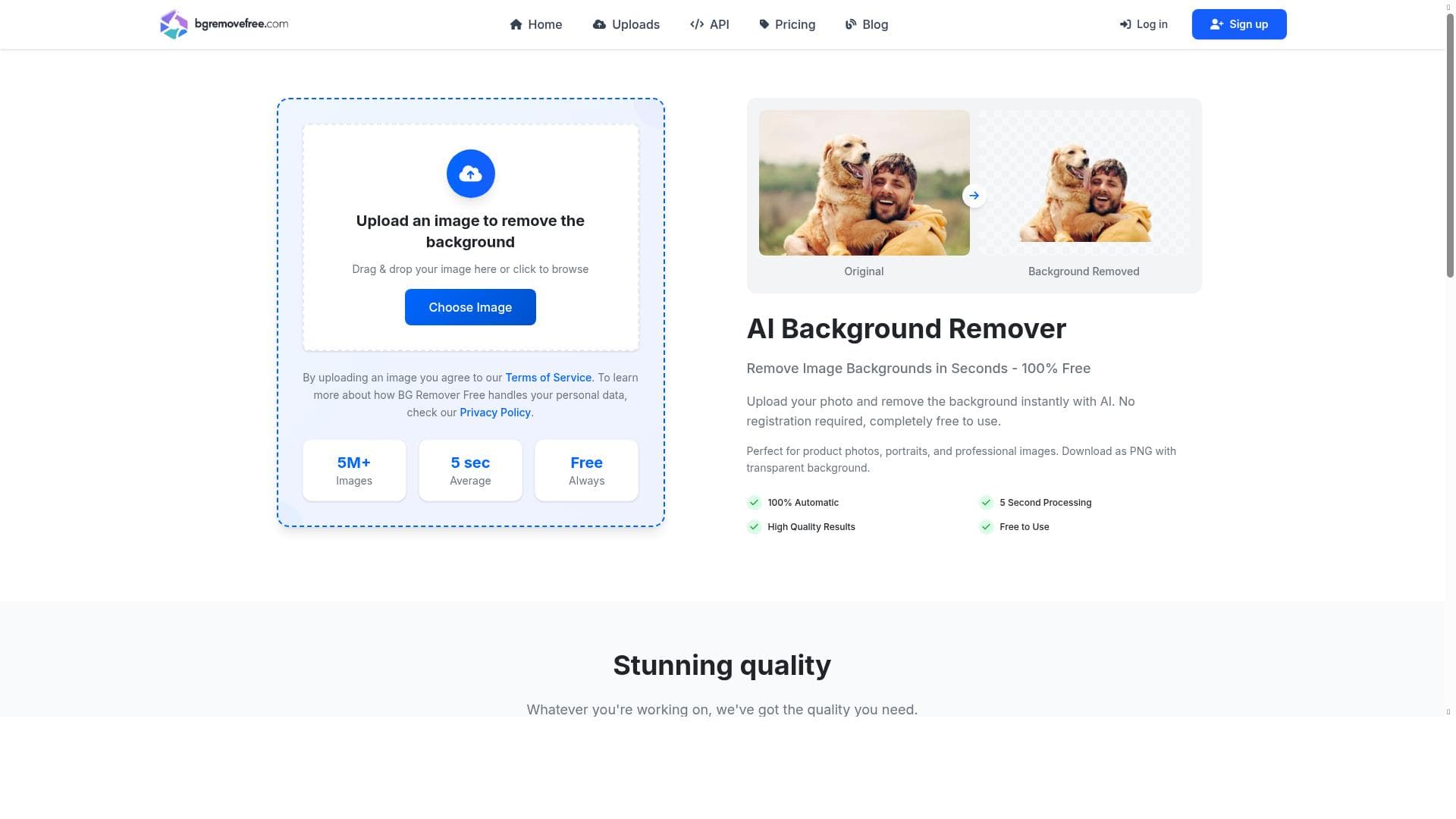
Background Remover is a free, AI-powered tool that instantly removes image backgrounds with high accuracy and speed, producing clean, transparent PNGs without any editing skills required. Ideal for e-commerce sellers, designers, and content creators, it offers unlimited usage and batch processing, making professional-quality visuals accessible to all.
Background Remover, also known as BGRemoverFree Pro, is an AI-powered online tool designed to instantly remove backgrounds from images with remarkable accuracy and speed. Its core purpose is to simplify the process of isolating subjects such as people, products, logos, and graphics from their backgrounds, delivering clean, transparent PNG files without requiring any manual editing skills. This makes it an invaluable resource for users who need professional-quality visuals quickly and effortlessly. Whether you are an e-commerce seller looking to present products on a clean white background, a designer creating marketing materials, or a content creator preparing images for social media, Background Remover streamlines your workflow by automating a traditionally time-consuming task. The tool boasts several key features that enhance its usability and effectiveness. Its AI-powered automatic background removal technology ensures precise detection of foreground elements, accurately separating them from complex or cluttered backgrounds. This results in high-quality images with transparent backgrounds, perfect for seamless integration into websites, catalogs, advertisements, and more. Background Remover processes images rapidly, often within seconds, enabling users to handle large volumes of images without delay. It supports batch processing, allowing multiple images to be edited simultaneously, which is especially beneficial for businesses managing extensive product inventories. Additionally, the tool supports images up to 5MB in size, accommodating a wide range of standard image resolutions. Importantly, Background Remover is completely free to use with unlimited usage, requires no registration or signup, and outputs images in PNG format with transparency preserved. Background Remover is ideally suited for a diverse audience. E-commerce sellers can enhance their product listings by removing distracting backgrounds, making products stand out and appear more professional. Graphic designers and marketers benefit from the tool’s ability to quickly generate clean assets for campaigns, social media posts, and promotional materials without the need for complex software or advanced skills. Content creators and influencers can easily prepare images for digital platforms, ensuring their visuals look polished and engaging. The tool’s simplicity and speed also make it an excellent choice for small businesses and freelancers who need cost-effective solutions without sacrificing quality. In terms of pricing, Background Remover is entirely free, with no hidden fees or premium tiers. Users can access unlimited background removal services without creating an account, making it a hassle-free option for anyone needing quick image edits. This contrasts with many competitors that require subscriptions, impose usage limits, or demand payment for batch processing capabilities. Compared to alternatives, Background Remover stands out due to its combination of speed, accuracy, and zero cost. While some professional-grade tools offer more advanced editing features, they often come with steep learning curves and expensive licenses. Background Remover’s AI-driven approach delivers professional results with minimal user input, making it accessible to non-experts. However, unlike some paid tools, it may not offer advanced customization options such as manual touch-ups or integration with design software. Nonetheless, for straightforward background removal tasks, it provides an excellent balance of quality and convenience. Users should note some limitations when using Background Remover. The maximum image size of 5MB may restrict the use of very high-resolution images. Additionally, while the AI is highly accurate, extremely complex backgrounds or images with fine details might occasionally require manual refinement using other software. The absence of account-based features means users cannot save projects or access cloud storage within the platform. Despite these considerations, Background Remover remains a powerful and accessible tool for anyone needing fast, free, and reliable background removal.

Description
Background Remover is a free, AI-powered tool that instantly removes image backgrounds with high accuracy and speed, producing clean, transparent PNGs without any editing skills required. Ideal for e-commerce sellers, designers, and content creators, it offers unlimited usage and batch processing, making professional-quality visuals accessible to all.
Background Remover, also known as BGRemoverFree Pro, is an AI-powered online tool designed to instantly remove backgrounds from images with remarkable accuracy and speed. Its core purpose is to simplify the process of isolating subjects such as people, products, logos, and graphics from their backgrounds, delivering clean, transparent PNG files without requiring any manual editing skills. This makes it an invaluable resource for users who need professional-quality visuals quickly and effortlessly. Whether you are an e-commerce seller looking to present products on a clean white background, a designer creating marketing materials, or a content creator preparing images for social media, Background Remover streamlines your workflow by automating a traditionally time-consuming task. The tool boasts several key features that enhance its usability and effectiveness. Its AI-powered automatic background removal technology ensures precise detection of foreground elements, accurately separating them from complex or cluttered backgrounds. This results in high-quality images with transparent backgrounds, perfect for seamless integration into websites, catalogs, advertisements, and more. Background Remover processes images rapidly, often within seconds, enabling users to handle large volumes of images without delay. It supports batch processing, allowing multiple images to be edited simultaneously, which is especially beneficial for businesses managing extensive product inventories. Additionally, the tool supports images up to 5MB in size, accommodating a wide range of standard image resolutions. Importantly, Background Remover is completely free to use with unlimited usage, requires no registration or signup, and outputs images in PNG format with transparency preserved. Background Remover is ideally suited for a diverse audience. E-commerce sellers can enhance their product listings by removing distracting backgrounds, making products stand out and appear more professional. Graphic designers and marketers benefit from the tool’s ability to quickly generate clean assets for campaigns, social media posts, and promotional materials without the need for complex software or advanced skills. Content creators and influencers can easily prepare images for digital platforms, ensuring their visuals look polished and engaging. The tool’s simplicity and speed also make it an excellent choice for small businesses and freelancers who need cost-effective solutions without sacrificing quality. In terms of pricing, Background Remover is entirely free, with no hidden fees or premium tiers. Users can access unlimited background removal services without creating an account, making it a hassle-free option for anyone needing quick image edits. This contrasts with many competitors that require subscriptions, impose usage limits, or demand payment for batch processing capabilities. Compared to alternatives, Background Remover stands out due to its combination of speed, accuracy, and zero cost. While some professional-grade tools offer more advanced editing features, they often come with steep learning curves and expensive licenses. Background Remover’s AI-driven approach delivers professional results with minimal user input, making it accessible to non-experts. However, unlike some paid tools, it may not offer advanced customization options such as manual touch-ups or integration with design software. Nonetheless, for straightforward background removal tasks, it provides an excellent balance of quality and convenience. Users should note some limitations when using Background Remover. The maximum image size of 5MB may restrict the use of very high-resolution images. Additionally, while the AI is highly accurate, extremely complex backgrounds or images with fine details might occasionally require manual refinement using other software. The absence of account-based features means users cannot save projects or access cloud storage within the platform. Despite these considerations, Background Remover remains a powerful and accessible tool for anyone needing fast, free, and reliable background removal.
Tool Features
- AI-powered automatic background removal
- 100% free with unlimited usage
- Fast processing in seconds
- High-quality PNG output with transparency
- No registration or signup required
- Supports images up to 5MB
- Batch processing available
Frequently Asked Questions
What is Background Remover?
Background Remover is an AI-driven online tool that automatically removes backgrounds from images, delivering transparent PNG files quickly and accurately without the need for manual editing.
How much does Background Remover cost?
Background Remover is completely free to use with unlimited background removal services and no hidden charges.
Who is Background Remover best for?
It is best suited for e-commerce sellers, graphic designers, marketers, content creators, small businesses, and freelancers who need fast and professional-quality background removal without complex software.
What are the main features of Background Remover?
Key features include AI-powered automatic background removal, fast processing in seconds, high-quality transparent PNG output, batch processing, support for images up to 5MB, no registration required, and unlimited free usage.
Does Background Remover offer a free trial?
Background Remover does not require a free trial because it is entirely free to use with unlimited access and no signup needed.
What integrations does Background Remover support?
Background Remover is a standalone web-based tool and does not currently offer direct integrations with other software or platforms.
How does Background Remover work?
It uses AI algorithms to automatically detect and separate the foreground subject from the background in an image, then outputs a clean, transparent PNG file within seconds.
Sponsored Tools













































Reviews
No reviews yet. Be the first to share your experience.