AI for Google Slides
Description
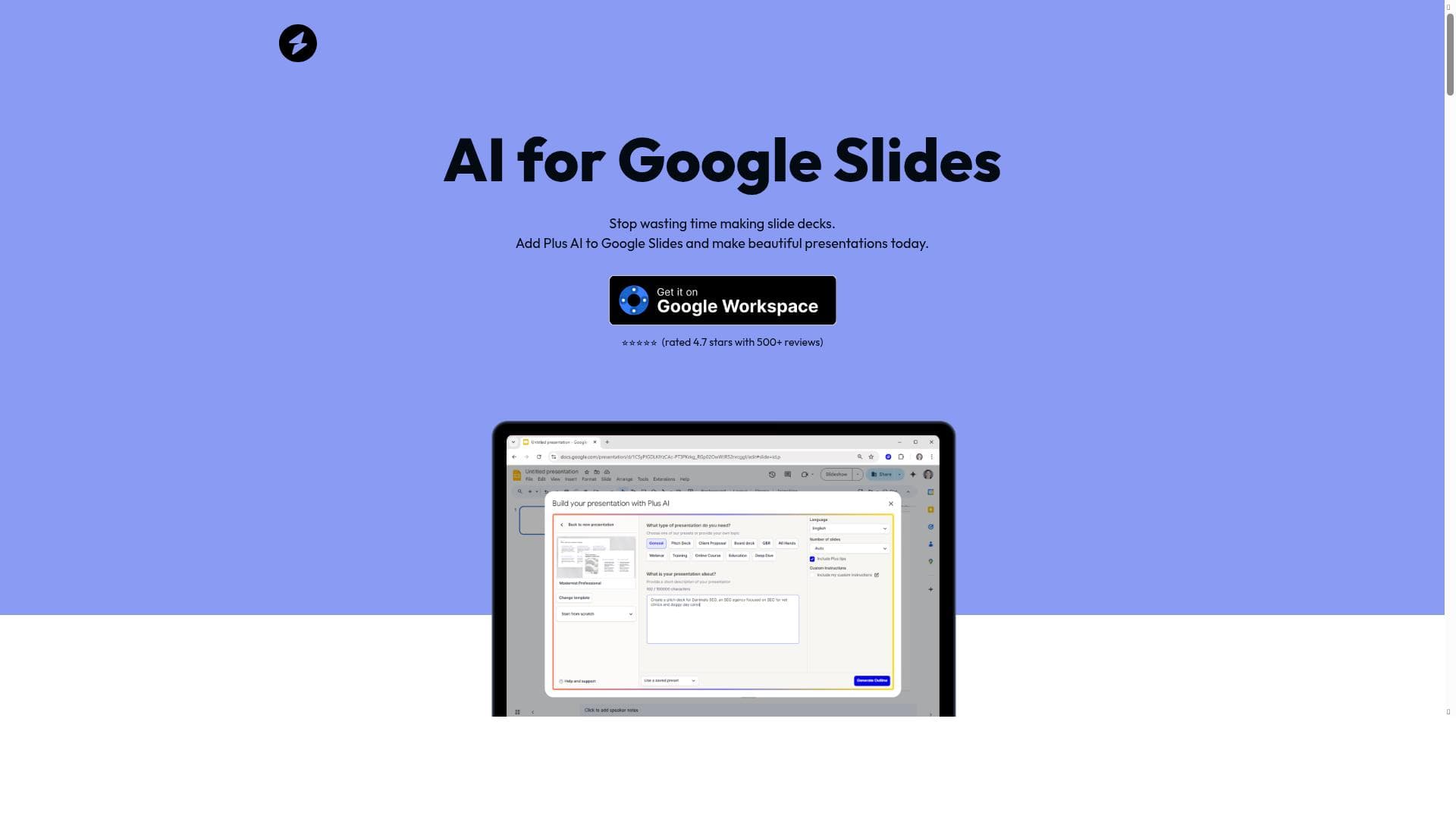
AI for Google Slides is a native add-on that transforms how presentations are created by using AI to generate, format, and brand slides directly within Google Slides. Perfect for professionals, educators, and marketers, it saves time and boosts productivity by reducing manual work and seamlessly integrating with existing presentations.
AI for Google Slides is a powerful and intuitive add-on designed to streamline the process of creating and editing presentations directly within Google Slides. Its core purpose is to leverage artificial intelligence to help users quickly generate professional-quality slide decks, saving significant time and effort compared to manual creation. By integrating seamlessly as a native add-on within Google Slides, it allows users to harness AI capabilities without needing to switch platforms or learn new software, making it an accessible tool for both beginners and experienced presenters. The tool offers a range of key features that enhance productivity and customization. One of its standout capabilities is the ability to reduce manual creation time by more than 30%, enabling users to save hours on every presentation. This is achieved through AI-driven content generation, where users can create slide content from simple prompts or even import PDFs to automatically generate presentation outlines and slides. Additionally, AI for Google Slides supports custom branding, allowing users to incorporate their brand colors and logos into presentations effortlessly, ensuring consistency and professionalism. The add-on is fully compatible with existing Google Slides presentations, meaning users can edit and enhance their current decks without any compatibility issues. Beyond content creation, the AI also assists with slide formatting, ensuring that presentations look polished and visually appealing with minimal manual adjustments. AI for Google Slides is ideal for a wide range of users, including business professionals, educators, marketers, and students who frequently create presentations. For business users, it accelerates the creation of sales decks, project updates, and client proposals, while educators can quickly generate lecture slides or training materials. Marketers benefit from the ability to produce branded presentations that align with company identity, and students can save time on assignments and group projects. The tool’s ease of use and integration within Google Slides make it particularly valuable for teams that collaborate on presentations, as it supports seamless sharing and editing within familiar workflows. Regarding pricing, AI for Google Slides follows a freemium model. Users can install the add-on for free from the Google Workspace Marketplace and start creating presentations within minutes. The free tier offers essential AI features suitable for casual or occasional users, while premium plans unlock advanced capabilities such as enhanced branding options, higher usage limits, and priority support. This flexible pricing structure allows users to scale their usage according to their needs and budget. Compared to alternative AI presentation tools that often require exporting and importing files or learning new interfaces, AI for Google Slides stands out due to its native integration with Google Slides. This ensures full compatibility with existing presentations and eliminates the learning curve associated with standalone AI tools. While some competitors may offer more extensive design templates or integrations with other platforms, AI for Google Slides excels in simplicity, speed, and seamless workflow integration. However, users should consider some limitations. Since it operates within Google Slides, the tool’s AI capabilities are bound by the platform’s features and may not support highly complex animations or multimedia elements. Additionally, while the AI can generate content and formatting suggestions, users still need to review and customize slides to ensure accuracy and alignment with their messaging. Finally, advanced branding and higher usage tiers require a paid subscription, which may be a consideration for budget-conscious users. In summary, AI for Google Slides is a highly effective add-on that empowers users to create, edit, and brand presentations quickly and professionally using AI, all within the familiar Google Slides environment. Its combination of time-saving automation, ease of use, and native integration makes it an excellent choice for individuals and teams looking to enhance their presentation workflow without the hassle of learning new tools.

Description
AI for Google Slides is a native add-on that transforms how presentations are created by using AI to generate, format, and brand slides directly within Google Slides. Perfect for professionals, educators, and marketers, it saves time and boosts productivity by reducing manual work and seamlessly integrating with existing presentations.
AI for Google Slides is a powerful and intuitive add-on designed to streamline the process of creating and editing presentations directly within Google Slides. Its core purpose is to leverage artificial intelligence to help users quickly generate professional-quality slide decks, saving significant time and effort compared to manual creation. By integrating seamlessly as a native add-on within Google Slides, it allows users to harness AI capabilities without needing to switch platforms or learn new software, making it an accessible tool for both beginners and experienced presenters. The tool offers a range of key features that enhance productivity and customization. One of its standout capabilities is the ability to reduce manual creation time by more than 30%, enabling users to save hours on every presentation. This is achieved through AI-driven content generation, where users can create slide content from simple prompts or even import PDFs to automatically generate presentation outlines and slides. Additionally, AI for Google Slides supports custom branding, allowing users to incorporate their brand colors and logos into presentations effortlessly, ensuring consistency and professionalism. The add-on is fully compatible with existing Google Slides presentations, meaning users can edit and enhance their current decks without any compatibility issues. Beyond content creation, the AI also assists with slide formatting, ensuring that presentations look polished and visually appealing with minimal manual adjustments. AI for Google Slides is ideal for a wide range of users, including business professionals, educators, marketers, and students who frequently create presentations. For business users, it accelerates the creation of sales decks, project updates, and client proposals, while educators can quickly generate lecture slides or training materials. Marketers benefit from the ability to produce branded presentations that align with company identity, and students can save time on assignments and group projects. The tool’s ease of use and integration within Google Slides make it particularly valuable for teams that collaborate on presentations, as it supports seamless sharing and editing within familiar workflows. Regarding pricing, AI for Google Slides follows a freemium model. Users can install the add-on for free from the Google Workspace Marketplace and start creating presentations within minutes. The free tier offers essential AI features suitable for casual or occasional users, while premium plans unlock advanced capabilities such as enhanced branding options, higher usage limits, and priority support. This flexible pricing structure allows users to scale their usage according to their needs and budget. Compared to alternative AI presentation tools that often require exporting and importing files or learning new interfaces, AI for Google Slides stands out due to its native integration with Google Slides. This ensures full compatibility with existing presentations and eliminates the learning curve associated with standalone AI tools. While some competitors may offer more extensive design templates or integrations with other platforms, AI for Google Slides excels in simplicity, speed, and seamless workflow integration. However, users should consider some limitations. Since it operates within Google Slides, the tool’s AI capabilities are bound by the platform’s features and may not support highly complex animations or multimedia elements. Additionally, while the AI can generate content and formatting suggestions, users still need to review and customize slides to ensure accuracy and alignment with their messaging. Finally, advanced branding and higher usage tiers require a paid subscription, which may be a consideration for budget-conscious users. In summary, AI for Google Slides is a highly effective add-on that empowers users to create, edit, and brand presentations quickly and professionally using AI, all within the familiar Google Slides environment. Its combination of time-saving automation, ease of use, and native integration makes it an excellent choice for individuals and teams looking to enhance their presentation workflow without the hassle of learning new tools.
Tool Features
- Save hours on every presentation by reducing manual creation time by more than 30%
- Create custom-branded content with your brand colors and logo
- Compatible with existing Google Slides presentations without compatibility issues
- Use AI to create slide content, format slides, and generate presentation outlines
Frequently Asked Questions
What is AI for Google Slides?
AI for Google Slides is an easy-to-use add-on that integrates AI capabilities directly into Google Slides, enabling users to quickly create and edit professional presentations by generating slide content, formatting, and outlines from prompts or PDFs.
How much does AI for Google Slides cost?
AI for Google Slides offers a freemium pricing model. Users can install and use basic features for free, while premium plans with advanced branding options, higher usage limits, and priority support are available for a subscription fee.
Who is AI for Google Slides best for?
It is best suited for business professionals, educators, marketers, and students who regularly create presentations and want to save time by automating content creation and formatting within Google Slides.
What are the main features of AI for Google Slides?
Key features include AI-driven slide content creation, automatic formatting, generation of presentation outlines from prompts or PDFs, custom branding with logos and colors, and full compatibility with existing Google Slides presentations.
Does AI for Google Slides offer a free trial?
Yes, the add-on can be installed for free from the Google Workspace Marketplace, allowing users to try essential AI features without any upfront cost.
What integrations does AI for Google Slides support?
As a native Google Slides add-on, it integrates seamlessly with Google Workspace apps and supports importing content from PDFs, but it does not require or offer integrations with external platforms beyond Google Slides.
How does AI for Google Slides work?
Once installed, users can prompt the AI to generate slide content, create outlines, or import PDFs to automatically build presentations. The AI also formats slides and applies custom branding, all within the Google Slides interface.
Socials
Use ToolSponsored Tools













































Reviews
No reviews yet. Be the first to share your experience.
















